

A monitor can look impressively sharp in a product photo and still feel wrong at a desk. The common problems are familiar: text that is too small, a stand that refuses to move, motion that smears during games, or a large panel that overwhelms a shallow workspace. The Best 4K monitors solve different parts of that problem, so screen size and panel behavior matter as much as resolution.
The nine screens here range from practical 27-inch IPS displays to fast gaming panels and a 32-inch OLED built for serious play. Some are true 4K monitors, while the Alienware is an ultrawide WQHD alternative for buyers who prefer width and speed over UHD detail.
For most people, the Dell S2725QC is the best pick, while the Dell S2725QS, Dell S3225QS, and LG UltraGear 32GX850A-B cover the strongest alternatives for different desks and uses.
Comparison table
| # | Product | Award | Panel | Refresh rate | Best for |
|---|---|---|---|---|---|
| 1 | Dell S2725QS | Best overall | 27-inch IPS | Up to 120Hz | Work and mixed use |
| 2 | Dell S2725QC | Best USB-C setup | 27-inch IPS | Up to 120Hz | Laptop desks |
| 3 | Dell S3225QS | Best large Dell | 32-inch VA | Up to 120Hz | Immersive work and media |
| 4 | LG 27UP650K-W | Best ergonomic stand | 27-inch IPS | 60Hz | Color-focused desk work |
| 5 | LG 32UR500K-B | Best built-in audio | 32-inch display | Not specified | Large-screen home offices |
| 6 | Alienware AW3425DWM | Best ultrawide gaming | 34-inch WQHD | 180Hz | Wide-field gaming |
| 7 | CRUA 32-inch 4K Curved | Best curved gaming | 32-inch VA | 160Hz | Large gaming setups |
| 8 | LG 27US500-W | Best simple 27-inch | 27-inch IPS | Not specified | Everyday 4K work |
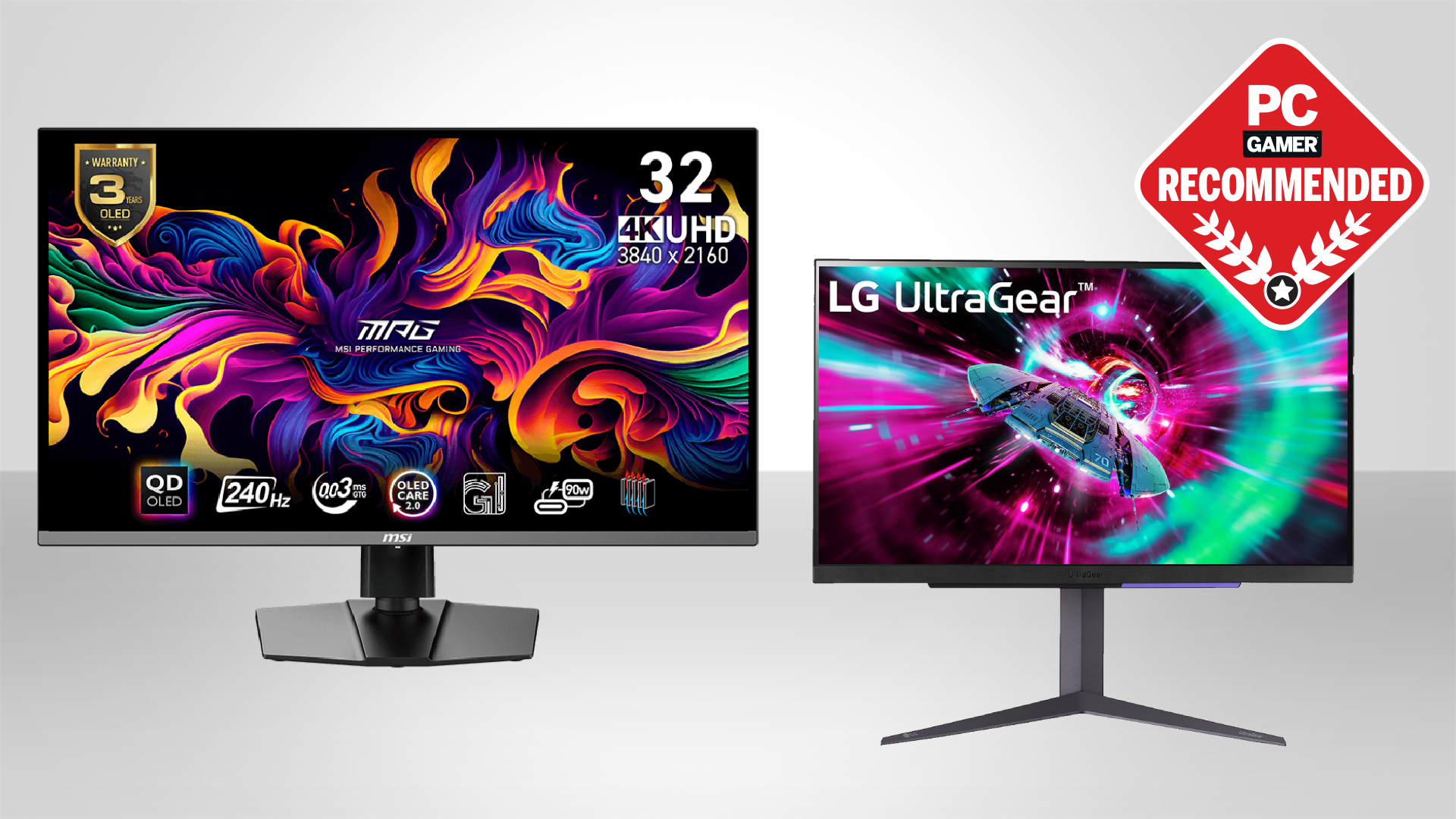
| 9 | LG UltraGear 32GX850A-B | Best OLED gaming | 32-inch glossy OLED | 165Hz or 330Hz | High-end gaming |
1. Dell S2725QC: Best USB-C Setup

Pros
- Sharp 27-inch 4K IPS image
- Up to 120Hz with FreeSync Premium
- USB-C connection with up to 65W power delivery
- 99% sRGB coverage
- Integrated sound improvements
Cons
- USB-C is the key advantage over the S2725QS
- The 27-inch workspace can feel compact at 4K scaling
- Stand dimensions take up meaningful desk depth
Best for: laptop users who want one cable for display and charging.
The Dell S2725QC is the monitor we would put on a mixed work and play desk when a laptop is part of the setup. Its defining feature is not something you see in a screenshot. A single USB-C cable can carry the display connection and provide up to 65W of power delivery, which removes a charger and a second video cable from the desktop.
The 27-inch IPS panel runs at 3840 by 2160 resolution and supports up to 120Hz. That combination makes ordinary work feel crisp while keeping scrolling and compatible games noticeably smoother than a conventional 60Hz screen. AMD FreeSync Premium is included for compatible systems. Dell also lists a 1500:1 contrast ratio, 99% sRGB, and HDR readiness, giving this display a sensible balance for documents, photos, streaming, and casual gaming.
Comfort is part of the appeal. ComfortView Plus reduces harmful blue light emissions to 35% or less without presenting it as a color-wrecking night mode. The display has an ultra-thin bezel and a clean ash white finish, and Dell says its re-engineered sound has greater output power and a deeper frequency response than the previous generation. That built-in audio is convenient for calls and ordinary video, though anyone serious about music or games will still want separate speakers or headphones.
Compared with the Dell S2725QS, this model earns its place through connectivity rather than a different core image. The QS is the better fit for a desktop computer that already has the ports it needs. The QC is the one to choose for a laptop-centered workspace. Its weakness is equally clear: if you never use USB-C charging, you are carrying extra cost and complexity without using the feature that separates it from Dell's other 27-inch model. Choose it when a tidy one-cable setup matters.
2. Dell S2725QS: Best Overall

Pros
- 4K IPS image with 99% sRGB
- Up to 120Hz refresh rate
- FreeSync Premium support
- ComfortView Plus low-blue-light mode
- Thin bezels and integrated sound improvements
Cons
- No USB-C power delivery
- 27 inches leaves less room for side-by-side windows
- HDR readiness is not the same as a full HDR experience
Best for: people who want one sharp, fast 27-inch monitor for work and play.
The Dell S2725QS gets the fundamentals right without making you organize your desk around a specialist feature. It is a compact 27-inch 4K IPS monitor with enough refresh-rate headroom for smooth everyday use and enough color coverage for general creative work. The result is a display that feels equally natural beside a desktop tower, a console, or a work laptop connected through a separate adapter.
Its 3840 by 2160 image packs a lot of detail into a modest footprint. At up to 120Hz, web pages and application windows move with less judder than they do on a 60Hz monitor, and AMD FreeSync Premium helps coordinate the screen with compatible graphics hardware. Dell lists a 5ms response time in the model title, while its feature description also mentions an ultra-low 0.03ms response time. Those figures are presented differently, so we would treat the screen as a responsive general-purpose display rather than assume either number describes every operating mode.
Color coverage is a practical strength. The IPS panel reaches 99% sRGB and uses a 1500:1 contrast ratio, while HDR readiness can add compatibility for suitable content. ComfortView Plus reduces blue light emissions to 35% or less without sacrificing the stated color accuracy. That combination suits long documents, browser work, photo sorting, and games where accurate, consistent color matters more than dramatic OLED blacks.
The S2725QS is the better straightforward choice than the LG 27US500-W when smooth motion is a priority, and it is less demanding on desk depth than the Dell S3225QS. The trade-off is the missing USB-C power delivery found on the S2725QC. Its built-in sound has been re-engineered for more output and a deeper frequency response, but it remains a convenience feature rather than a substitute for a proper audio setup. Buy it for a balanced desk monitor, and skip it only if USB-C docking or a larger screen is central to your routine.
3. Dell S3225QS: Best Large Dell

Pros
- Spacious 32-inch 4K workspace
- VA panel with 99% sRGB and 95% DCI-P3
- Up to 120Hz with FreeSync Premium
- 1500:1 contrast ratio
- ComfortView Plus and improved integrated audio
Cons
- Needs more desk depth than the 27-inch Dell models
- Heavier and physically larger
- VA viewing behavior is different from IPS
Best for: users who want a large 4K desktop without moving to an ultrawide format.
The Dell S3225QS is for the person who opens a spreadsheet, timeline, browser, and chat window and still wants room for all of them. A 32-inch panel makes 4K feel less cramped because the pixels are spread across a larger physical area. Text and interface elements can remain comfortable at a sensible scaling level, while photos and video get a more absorbing canvas.
This model uses a VA panel rather than the IPS panels in the two 27-inch Dell screens. Dell lists 99% sRGB, 95% DCI-P3, a 1500:1 contrast ratio, and HDR readiness. The higher contrast specification can give dark scenes and black text more depth, while the wider DCI-P3 coverage is useful for modern video and wide-gamut creative work. It is still important to position a large screen sensibly, since viewing angle and distance have a bigger effect when the panel fills more of your field of view.
Motion is stronger than the size might suggest. The display supports up to 120Hz and AMD FreeSync Premium, with Dell's feature description mentioning an ultra-low 0.03ms response time. That makes it more versatile than a slow office-only screen. The re-engineered audio system is also designed for more output, deeper frequency response, and greater range, useful when you want sound without adding speakers to an already busy desk.
The Dell S2725QS is easier to place and has the more familiar IPS panel behavior, but the S3225QS wins when window space and immersive media matter more. It is also a calmer alternative to the CRUA 32-inch 4K Curved, which pushes harder toward gaming styling and a 160Hz refresh rate. The weakness is physical: at 28.05 inches wide and 19.33 pounds, it needs a sturdy, deep setup. Choose it when a large, flat 4K workspace is the priority.
4. LG 27UP650K-W: Best Ergonomic Stand

Pros
- 27-inch 3840 by 2160 IPS panel
- Up to 95% DCI-P3 expression
- DisplayHDR 400 support
- Height, tilt, and pivot adjustments
- Reader Mode and Flicker Safe features
Cons
- 60Hz refresh rate
- Less fluid than the Dell 120Hz models
- Stand adds height and desk footprint
Best for: office and creative users who need a flexible, properly adjustable stand.
The LG 27UP650K-W makes a strong case for treating the stand as part of the monitor rather than an afterthought. It can tilt, adjust in height, and pivot, so you can get the top edge and viewing angle into a more natural position. That matters when a screen is used for long writing sessions, portrait documents, or a desk shared by people of different heights.
Its 27-inch IPS panel has 3840 by 2160 resolution and supports up to 95% DCI-P3 color gamut expression. LG also lists DisplayHDR 400 compatibility. Those features make it a more deliberately visual display than a basic office panel, particularly for photo work, video viewing, and games with HDR support. A 5ms response time is listed in the title, but the 60Hz refresh rate makes its character clear: this is about clean detail and positioning, not high-frame-rate competition.
LG includes several gaming and usability features even though this is not a dedicated high-refresh gaming monitor. Black Stabilizer can brighten dark areas, while Dynamic Action Sync is intended to reduce delay during action. Reader Mode and Flicker Safe are more relevant to daily work, and the Switch app can divide the screen into as many as six sections or help manage different workflows. The listed HDMI and DisplayPort connections cover the standard ways most computers connect.
This is the more ergonomic choice than the LG 27US500-W, whose listed stand feature is tilt adjustment. The Dell S2725QS is the stronger pick for smooth scrolling and 120Hz motion, but the LG's pivot function is genuinely useful for certain desks. The main reason to skip it is simple: 60Hz is a limitation you will notice when moving from a faster display. Pick it for a carefully positioned work monitor, especially when color coverage and stand flexibility matter more than speed.
5. LG 32UR500K-B: Best Built-In Audio

Pros
- Large 32-inch 4K screen
- HDR10 support and up to 90% DCI-P3 expression
- Two built-in stereo speakers with Waves MaxxAudio
- Two HDMI connections plus DisplayPort
- OnScreen Control workspace tools
Cons
- Stand adjustment is limited to tilt
- Refresh rate is not specified in the supplied details
- Less color coverage than the Dell S3225QS on paper
Best for: home offices and media desks that need a large screen with convenient audio.
The LG 32UR500K-B is the practical large-screen option for a desk that also serves as a media station. Its 32-inch 3840 by 2160 display gives documents and creative applications plenty of room, while the built-in stereo speakers mean a video call or short clip does not require a separate audio system. The screen has a borderless design that helps it feel less bulky than its dimensions suggest.
LG lists HDR10 support and up to 90% DCI-P3 color gamut expression. That is useful for compatible video and games, though the supplied product information does not specify a refresh rate, so this is not the monitor to buy based on fast-motion performance. It is better understood as a spacious 4K screen for work, streaming, and occasional play.
The audio system uses Waves MaxxAudio and two built-in speakers. That is a meaningful convenience over the Dell S3225QS and LG 27US500-W, whose supplied features do not list built-in speakers. OnScreen Control can split the workspace or adjust basic monitor settings with a few mouse clicks. There are two HDMI inputs and one DisplayPort connection, giving the display useful flexibility for a computer and another source.
The cost of that simplicity is the stand. LG lists ergonomic tilt adjustment, but not height, swivel, or pivot movement. The Dell S3225QS is a better fit for users who want broader color coverage and a more clearly specified 120Hz mode, while the LG makes more sense when sound and multiple HDMI sources are central. Skip it if adjustable ergonomics or competitive gaming speed are non-negotiable.
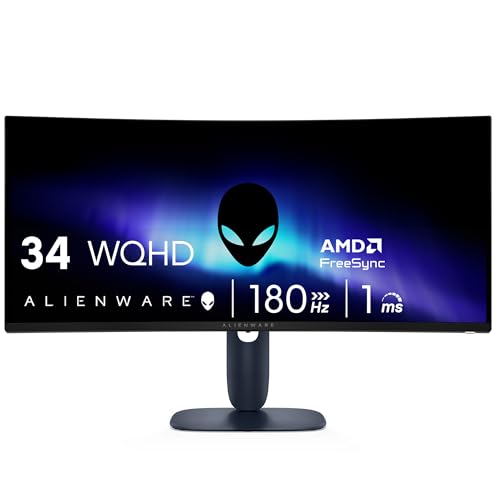
6. Alienware AW3425DWM: Best Ultrawide Gaming
Pros
- Expansive 34-inch ultrawide format
- 180Hz refresh rate and 1ms gray-to-gray response time
- 1500R curve for a wraparound view
- FreeSync Premium and VESA AdaptiveSync
- 95% DCI-P3 and DisplayHDR 400
Cons
- WQHD rather than 4K UHD
- Curved ultrawide format is not ideal for every application
- Requires more physical desk width
Best for: PC gamers who prefer a wide field of view and fast motion over 4K resolution.
The Alienware AW3425DWM is the deliberate outlier here. It is not a 4K monitor. Its 34-inch ultrawide WQHD panel uses a 1500R curve to put more of the game world in front of you, and that wider shape can be more immersive than a conventional 16:9 screen. For racing games, open-world titles, and multitasking across a long desktop, the format has a distinct appeal.
Speed is its strongest argument. Alienware lists a 180Hz refresh rate, a 1ms gray-to-gray response time, AMD FreeSync Premium, and VESA AdaptiveSync technology. Those specifications target fluid movement and reduced tearing rather than the fine pixel density of UHD. It also reaches 95% DCI-P3 color coverage and carries DisplayHDR 400 certification, so the image is not being treated as an afterthought.
The 1500R curve works best when you sit centered and fairly close. It draws the edges inward without requiring the extreme width of a dual-monitor setup, though the 31.71-inch width means the desk must accommodate it. Alienware also includes a dedicated console mode and hardware-based low-blue-light technology intended to reduce eye strain while preserving color.
This screen belongs in a different comparison than the Dell S2725QS or LG 27UP650K-W. Those are sharper 4K productivity displays. The Alienware is the better gaming tool when frame rate, width, and response are the priorities. If your work involves fine 4K image detail, or if you need a flat panel for consistent office layouts, choose one of the Dell or LG displays instead. For buyers weighing resolution against motion, the trade-off between sharpness and fast gaming motion is the key decision.
7. CRUA 32-inch 4K Curved: Best Curved Gaming

Pros
- 32-inch 3840 by 2160 curved panel
- 160Hz refresh rate
- 1500R curve and AMD FreeSync
- 120% sRGB and 3000:1 contrast ratio
- Built-in speakers and RGB lighting
Cons
- VA panel behavior may not suit every viewing angle
- Curve is less useful for precision office layouts
- Product details do not specify response time or HDR support
Best for: gamers who want a large 4K curved screen with a fast refresh rate.
The CRUA 32-inch 4K Curved takes the familiar 32-inch desktop format and adds a 1500R curve, a 160Hz refresh rate, and gaming-focused styling. Its 3840 by 2160 resolution keeps the image substantially sharper than the Alienware AW3425DWM, while the curved shape gives games and films a more enveloping presentation.
The VA panel is specified with a 3000:1 contrast ratio and 120% sRGB color gamut. A high contrast ratio can make dark scenes look more substantial, and the wide gamut specification points to vivid color rather than a restrained office image. AMD FreeSync is included to help keep compatible systems and the panel in step during changing frame rates.
This is also one of the more self-contained screens in the group. The supplied features list built-in speakers, RGB lighting, HDMI 2.1, DisplayPort 1.4, and 75 by 75mm wall-mount support. The screen is 28 inches wide, so it is large without taking the extreme horizontal space of the Alienware. That makes it a better fit for a desk where 4K detail matters but a conventional flat 27-inch monitor feels too small.
The missing details are important. The supplied information does not give a response-time figure or HDR certification, so we would not choose it over the LG UltraGear 32GX850A-B for high-end gaming image quality. It is also less predictable for color-critical work than the Dell S3225QS, whose coverage is clearly stated in sRGB and DCI-P3 terms. Choose the CRUA for its combination of size, curve, 4K resolution, and 160Hz speed, and skip it if a flat, adjustable, office-first display is what you need.
8. LG 27US500-W: Best Simple 27-Inch

Pros
- 27-inch 3840 by 2160 IPS display
- HDR10 support and up to 90% DCI-P3 expression
- Borderless design
- OnScreen Control workspace tools
- Reader Mode and Flicker Safe features
Cons
- Refresh rate is not specified
- Stand adjustment is limited to tilt
- 1000:1 contrast ratio is modest beside the VA and OLED models
Best for: everyday work where a clean 27-inch 4K image matters more than gaming extras.
The LG 27US500-W is the uncomplicated LG in this group. It gives you a 27-inch 4K IPS display, a borderless design, and the core connections most desks need without leaning heavily into gaming branding. It is a natural fit for browser work, documents, general creative applications, and a clean two-screen arrangement.
LG specifies a 3840 by 2160 resolution, HDR10 support, up to 90% DCI-P3 color gamut expression, and a 1000:1 contrast ratio. The IPS panel provides wide viewing angles, while the UHD resolution keeps text and detailed images crisp when your computer is configured for appropriate scaling. HDR10 compatibility is useful for supported content, but the supplied data does not include a brightness certification, so it should not be confused with the more explicitly HDR-focused LG 27UP650K-W.
OnScreen Control can split the display or adjust basic settings through software. Reader Mode and Flicker Safe features target long sessions, and LG lists HDMI and DisplayPort connections. The stand supports tilt adjustment, which is enough for a straightforward desk but not enough for users who need height, pivot, or swivel control. The supplied box contents include an HDMI cable, power adapter, stand parts, and a quick-start guide.
The LG 27UP650K-W is the better LG choice for an adjustable stand and DisplayHDR 400, while the Dell S2725QS has the clearer advantage for up to 120Hz motion. The 27US500-W's weakness is that its refresh-rate specification is not provided in the supplied details, so it is not the right recommendation for buyers shopping around a known gaming target. It makes sense when you want a clean, sharp work display and do not need to build the desk around advanced ergonomics.
9. LG UltraGear 32GX850A-B: Best OLED Gaming

Pros
- 32-inch glossy 4K OLED display
- 165Hz 4K mode and 330Hz Full HD mode
- 0.03ms response time
- G-SYNC Compatible and FreeSync Premium Pro
- TrueBlack 400 and 98.5% DCI-P3 coverage
- Height, tilt, swivel, and pivot adjustments
Cons
- Glossy finish can reflect bright rooms
- OLED is aimed more at gaming than ordinary office use
- Requires a capable computer to make full use of its fastest modes
Best for: gamers who want deep OLED blacks, high refresh rates, and a flexible dual-mode display.
The LG UltraGear 32GX850A-B is the most ambitious monitor here. Its 32-inch glossy OLED panel combines 4K detail with the near-instant response associated with OLED, producing a display that is built around games rather than merely accommodating them. Dark scenes benefit from OLED's deep black reproduction, while the glossy surface can make bright colors appear more immediate in a controlled room.
LG lists a 165Hz refresh rate at 4K and a dual mode that switches to Full HD at up to 330Hz. That is a useful split in personality. The 4K mode suits cinematic games and detailed worlds, while the Full HD mode targets competitive titles where fast motion and high frame rates matter more than pixel density. The stated 0.03ms gray-to-gray response time is aimed at minimizing visible blur and lag.
The image specifications are unusually strong. The monitor carries VESA DisplayHDR True Black 400 certification, a claimed 1.5 million to 1 contrast ratio, and up to 98.5% DCI-P3 gamut coverage. Micro Lens Array+ technology is listed, with typical brightness of 275 nits, and LG says the design improves viewing angles over previous UltraGear OLED displays. G-SYNC Compatible support and AMD FreeSync Premium Pro help reduce tearing and stutter with compatible hardware.
It is also more adjustable than the simpler LG screens. The stand supports height, tilt, swivel, and pivot, and the display includes HDMI and DisplayPort connections. Dynamic Action Sync, Black Stabilizer, an FPS counter, and a crosshair add practical gaming controls. UL certifications cover anti-glare, flicker-free operation, and low blue light, though the glossy finish can still reflect windows and lamps. Anyone comparing screen technologies should also consider how OLED changes contrast in a dark gaming room.
The weakness is not speed or image quality. It is suitability. A glossy OLED can be a poor match for a bright office, and buyers who spend most of the day reading static documents may prefer a simpler IPS screen. The CRUA 32-inch 4K Curved offers a larger gaming feel with a lower-spec panel, while the Alienware AW3425DWM offers an ultrawide view instead of 4K. Choose the LG when gaming performance and OLED contrast are worth making the rest of the setup more deliberate.
How to choose best 4k monitors
The right screen depends on how much detail, motion, desk space, and adjustment your daily setup actually needs.
Resolution and screen size
A 4K monitor uses 3840 by 2160 pixels, which provides a dense, detailed image for text, photos, video, and games. At 27 inches, that density can make small interface elements look tiny unless operating-system scaling is configured properly. A 32-inch model spreads the same pixels across a larger area, often making menus and side-by-side windows easier to live with.
The Alienware AW3425DWM is the exception here. Its WQHD resolution is lower than 4K, but its 34-inch ultrawide shape provides more horizontal workspace and a wider gaming view. Decide first whether you want pixel density or an expansive aspect ratio.
A bigger screen does not automatically create more usable workspace if your desk forces you to sit too close.
Panel type
IPS panels, such as those in the Dell S2725QC and LG 27UP650K-W, are generally attractive for wide viewing angles and consistent everyday color. VA panels, including the Dell S3225QS and CRUA display, emphasize contrast and can give dark scenes more depth. OLED, as used by the LG UltraGear 32GX850A-B, goes much further with black-level performance and response speed.
Panel type is not a complete quality verdict. Look at the color coverage, contrast specification, brightness or HDR certification, and intended use together. For color-sensitive work, the Dell S3225QS lists 95% DCI-P3, while the LG UltraGear lists up to 98.5% DCI-P3.
Refresh rate and response time
A 60Hz monitor refreshes the image 60 times per second. The Dell screens and gaming models move beyond that, with the Dell S2725QS, Dell S2725QC, and Dell S3225QS supporting up to 120Hz, the CRUA reaching 160Hz, and the Alienware reaching 180Hz. Higher refresh rates make cursor movement, scrolling, and games look more fluid when the computer can supply matching frame rates.
Response-time claims need careful reading. A stated figure may refer to a particular mode or measurement method. Adaptive-sync support such as AMD FreeSync Premium, FreeSync Premium Pro, or VESA AdaptiveSync is also useful because it helps coordinate changing frame rates with the monitor.
HDR and color gamut
HDR support has more impact when the monitor has enough brightness and contrast to show a meaningful difference. DisplayHDR 400, HDR10, and DisplayHDR True Black 400 are not interchangeable labels. The LG 27UP650K-W lists DisplayHDR 400, the Alienware lists DisplayHDR 400, and the LG UltraGear lists True Black 400 with OLED contrast.
Color gamut is another useful clue. sRGB is the common web and office reference, while DCI-P3 describes a wider color space used heavily for modern video. Do not assume a wider gamut always looks more accurate. It is most useful when your applications and content are managed for it.
Stand and connectivity
The stand determines whether the monitor can be positioned correctly without a pile of books or a separate arm. The LG 27UP650K-W supports height, tilt, and pivot adjustments. The LG UltraGear 32GX850A-B adds swivel, while the LG 27US500-W and LG 32UR500K-B list tilt adjustment.
Connectivity should match the computer you already own. The Dell S2725QC stands out with USB-C and up to 65W power delivery, which can turn the display into a simple laptop dock. The CRUA lists HDMI 2.1 and DisplayPort 1.4, while the LG 32UR500K-B has two HDMI inputs and DisplayPort. For a desk shared between work and entertainment, the practical space requirements for a second screen can matter as much as the panel itself.
Frequently asked questions
Is a 4K monitor worth it at 27 inches?
Yes, if you want highly detailed text, photographs, and video, but you may need display scaling to keep menus comfortable. A 32-inch screen makes the same resolution feel less dense and can be easier for side-by-side work. The Dell S2725QS and Dell S2725QC suit compact desks, while the Dell S3225QS gives you more physical workspace.
Is 120Hz useful for office work?
Yes. Scrolling, dragging windows, and moving a pointer can appear smoother at 120Hz than at 60Hz. It is not essential for documents, but it is a noticeable convenience when the monitor also handles games or frequent motion.
Is IPS better than VA for a 4K monitor?
Neither is automatically better. IPS is often a comfortable fit for wide viewing angles and consistent general-purpose color, while VA can provide stronger contrast for dark scenes. The Dell S2725QS uses IPS, and the Dell S3225QS uses VA, so your preferred image character and seating position should guide the decision.
Do all these monitors support HDR?
No. The supplied product details list HDR readiness for the Dell S2725QS and Dell S2725QC, HDR readiness for the Dell S3225QS, DisplayHDR 400 for the LG 27UP650K-W and Alienware, HDR10 for the LG 32UR500K-B and LG 27US500-W, and DisplayHDR True Black 400 for the LG UltraGear. The CRUA listing does not specify HDR support.
Which monitor is best for a laptop?
The Dell S2725QC is the clearest fit because its USB-C connection can provide up to 65W of power delivery while carrying the display connection. That can reduce cable clutter on a laptop desk. If your laptop does not support display output over USB-C, verify the connection requirements before relying on that setup.
Is the Alienware AW3425DWM a 4K monitor?
No. It is a 34-inch WQHD ultrawide monitor. Its advantages are the 180Hz refresh rate, 1500R curve, wide format, and gaming-focused synchronization features, not UHD resolution.
Is OLED suitable for a work monitor?
It can be, particularly if you want exceptional contrast and also play games, but it is more specialized than an IPS office display. The LG UltraGear 32GX850A-B has a glossy finish and is built around high-refresh gaming modes. A simpler IPS monitor may be easier to live with in a bright room or a document-heavy workspace.
The bottom line
The Dell S2725QS is the Best 4K monitors pick for most desks because it combines 4K IPS detail, up to 120Hz motion, 99% sRGB coverage, FreeSync Premium, and comfort features without forcing a specialized setup. Choose the Dell S2725QC instead if USB-C connectivity and up to 65W laptop charging will simplify your desk.
For large-screen work, the Dell S3225QS is the strongest conventional 32-inch option. Gamers should look at the LG UltraGear 32GX850A-B for OLED contrast and dual refresh modes, or the Alienware AW3425DWM if an ultrawide field of view matters more than 4K resolution.
If you are undecided, choose the Dell S2725QS for a balanced 27-inch setup, then move to the S2725QC only when one-cable laptop connectivity is central to your routine.
As an Amazon Associate we earn from qualifying purchases.