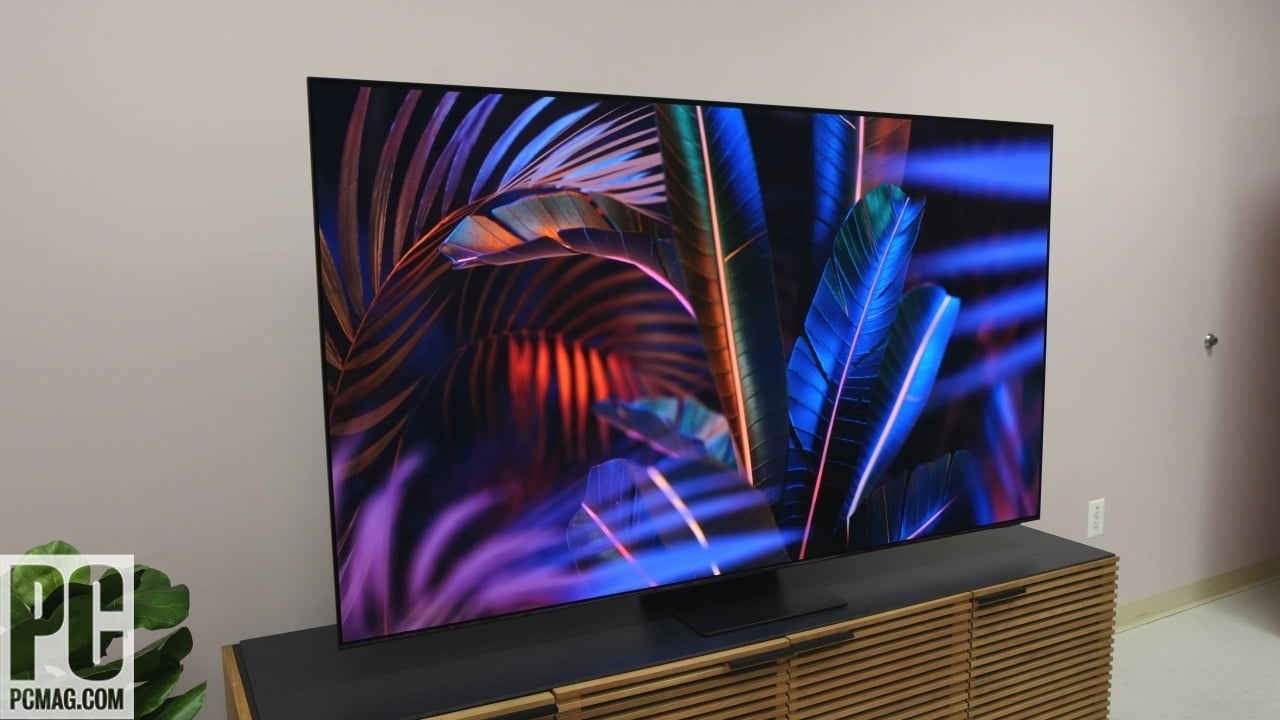

A 65-inch screen can make a movie room feel cinematic, but it also exposes weak black levels, distracting reflections, poor upscaling, and motion blur. The panel matters, yet processing, gaming support, smart software, and sound features decide how pleasant the TV is to live with.
Our Best 65 inch oled tv guide puts the LG C5 first because it combines excellent OLED contrast with a strong gaming feature set, useful picture processing, and broad format support. The rest of the list includes Samsung and Sony OLED models, newer LG and Samsung alternatives, plus several non-OLED TVs for readers who prioritize streaming simplicity or a different panel type.
Comparison table
| # | Product | Award | Panel | Refresh rate | HDR and audio | Best for |
|---|---|---|---|---|---|---|
| 1 | LG C5 OLED | Best overall | OLED evo | Up to 144Hz | Dolby Vision, Dolby Atmos | Most living rooms and gamers |
| 2 | Samsung S90F OLED | Best for gaming | OLED | Up to 144Hz | HDR+, AI picture and sound | Fast games and sports |
| 3 | Sony BRAVIA XR8B | Best for movies | OLED | Not specified | Dolby Vision, Dolby Atmos, DTS:X | Film-focused rooms |
| 4 | LG C6 OLED | Best high-refresh OLED | OLED evo | Up to 165Hz | Dolby Vision, Dolby Atmos | PC and console gaming |
| 5 | Samsung S90H OLED | Best bright-room OLED | OLED | Up to 165Hz | OLED HDR+, AI picture and sound | Bright rooms and sports |
| 6 | Samsung S90F OLED Bundle | Best bundled setup | OLED | Up to 144Hz | Dolby Atmos, OLED HDR+ | Buyers wanting setup extras |
| 7 | Roku Select QLED | Best simple smart TV | QLED | Not specified | HDR10, Bluetooth Headphone Mode | Easy streaming |
| 8 | Samsung U8000H | Best non-OLED Samsung | LED and LCD | Up to 60Hz | 4K upscaling | Cable, sports, and general TV |
| 9 | Insignia F50 | Best connected budget TV | LED | Not specified | HDR10, DTS Virtual:X | Fire TV households |
1. LG C5 OLED: Best Overall

Pros
- OLED evo panel produces perfect black
- Brightness Booster helps in brighter rooms
- Four HDMI 2.1 inputs support a full gaming setup
- 0.1ms response time and up to 144Hz refresh rate
- Dolby Vision, Dolby Atmos, and Filmmaker Mode
Cons
- No built-in panel specification for glare control beyond the bright-room certification
- Sound features are more compelling with compatible LG equipment
- OLED still requires sensible care with static images
Best for: someone who wants one 65-inch TV for films, streaming, sports, and serious gaming.
The LG C5 OLED is the easiest TV here to recommend without knowing much about the room or the owner's habits. Its OLED evo panel gives dark scenes the clean, deep blacks that make a good science-fiction film or prestige drama look immediately more convincing. Brightness Booster is intended to make individual pixels more luminous, while LG says the set is verified for reduced discomfort glare in bright rooms. That combination makes it more flexible than a dim OLED placed in a room with windows.
The picture engine is the Alpha 9 AI Processor Gen8, and the useful part is not the processor name itself. AI Super Upscaling is designed to clean up lower-quality video, which matters when a 4K display is showing broadcast television, older streaming material, or compressed sports feeds. Dolby Vision handles compatible HDR films, HDR10 covers a broad range of other content, and Filmmaker Mode gives movies a less processed presentation. Dolby Atmos support also gives a compatible sound system an appropriate object-based audio signal.
Gaming is where the C5 creates distance from many ordinary 65-inch televisions. It has a stated 0.1ms response time, a refresh rate up to 144Hz, VRR, NVIDIA G-Sync, and AMD FreeSync Premium. Four HDMI 2.1 inputs are especially convenient because a console, gaming PC, receiver, and another modern source can all remain connected. The Game Optimizer and Game Dashboard put relevant controls in one place rather than forcing a trip through several picture menus.
Compared with the Samsung S90F OLED, the C5 is the more adaptable pick for a mixed household because Dolby Vision and four HDMI 2.1 inputs are clearly called out. Samsung counters with its own strong AI processing and fast gaming motion. The LG C5's real weakness is that its audio story depends heavily on external equipment, and anyone who leaves static interface elements on screen for long periods still needs to treat an OLED sensibly. For a living room that has to handle everything, it remains the best-balanced choice.
2. Samsung S90F OLED: Best for Gaming

Pros
- Up to 4K 144Hz VRR gaming
- NQ4 AI Gen3 processor with 128 neural networks
- AI motion processing helps fast sports and text
- HDR enhancement for standard dynamic range content
- Strong choice for high-speed console and PC play
Cons
- Dolby Vision is not listed among the supplied features
- Processing features can be more elaborate than some viewers need
- No HDMI input count is specified in the supplied data
Best for: gamers who want very smooth motion and AI-assisted picture processing on an OLED panel.
The Samsung S90F OLED approaches the 65-inch format like a performance display that also happens to be a smart TV. OLED pixels provide the deep contrast expected from the category, while Samsung's NQ4 AI Gen3 processor uses 128 neural networks to analyze content. That processing is aimed at more than sharpening. It can adjust picture and sound for streaming, live sports, and games, giving the set a broad range of automatic assistance.
Its headline gaming feature is support for VRR gaming up to 4K at 144Hz. A high refresh rate makes camera movement and fast action look more fluid when the source can provide the necessary frame rate. Samsung also describes motion processing that smooths fast-moving balls and text, an important distinction for sports viewers who dislike trails around players or score graphics. The S90F is the better fit than the LG C5 for someone whose priority is fast games first and movie format support second.
Samsung's HDR processing also works on standard dynamic range material, transforming it toward an HDR-like presentation with brighter highlights, stronger color, and clearer detail. That can make a mixed library of old and new content feel more consistent. The feature list does not mention Dolby Vision, so buyers with a large Dolby Vision collection should compare their source devices and preferred formats before choosing it over the LG C5 or Sony BRAVIA XR8B.
The omission of a specified HDMI input count makes the connection plan less clear than it is on the C5. That is a practical weakness for someone with several consoles and an AV receiver. The S90F also asks the viewer to trust Samsung's automated processing, which may not suit people who prefer to adjust every picture setting manually. Still, its combination of OLED contrast, 4K 144Hz gaming, and AI motion work makes it a sharp pick for competitive play, sports, and viewers who want a lively image.
3. Sony BRAVIA XR8B: Best for Movies

Pros
- Pure black OLED contrast
- XR Processor enhances color, contrast, and clarity
- Studio calibrated modes for Netflix and Prime Video
- Dolby Vision, Dolby Atmos, IMAX Enhanced, and DTS:X
- Google TV, Apple AirPlay 2, and Google Cast
Cons
- Refresh rate is not specified in the supplied information
- Gaming features focus particularly on PlayStation 5
- No listed dimensions for the set without its stand
Best for: movie fans who want polished picture processing and broad cinema format support.
The Sony BRAVIA XR8B is the film specialist in this group. Its OLED panel uses more than 8 million self-lit pixels to create pure black, but Sony's emphasis is on how the image is processed rather than on a long list of gaming numbers. The XR Processor works in real time on color, contrast, and clarity, while XR Clear Image upscales HD and digital content. That matters when the screen is showing a large amount of ordinary television alongside 4K movies.
Sony includes studio calibrated picture modes designed for Netflix and Prime Video. Those modes aim to keep the presentation closer to the creator's intent, which is appealing to viewers who do not want a dramatic artificial sharpness boost or exaggerated color treatment. XR OLED Motion is intended to reduce blur in sports and action films, although the supplied information does not give a refresh rate for direct comparison with the LG and Samsung models.
Format support is unusually broad here. Dolby Vision and Dolby Atmos cover many modern movie releases and compatible audio systems, while IMAX Enhanced and DTS:X add options for home theater equipment that supports them. Google TV keeps streaming apps together, and Google Assistant handles voice searches. Apple AirPlay 2 and Google Cast make it straightforward to send content from compatible phones and tablets.
The BRAVIA XR8B is less obviously tailored to PC gaming than the Samsung S90F or LG C6 because its listed features do not specify a high refresh rate, VRR range, or response time. Its gaming advantages are clearest for PlayStation 5, where Auto HDR Tone Mapping and Auto Genre Picture Mode can optimize the picture automatically. Choose it for carefully processed films, strong format support, and a familiar Google TV interface. Skip it if high-frame-rate gaming is the main reason for buying a 65-inch OLED.
4. LG C6 OLED: Best High-Refresh OLED

Pros
- OLED evo contrast with more than 8.3 million self-lit pixels
- Up to 165Hz refresh rate
- 0.1ms response time
- G-Sync and FreeSync Premium support
- Dolby Vision, Dolby Atmos, and Filmmaker Mode
Cons
- The supplied data does not specify HDMI input count
- Higher refresh capability matters most with compatible gaming hardware
- OLED care remains important for static content
Best for: PC gamers who want the fastest stated refresh rate among the OLED picks.
The LG C6 OLED is a more gaming-focused evolution of the C5 formula. It keeps the OLED evo foundation, with more than 8.3 million self-lit pixels and Brightness Booster, but raises the stated refresh rate to 165Hz. That figure is most useful to a PC gamer with hardware capable of producing frame rates beyond the console-oriented range. For ordinary films, the contrast and picture processing matter far more than the extra refresh headroom.
LG pairs the panel with its Alpha 11 AI Processor Gen3. The supplied features describe the processor as the brand's most powerful dual AI engine, with picture and speed improvements. AI Super Upscaling is intended to make lower-quality material cleaner, while Dolby Vision and Filmmaker Mode give movie viewers two sensible paths, one dynamic and one more restrained. Dolby Atmos support is ready for compatible home theater equipment.
Response time is listed at 0.1ms, and the C6 supports NVIDIA G-Sync and AMD FreeSync Premium. Those features help the TV coordinate its refresh behavior with compatible graphics hardware, reducing tearing and making camera movement feel more consistent. The set also includes OLED Care, a useful collection of protections for owners who spend long stretches with game interfaces or news tickers on screen.
The C6 beats the C5 on the stated refresh ceiling, but the C5 remains the safer all-purpose recommendation because its supplied feature list explicitly calls out four HDMI 2.1 inputs. The C6's supplied data does not provide that connection detail, so a PC gamer with several sources should check the exact port layout before ordering. It is the right choice for someone who can use 165Hz and wants LG's movie features too. For mostly streaming, the C5 is the more sensible fit.
5. Samsung S90H OLED: Best Bright-Room OLED
Pros
- OLED HDR+ with Glare Free technology
- Up to 165Hz Motion Xcelerator
- G-Sync and FreeSync Premium Pro support
- 4K AI Upscaling Pro
- AI motion enhancement for sports
Cons
- Dolby Vision is not listed in the supplied features
- The highest refresh rate is mainly useful for capable gaming hardware
- HDMI input details are not supplied
Best for: viewers with bright rooms who also want high-refresh gaming support.
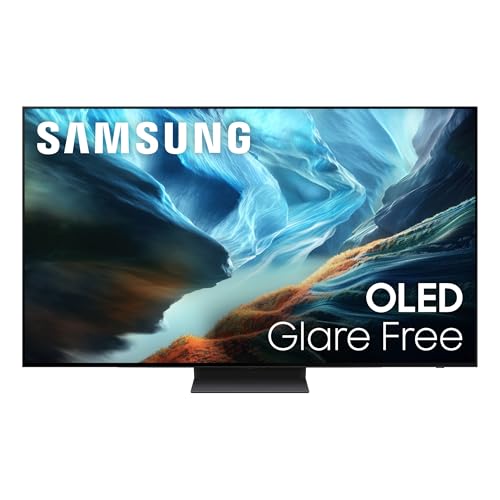
The Samsung S90H OLED is the Samsung pick to consider when reflections are a bigger concern than usual. Its OLED HDR+ presentation is paired with Glare Free technology, which is designed to reduce distracting reflections. That does not make it immune to every lamp or window, but it addresses one of the most frustrating problems with a large glossy screen. Deep OLED contrast remains intact for nighttime viewing.
The NQ4 AI Gen3 processor uses 128 neural networks for picture and sound processing. Samsung's 4K AI Upscaling Pro is designed to turn lower-resolution material into a cleaner 4K presentation, while Auto HDR Remastering gives non-HDR content a more pronounced HDR-like treatment. Those tools should appeal to households with a mix of older shows, live television, and newer streaming material rather than a library made entirely of native 4K content.
The gaming specification is strong. Motion Xcelerator supports up to 165Hz, and the S90H is compatible with NVIDIA G-SYNC and AMD FreeSync Premium Pro. AI Motion Enhancer Pro also targets fast-moving balls and text, so sports are part of the reason to choose it. The S90H has a higher stated refresh ceiling than the S90F, though both are built around the same general Samsung OLED and AI processing approach.
The catch is format and connection information. Dolby Vision is not listed, and the supplied data does not state the HDMI input count. The LG C6 is a better fit for someone who wants Dolby Vision and a clearly documented gaming connection setup, while the Sony BRAVIA XR8B is more cinema-oriented. Choose the S90H for a room where reflections are a recurring nuisance and high-speed games or sports matter. For a darker room, its glare advantage may be less important.
6. Samsung S90F OLED Bundle: Best Bundled Setup

Pros
- OLED HDR+ with 8.3 million self-illuminating pixels
- NQ4 AI Gen3 processor and 4K upscaling
- Motion Xcelerator up to 144Hz
- Dolby Atmos and Object Tracking Sound Lite
- Includes extended protection, two HDMI cables, and a guidebook
Cons
- Bundle contents add accessories rather than a different TV panel
- Dolby Vision is not listed
- The supplied feature list repeats its audio description and does not specify HDMI inputs
Best for: buyers assembling a home theater setup who want accessories included with the S90F television.
The Samsung S90F OLED Bundle is the same kind of display-first proposition as the standard S90F, but it is aimed at someone who wants a few setup pieces handled at the same time. The TV uses 8.3 million self-illuminating pixels, OLED HDR+, and Samsung's NQ4 AI Gen3 processor. Samsung says the processor uses 128 neural networks to sharpen and clean up each frame, with Samsung Vision AI adapting picture and sound to the content.
Gaming support includes Motion Xcelerator up to 144Hz, NVIDIA G-SYNC compatibility, AMD FreeSync Premium Pro compatibility, and an integrated Gaming Hub. That puts it close to the standard S90F in use. The bundle also calls out AI Auto Game Mode, which is intended to adjust settings for responsive play without requiring the owner to configure every game manually.
Audio is better represented in the bundle's supplied feature list than on several other televisions here. Dolby Atmos and Object Tracking Sound Lite are included, with the latter designed to follow movement across the screen. Samsung's Q-Symphony can coordinate compatible Samsung TV speakers and soundbars, while Active Voice Amplifier Pro is intended to keep dialogue audible over background sound. These are useful features, but they do not replace a dedicated sound system in a large room.
The practical distinction is the package: an extended protection plan, two six-foot 4K HDMI cables, a SolarCell remote, and a home theater guidebook are included alongside the television. The LG C5 remains the cleaner standalone recommendation because it lists Dolby Vision and four HDMI 2.1 inputs. Pick this bundle when the included setup materials and accessories solve a real installation need, and skip it if you already have cables and a complete theater setup.
7. Roku Select QLED: Best Simple Smart TV

Pros
- QLED panel with 4K resolution and HDR10
- Simple Roku home screen
- Fast Wi-Fi and automatic updates
- AirPlay and voice control through several assistants
- Bluetooth Headphone Mode and remote finder
Cons
- This is a QLED TV, not an OLED
- Refresh rate is not specified
- Supplied features do not mention Dolby Vision or advanced gaming support
Best for: households that want a straightforward streaming interface on a large screen.
The Roku Select QLED is the deliberate category outlier. It uses a QLED screen rather than OLED, so it should not be chosen by someone whose first requirement is perfect black. Its 4K resolution, QLED color layer, and HDR10 support still give it a clear picture foundation, while Roku Smart Picture is designed to optimize incoming signals and select an appropriate picture mode.
The real attraction is the software. Roku's home screen is uncluttered, apps are intended to launch quickly, and automatic updates keep the platform current. Personalized picks, sports access, free live TV, and unified search reduce the time spent hopping between applications. The enhanced voice remote can search across thousands of apps, set shortcuts, and help locate a misplaced remote.
Connectivity outside the standard streaming experience is useful too. Roku Voice works with Roku Voice, Siri, Alexa, and Google Assistant, and Apple AirPlay makes it easy to share videos, photographs, and music from compatible Apple devices. Bluetooth Headphone Mode is a thoughtful addition for late-night viewing, especially in a bedroom or shared home where speaker volume is a problem.
Compared with the Samsung U8000H, the Roku feels less tied to a particular manufacturer's content ecosystem, while the Samsung offers a stated 4K 60Hz motion capability and Samsung TV Plus. Neither belongs in the same picture-quality class as the LG C5 or Samsung S90F. The Roku is the better answer for a viewer who values a calm interface and easy streaming over OLED contrast. Serious movie fans and high-refresh gamers should choose one of the OLED models instead.
8. Samsung U8000H: Best Non-OLED Samsung

Pros
- 4K Crystal UHD picture processing
- Color Booster and 4K upscaling
- Motion Xcelerator supports up to 4K 60Hz
- Samsung TV Plus includes free channels and streaming options
- Designed for general TV, sports, and gaming
Cons
- LED and LCD panel cannot produce OLED-level black
- Motion ceiling is lower than the OLED gaming models
- HDR format details are limited in the supplied features
Best for: viewers who want a large Samsung smart TV without moving to an OLED panel.
The Samsung U8000H is not an OLED, and that distinction should guide the decision immediately. It uses a Crystal UHD LED and LCD design with a Crystal Processor that enhances color and sharpens detail. The result should suit everyday television, cable, streaming, and sports, but it will not create the same pixel-level black as the LG C5, Sony BRAVIA XR8B, or Samsung S90F.
Samsung includes 4K upscaling for lower-quality sources and a Color Booster intended to make hues more vivid. That processing matters on a 65-inch screen because older HD channels and compressed video can look soft when enlarged. The U8000H also offers Samsung TV Plus, with more than 2, 700 free streaming options and more than 750 subscription-free channels described in the supplied features.
Motion Xcelerator is rated for up to 4K 60Hz. That is a sensible ceiling for ordinary TV and console use, but it places the set well behind the S90F, S90H, and LG C6 for high-frame-rate gaming. The U8000H makes more sense for someone who watches broadcast sports and television shows than for a PC player who wants the smoothest possible camera movement.
The trade-off is straightforward. You give up OLED's contrast and the gaming headroom of the premium picks, but you get Samsung's familiar smart platform, upscaling, and free content features in a simpler LED design. The Roku Select QLED offers an equally direct streaming approach with a different interface, while the Insignia F50 adds Fire TV and a more varied connection list. Choose the U8000H when Samsung's software and picture processing are more important than OLED performance.
9. Insignia F50: Best Connected Budget TV

Pros
- 4K Ultra HD resolution with HDR10
- Fire TV includes major streaming services
- Three HDMI ports plus composite and optical connections
- HDMI eARC, Ethernet, USB, headphone, and coaxial ports
- DTS Virtual:X and Alexa voice remote
Cons
- LED panel does not match OLED black levels
- Refresh rate is not specified
- Fire TV content availability varies and some services require subscriptions
Best for: households that need broad physical connectivity and a familiar Fire TV interface.
The Insignia F50 is the practical choice for a room with several older devices. It uses an LED panel with 4K Ultra HD resolution and HDR10, and its upscaling is designed to bring existing material closer to Ultra HD quality. It cannot reproduce the perfect black of the OLED picks, but it covers the basic picture formats most streaming households use.
Fire TV puts Prime Video, Netflix, Disney+, Hulu, HBO Max, and other services on one platform. The set also provides access to free content through Fire TV Channels, Pluto TV, Tubi, and other ad-supported applications. Alexa voice control is built into the remote experience, while parental controls can block content by rating or channel behind a PIN.
The connection list is the strongest reason to choose this model over the Roku Select QLED. The F50 has three HDMI ports, composite AV jacks, digital optical output, a USB port, headphone jack, coaxial input, Ethernet, and Wi-Fi. HDMI eARC can pass a full-resolution audio signal to a compatible soundbar or receiver. DTS Virtual:X is intended to create a more three-dimensional sound presentation from the TV speakers.
The compromises are clear. There is no stated refresh rate, advanced VRR feature, or OLED panel, so this is not the screen for someone chasing high-speed gaming or cinema-grade contrast. The Samsung U8000H has a stronger stated motion specification, and the Roku Select QLED offers a cleaner streaming interface. The Insignia F50 earns its place for apartments, family rooms, and mixed setups where connection flexibility matters more than premium picture quality.
How to choose best 65 inch oled tv
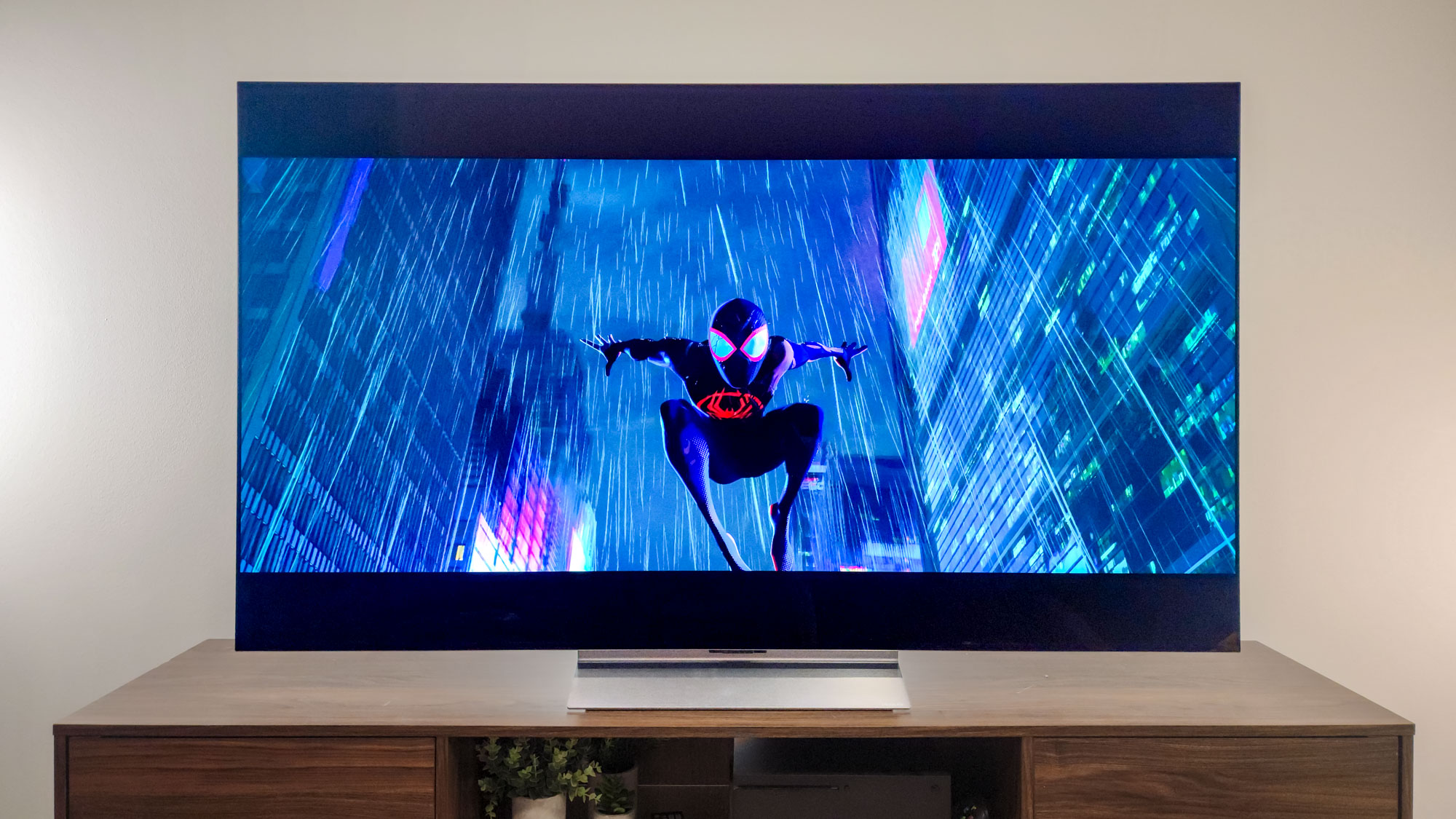
The right 65-inch television depends on the room, source devices, and the kind of content that fills most evenings. Panel technology matters first, but the differences in processing, motion, formats, and connections determine which model fits your setup.
Panel and black level
OLED panels use self-lit pixels, allowing each pixel to turn off independently for very deep black. That creates strong contrast in dark films and reduces the gray haze often visible on LED and LCD televisions. The LG C5, LG C6, Samsung S90F, Samsung S90H, Samsung bundle, and Sony BRAVIA XR8B all use OLED.
QLED and LED models can still look sharp and colorful, especially with bright television content, but they do not provide the same pixel-level black. The Roku Select uses QLED, while the Samsung U8000H and Insignia F50 use LED and LCD designs. If movie performance in a dark room matters most, OLED is the natural starting point.
Choose OLED for contrast first, not simply because the label sounds more advanced.
Bright-room performance
Windows and lamps can make a glossy screen difficult to watch. The LG C5 includes Brightness Booster and a bright-room glare certification, while the Samsung S90H specifically lists Glare Free technology. Those features make them more suitable for rooms where reflections regularly land across the picture.
Room layout still matters. A screen facing a window can remain distracting even with glare reduction, so move the TV or control the light where possible. If the room is consistently bright and OLED contrast is not essential, an LED or QLED set may be easier to live with.
Refresh rate and gaming response
Refresh rate affects how smoothly a TV can display fast movement. The LG C5 reaches 144Hz, the Samsung S90F reaches 144Hz, the Samsung bundle reaches 144Hz, and the LG C6 and Samsung S90H reach 165Hz. The Samsung U8000H is specified for up to 4K 60Hz, while refresh rates are not specified for the Sony, Roku, or Insignia models in the supplied information.
PC gamers should also look for VRR support, low response time, and compatibility with graphics technologies. The LG C5 and C6 list 0.1ms response time, with G-Sync and FreeSync support. The Samsung OLED models also list G-Sync or FreeSync compatibility. A high refresh rate matters less for a viewer who watches films and broadcast television.
HDR and audio formats
Dolby Vision, HDR10, and Dolby Atmos are not interchangeable labels. Dolby Vision can adjust HDR presentation dynamically on compatible content, while HDR10 is a widely supported static HDR format. Dolby Atmos sends compatible immersive audio to a suitable soundbar or receiver.
The LG C5, LG C6, and Sony BRAVIA XR8B list Dolby Vision and Dolby Atmos. Samsung's OLED models emphasize OLED HDR+, AI processing, and Dolby Atmos on the bundle, but Dolby Vision is not listed in the supplied features. The Insignia F50 supports HDR10 and HDMI eARC, while the Roku Select lists HDR10 and Bluetooth Headphone Mode.
Smart platform and connections
The software interface determines how quickly you can reach content and how well the TV fits your existing devices. Roku favors a simple home screen and broad voice assistant support. Google TV on the Sony BRAVIA XR8B works with Google Assistant, Google Cast, and Apple AirPlay 2. Fire TV on the Insignia F50 integrates Alexa and major streaming services, while Samsung and LG use their own smart platforms.
Count the sources before choosing. The LG C5 explicitly lists four HDMI 2.1 inputs. The Insignia F50 lists three HDMI ports plus composite, optical, USB, headphone, coaxial, Ethernet, and eARC. The supplied information does not specify HDMI counts for several other models, so check the detailed listing if you plan to connect multiple consoles, a receiver, and a disc player.
For a broader look at adjacent options, how much panel size changes a living room viewing distance can help before you commit to a 65-inch screen. If you are comparing OLED with other large smart televisions, which built-in TV platforms simplify daily streaming is another useful consideration. And for movie-focused buyers, how HDR formats change the home theater picture explains why format support deserves attention.
Frequently asked questions
Is OLED better than QLED for a 65-inch TV?
OLED is generally the stronger choice for deep black, dark-room contrast, and cinematic picture quality because its pixels are self-lit. QLED can still offer a bright, colorful picture and may suit viewers who prioritize a simple large-screen setup. The Roku Select QLED is the non-OLED option here with the clearest focus on straightforward streaming.
Which 65-inch TV is best for gaming?
The LG C5 is the best all-around gaming choice because it lists a 0.1ms response time, up to 144Hz refresh rate, VRR, G-Sync, FreeSync Premium, and four HDMI 2.1 inputs. The LG C6 and Samsung S90H raise the stated refresh ceiling to 165Hz. Choose among them based on the gaming hardware, picture formats, and connection details that matter to you.
Does the Sony BRAVIA XR8B support Dolby Vision?
Yes. The supplied features list Dolby Vision, Dolby Atmos, IMAX Enhanced, and DTS:X. Sony also includes studio calibrated modes for Netflix and Prime Video, making this model particularly suited to film-focused viewing.
Which model is easiest for streaming?
The Roku Select QLED has the simplest streaming proposition, with an uncluttered home screen, quick search, voice shortcuts, automatic updates, and access to free content. The Insignia F50 is a strong alternative for people who already use Fire TV and Alexa. Google TV on the Sony BRAVIA XR8B is useful for households invested in Google Assistant and Google Cast.
Do these TVs include built-in immersive audio?
Several do, but the feature descriptions differ. Dolby Atmos is listed for the LG C5, LG C6, Sony BRAVIA XR8B, and Samsung S90F bundle. The Insignia F50 supports DTS Virtual:X, and the Samsung bundle adds Object Tracking Sound Lite and Q-Symphony support with compatible Samsung audio equipment.
How important is 165Hz on a television?
A 165Hz mode is most useful for a gaming PC that can output high frame rates. It can make supported games feel smoother and more responsive, but it does not improve a film that was produced at a lower frame rate. For streaming and ordinary television, panel contrast and picture processing usually matter more.
The bottom line
The Best 65 inch oled tv for most people is the LG C5 OLED. It combines perfect black, Brightness Booster, Dolby Vision, Dolby Atmos, Filmmaker Mode, 0.1ms response time, up to 144Hz gaming, and four HDMI 2.1 inputs in a balanced package. The Samsung S90F OLED is the stronger alternative for viewers who put fast gaming, sports motion, and Samsung's AI processing ahead of Dolby Vision.
Choose the Sony BRAVIA XR8B for carefully processed films and broad theater format support. Choose the LG C6 OLED or Samsung S90H OLED when the higher stated refresh rate is useful, and choose the Roku Select QLED or Insignia F50 when simple streaming or broad physical connectivity matters more than OLED contrast.
If you are undecided, buy the LG C5 unless your room, console setup, or streaming platform clearly points to another model.
As an Amazon Associate we earn from qualifying purchases.