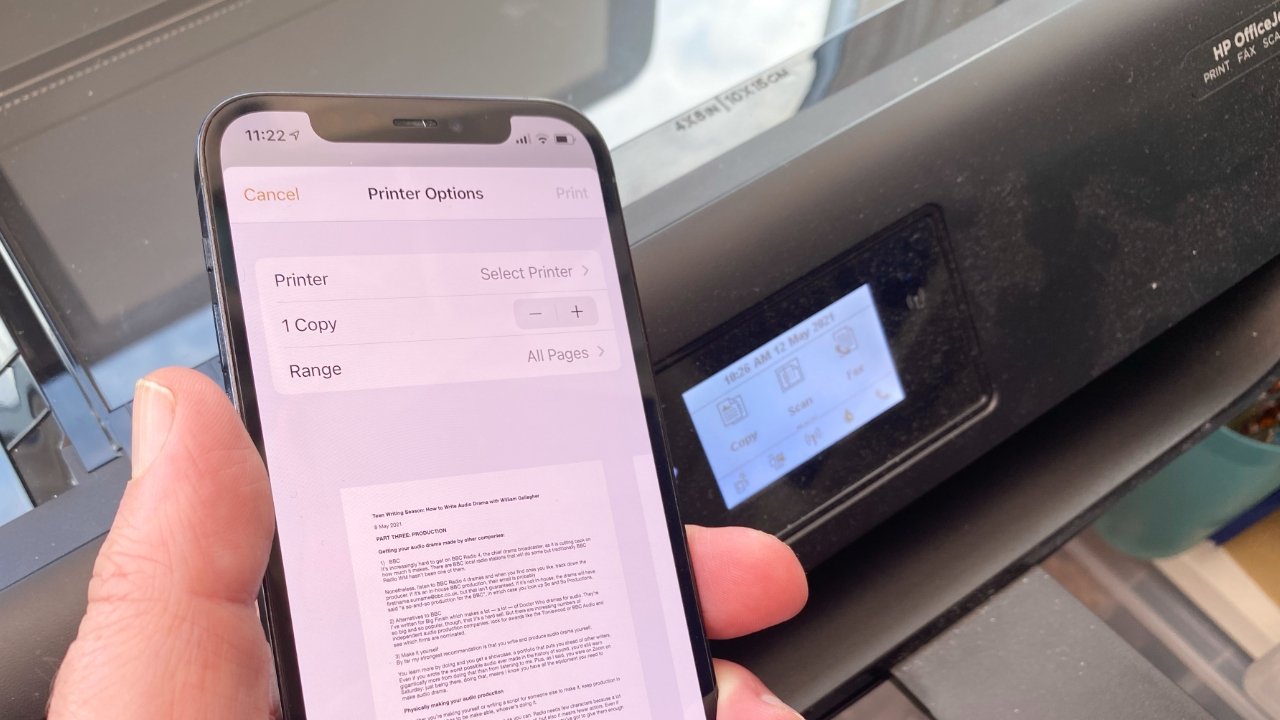

An iPhone can send a document to a printer in seconds, but only if the printer speaks the right wireless language. The bigger problem is that “printer for iPhone” covers everything from full-size inkjet machines to label makers that cannot print a normal page.
Our Best airprint printers for iphone picks separate those jobs clearly. Some are built for shipping labels, some for 4x6 photos, and a few are proper home printers for documents and pictures. Canon PIXMA TS702a is the best all-around pick for most iPhone owners, while the other choices cover more specialized needs.
Comparison table
| # | Product | Award | Print type | iPhone connection | Standout capability | Best for |
|---|---|---|---|---|---|---|
| 1 | Canon PIXMA TS702a | Best overall | Inkjet, print only | AirPrint, Wi-Fi | Auto two-sided printing | Documents and photos |
| 2 | Rollo Wireless | Best for shipping labels | Direct thermal | AirPrint, Wi-Fi | 150 mm/s, 203 DPI | Frequent label printing |
| 3 | Liene M100 | Best portable photo printer | Dye sublimation | Wi-Fi hotspot | 4x6 prints, up to 5 devices | Color snapshots |
| 4 | KODAK Dock Plus | Best docked photo printer | 4PASS dye sublimation | Bluetooth | Phone charging dock | Desktop photo printing |
| 5 | Canon PIXMA TS5320 White | Best compact all-in-one | Inkjet | AirPrint, Wi-Fi | Scanner and copier | Small home offices |
| 6 | Canon PIXMA iP8720 | Best for large photos | Inkjet | AirPrint, Wi-Fi | Prints up to 13 x 19 inches | Enlargements and artwork |
| 7 | MUNBYN Wireless Label Printer | Best multi-device label printer | Direct thermal | AirPrint, dual-band Wi-Fi | Up to 10 connected devices | Shared workspaces |
| 8 | KNAON Y486AP | Best compact label printer | Direct thermal | AirPrint, Wi-Fi | Label holder included | Small businesses |
| 9 | Canon TS5320 Black | Best simple all-in-one | Inkjet | AirPrint, Wi-Fi | OLED display and copier | Basic home printing |
| 10 | TATTMUSE A285M | Best for travel | Black-and-white thermal | Bluetooth | 1.5-pound portable design | Mobile documents |
1. Canon PIXMA TS702a: Best Overall

Pros
- AirPrint, Wi-Fi, and Ethernet connectivity
- Auto two-sided printing
- Handles paper from 3.5 x 3.5 inches to legal size
- 350-sheet plain-paper capacity
Cons
- Print-only design has no scanner or copier
- Larger and heavier than the compact TS5320 models
- Inkjet printing is less specialized than the photo and label options
Best for: iPhone owners who need one conventional printer for documents and occasional photos.
The Canon PIXMA TS702a is the least compromised printer here. It does not try to be a pocket photo gadget or a shipping-label appliance. Instead, it is a conventional wireless inkjet with the paper handling and print modes that make an iPhone printer useful around the house.
AirPrint is the key feature for iPhone owners, and the TS702a supports it alongside Wi-Fi, Mopria, and Ethernet. That gives you a straightforward path from the iPhone print menu, while Ethernet provides a wired fallback if a wireless setup becomes inconvenient. Auto two-sided printing is another practical advantage. It cuts down on page turning for longer documents and makes the printer more useful for schoolwork and household paperwork.
Canon supports paper sizes from 3.5 x 3.5 inches square up to legal size, plus borderless photo printing. The hybrid ink system uses dye ink for color and pigment black for text, a sensible combination for mixed documents. Its 350-sheet plain-paper capacity is unusually generous among these picks, though the 14.4-pound body and roughly 14.7 by 14.4 by 6.3-inch footprint need a permanent desk space.
The weakness is obvious: there is no scanner or copier. The Canon PIXMA TS5320 White is more flexible if you need to duplicate documents, while the Liene M100 is better for dedicated 4x6 photos. Pick the TS702a when the iPhone is mainly sending documents and the printer needs to handle varied paper without becoming a multifunction machine.
2. Rollo Wireless: Best for Shipping Labels

Pros
- AirPrint support for iPhone, iPad, and Mac
- Prints a 4x6 label in about one second
- 203 DPI print head
- Works with labels from 1.57 to 4.1 inches wide
Cons
- Designed for labels, not ordinary documents
- No color printing
- The 3.48-pound body is less travel-friendly than compact label models
Best for: sellers who want to print shipping and product labels directly from an iPhone.
The Rollo Wireless makes sense the moment the job is a shipping label rather than a letter. Its direct thermal system avoids ink and toner, and the AirPrint support means an iPhone can send a label without a computer, Bluetooth connection, or separate driver. That is a much cleaner workflow for an online seller packing orders at a kitchen table.
Rollo lists a speed of 150 mm/s, or roughly one 4x6 label per second. The 203 DPI print head is aimed at readable barcodes and shipping information, not photographic detail. It also accepts label widths from 1.57 to 4.1 inches, so it can make product labels, QR code stickers, name stickers, and thank-you labels in addition to standard shipping formats.
The Rollo Ship Manager app adds tools for connecting ecommerce platforms and shipping services. The printer is also compatible with services and marketplaces including Amazon, Shopify, Etsy, eBay, USPS, UPS, FedEx, and ShipStation. That breadth makes it more adaptable than a small thermal printer intended only for one label format.
The trade-off is that this is a specialist. It cannot replace the Canon PIXMA TS702a for documents or the KODAK Dock Plus for photos. At about 7 by 3 by 3.5 inches and 3.48 pounds, it is compact enough for a work surface but not really a travel printer. For an iPhone-based shipping operation, however, its fast output and broad label support make it the most convincing dedicated choice.
3. Liene M100: Best Portable Photo Printer

Pros
- Vibrant 4x6 dye-sublimation photos
- Laminated prints resist water, scratches, and fingerprints
- Built-in Wi-Fi hotspot
- Supports up to five simultaneous devices
- Includes 100 sheets and three color cartridges
Cons
- Limited to photo-focused printing
- Requires the correct cartridge and paper cassette
- Larger than a pocket instant printer
Best for: families and iPhone users who want full-size 4x6 snapshots without a traditional home printer.
The Liene M100 is a photo printer first and everything else second. It turns an iPhone image into a proper 4x6 print rather than a tiny novelty picture, and the dye-sublimation process gives the result a more finished feel than basic thermal paper. This is the model to choose when the output is going into an album, frame, or family photo box.
Its thermal dye-sublimation system builds the image in color layers and finishes it with a laminated surface. Liene says the coating resists water, scratches, fingerprints, and fading. Those details matter more than a raw resolution figure for casual photos because they make the print easier to handle after it leaves the printer.
The printer creates its own Wi-Fi hotspot, so the phone does not need to join an outside network. Up to five devices can connect at once, which is useful at a family gathering. The Liene app handles borders, filters, contrast, brightness, printing status, and ID or visa photos. The package includes 100 sheets and three color cartridges, with the supplies divided between the machine and an additional box.
The Liene is not a substitute for the Canon PIXMA TS702a if you print reports, forms, or envelopes. It is also less immediate than the Bluetooth-connected KODAK Dock Plus, which is designed around a physical phone dock. Still, the M100 is the stronger fit for an iPhone photo collection because its 4x6 format and protective finish feel like the main event rather than an extra feature.
If you are deciding between photo formats, the paper sizes that make home photos easier to display are a more useful starting point than chasing a printer that claims to do everything.
4. KODAK Dock Plus: Best Docked Photo Printer

Pros
- Integrated smartphone docking station
- 4PASS printing with protective lamination
- Produces 4x6 photos in about 55 seconds
- Phone can charge while printing
- App supports cropping and photo customization
Cons
- Requires a power outlet for desktop use
- Bluetooth rather than AirPrint
- Intended for photos, not documents
Best for: a home photo station where an iPhone can be docked, edited, and printed with minimal setup.
The KODAK Dock Plus takes a different approach from the Liene M100. Rather than relying on a Wi-Fi hotspot, it puts the phone physically on the printer. That makes the setup feel more like a small photo station than a network appliance, and the dock can charge the phone during printing.
Its 4PASS dye-sublimation process creates three color layers followed by a clear protective layer. A 4x6 photo takes about 55 seconds, and the finished surface is designed to resist fingerprints, water, and fading. Those prints are better suited to albums and frames than the black-and-white output of the TATTMUSE A285M.
The connection is Bluetooth through the KODAK Photo Printer app. The app lets you crop and customize images before sending them to the printer. The model is designed for stable desktop use and connects to a power outlet, so it is less portable than the Liene despite its small approximately 7 by 4 by 3-inch dimensions.
The main limitation is compatibility with the iPhone print menu. This is not an AirPrint printer, so you use the KODAK app rather than selecting the printer from a regular iOS print sheet. That extra step is reasonable for a dedicated photo workflow, but the Liene M100 is the better choice if several phones need to connect over Wi-Fi. Choose the Dock Plus when the physical dock and simple photo routine matter more than broad wireless flexibility.
5. Canon PIXMA TS5320 White: Best Compact All-in-One

Pros
- AirPrint printing from iPhone, iPad, and Mac
- Scanner and copier included
- Compact desktop design
- 1.44-inch OLED display
- Uses two fine cartridges
Cons
- No auto duplex feature listed
- Smaller paper capacity than the TS702a
- Inkjet output is slower for large print jobs
Best for: apartments, dorm rooms, and home desks that need printing, scanning, and copying in one compact unit.
The Canon PIXMA TS5320 White is the sensible compact all-in-one in this group. It can print a document from an iPhone, scan a form, and make a copy without requiring a second device. That combination makes it more useful for ordinary home tasks than the single-function Canon PIXMA TS702a, even though the TS702a is stronger for sustained printing.
AirPrint lets an iPhone, iPad, or Mac print without another app or driver. The printer also has a 1.44-inch OLED display and an LED status bar, giving you a way to check basic status at the machine instead of relying entirely on the phone. Its hybrid ink system is designed for sharp text and good-looking photos, and the two-cartridge arrangement keeps the hardware routine simple.
The body measures about 15.9 by 12.5 by 5.9 inches and weighs 13.8 pounds. It is not a portable printer, but the low height makes it easier to fit on a shelf or shallow desk than the larger PIXMA iP8720. The printer is also offered in several colors, though the white version here is the one covered in this section.
The weakness is capacity and pace. There is no listed auto two-sided feature, and it is not built around the 350-sheet handling of the TS702a. The black Canon TS5320 has the same core printing and all-in-one feature set, so the choice between them is mostly about the particular listing and finish. For a small household that needs a scanner as often as a printer, this remains one of the most complete options.
For a tighter desk setup, it helps to think about how much room an all-in-one printer needs to open and operate before choosing a model.
6. Canon PIXMA iP8720: Best for Large Photos

Pros
- Prints photos up to 13 x 19 inches
- Six-color ink system includes gray
- AirPrint and cloud compatibility
- 9, 600 x 2, 400 maximum color DPI
- Supports black-and-white and color photo work
Cons
- Large 23.3-inch-wide footprint
- Print-only design
- Older, heavier desktop platform
Best for: iPhone photographers who need large photo prints rather than standard documents.
The Canon PIXMA iP8720 is the specialist for oversized photo output. Its headline capability is not portability or convenience. It is the ability to take an image from an iPhone and print it at sizes up to 13 x 19 inches, opening the door to wall art, presentation prints, and larger creative projects.
Canon uses a six-color ink system with gray ink, along with a maximum color resolution of 9, 600 x 2, 400 DPI. The gray cartridge is relevant for black-and-white photos because it gives the printer another way to handle tonal transitions. The system also supports color photos with the kind of detail that a compact 4x6 dye-sublimation printer is not intended to match.
Wireless printing works from Wi-Fi-enabled computers, and the listing supports AirPrint and cloud compatibility. The printer measures approximately 23.3 inches wide, 13.1 inches deep, and 6.3 inches high, and weighs 18.6 pounds. That width is the practical issue. It needs a stable, dedicated surface with enough room for larger paper, not a narrow shelf beside a laptop.
The iP8720 has no scanner or copier, and its size makes the Canon PIXMA TS702a far easier to live with for everyday documents. The Liene M100 is much more convenient for quick 4x6 snapshots. Choose the Canon when large-format color and grayscale photos are the reason for buying, and skip it if most iPhone print jobs are forms, labels, or small family pictures.
Photographers comparing output types may also want to consider how larger prints change the choice of home photo printer before settling on a compact model.
7. MUNBYN Wireless Label Printer: Best Multi-Device Label Printer

Pros
- AirPrint support for iPhone, iPad, and Mac
- Dual-band Wi-Fi
- Supports up to 10 connected devices
- 150 mm/s print speed
- Handles labels from 1.57 to 4.3 inches wide
Cons
- Label-focused rather than a general printer
- Requires the MUNBYN Print app for initial setup
- No color printing
Best for: shared homes and small teams that need several devices to access one label printer.
The MUNBYN Wireless Label Printer is built around a shared wireless workspace. Its AirPrint support handles iPhone, iPad, and Mac devices, while the broader system also works with Android, Windows, Chromebook, and Linux. That makes it a better fit for a mixed-device household or business than a printer limited to one operating system.
Setup begins in the MUNBYN Print app, where you place the printer and phone on the same Wi-Fi network. After that, AirPrint-supported apps can send labels directly. Dual-band Wi-Fi is the notable connectivity feature, and the printer supports up to 10 devices at once. That capacity is more useful in a small shipping area than in a single-user home office.
The upgraded thermal print head is rated for up to 150 mm/s, or as many as 72 4x6 labels per minute. Its 203 DPI resolution is aimed at clear barcodes and readable text. Label widths from 1.57 to 4.3 inches cover shipping labels along with warehouse, kitchen, address, and office formats. At 3 pounds and about 9.53 by 5.31 by 7.48 inches, it is compact but not the smallest label machine here.
The Rollo Wireless is a stronger choice when its custom label maker and Rollo shipping tools appeal to you. The KNAON Y486AP is physically smaller and includes a label holder. MUNBYN wins when multiple people and multiple platforms need access to the same printer, but it remains the wrong tool for photos or ordinary sheets of paper.
8. KNAON Y486AP: Best Compact Label Printer

Pros
- AirPrint support for iPhone, iPad, and Mac
- Prints at up to 150 mm/s
- Supports label widths from 1.54 to 4 inches
- Label holder and 20 test papers included
- Works with major shipping platforms
Cons
- No stated print resolution in the listing
- Label-only thermal output
- Setup still depends on Wi-Fi configuration
Best for: small businesses that want a compact label machine with a holder included.
The KNAON Y486AP is the smallest-feeling dedicated label option in this group. Its short body measures about 7.87 by 3.11 by 3.27 inches and weighs 1.87 pounds, so it does not demand much workspace. The included label holder is useful when rolls or stacks need to sit beside the printer instead of being balanced on a desk.
AirPrint is the central feature. Connect the printer to Wi-Fi, select it from an iPhone or iPad print menu, and send a supported label without a separate computer. The printer also supports Android and Windows, which gives a small business a little flexibility when staff use different devices.
KNAON lists a maximum speed of 150 mm/s and label widths from 1.54 to 4 inches. The printer is designed for shipping labels, barcodes, name tags, and price tags, and it supports services including Amazon, eBay, Shopify, USPS, UPS, Etsy, PayPal, Poshmark, and DHL. Its package includes 20 test papers, so setup can begin without immediately loading a full label supply.
The missing detail is a stated print resolution. That makes it harder to compare fine barcode clarity directly with the 203 DPI Rollo and MUNBYN models. The Rollo Wireless has broader custom-label tools, and MUNBYN is better for larger groups of connected devices. Choose KNAON when a light, compact label printer and the included holder matter more than advanced workflow features.
9. Canon TS5320 Black: Best Simple All-in-One

Pros
- AirPrint printing without extra drivers
- Scanner and copier included
- 1.44-inch OLED display
- Hybrid ink system for text and photos
- Compact desktop format
Cons
- No listed auto duplex printing
- Older design
- Smaller scope than the TS702a for large print jobs
Best for: iPhone owners who want a straightforward printer, scanner, and copier in one desktop unit.
The Canon TS5320 Black is the black version of the compact TS5320 concept, and its strengths are familiar. It is a simple multifunction printer for people who occasionally print a document, scan a page, or copy a form. AirPrint lets the iPhone handle wireless document and photo printing without another app or driver.
A 1.44-inch OLED display shows printer status, while the LED status bar provides a quick visual indication from across the room. Canon uses a hybrid ink system and two fine cartridges, with the intent of keeping replacement straightforward. The printer is also designed to produce sharp text and good-looking photos, so it is not restricted to office paperwork.
The dimensions are about 15.9 by 12.5 by 5.9 inches, with a listed weight of 13.8 pounds. That makes it a desktop printer rather than a travel model, but the low profile helps it fit beneath a shelf or cabinet. The scanner and copier add useful capability without requiring a separate machine.
The Canon PIXMA TS5320 White offers the same essential feature set in a different finish, so there is little reason to choose one over the other on performance claims alone. The TS702a is the better option for heavier document work because it has auto two-sided printing and a much larger paper capacity. Pick this black TS5320 when you want the simplest all-in-one arrangement and do not expect demanding print volumes.
10. TATTMUSE A285M: Best for Travel

Pros
- Weighs 1.5 pounds
- Bluetooth connection for iPhone and iPad
- USB-C connection for computers
- Supports five thermal paper widths
- Prints without ink, toner, or ribbon
Cons
- Black-and-white only
- Does not use AirPrint
- Computer printing requires a driver and USB connection
- Supports thermal paper only
Best for: travelers, teachers, drivers, and field workers who need occasional black-and-white pages away from a desk.
The TATTMUSE A285M is the outlier in this roundup because it does not support AirPrint. It connects to an iPhone or iPad over Bluetooth through its app, which is a different process from selecting an AirPrint printer in iOS. That distinction matters, but the tiny thermal format gives it a clear travel role.
At 1.5 pounds, the A285M is much easier to put in a backpack than any of the Canon printers. It has a built-in paper bin and supports both roll and single-sheet thermal paper. The supported widths include 8.5 x 11-inch US Letter, A4, 4.33-inch, 3.14-inch, and 2.08-inch formats, giving it more flexibility than a 4x6 shipping label machine.
Thermal printing means there is no ink, toner, or ribbon, and there are no ink clogs to deal with. The limitation is that it only prints in black and white and accepts thermal paper rather than ordinary copy paper. On a phone, you download the app, enable Bluetooth, select the paper size and file type, then print. A laptop or desktop uses USB-C and requires a driver.
The A285M cannot compete with the Canon PIXMA TS702a for color, paper choice, or AirPrint convenience. It is also not a replacement for the Rollo Wireless when shipping labels are the main job. But for contracts, receipts, recipes, lists, boarding passes, and forms in the field, its small footprint is the feature that matters. Choose it only if portability outranks native AirPrint.
How to choose best airprint printers for iphone
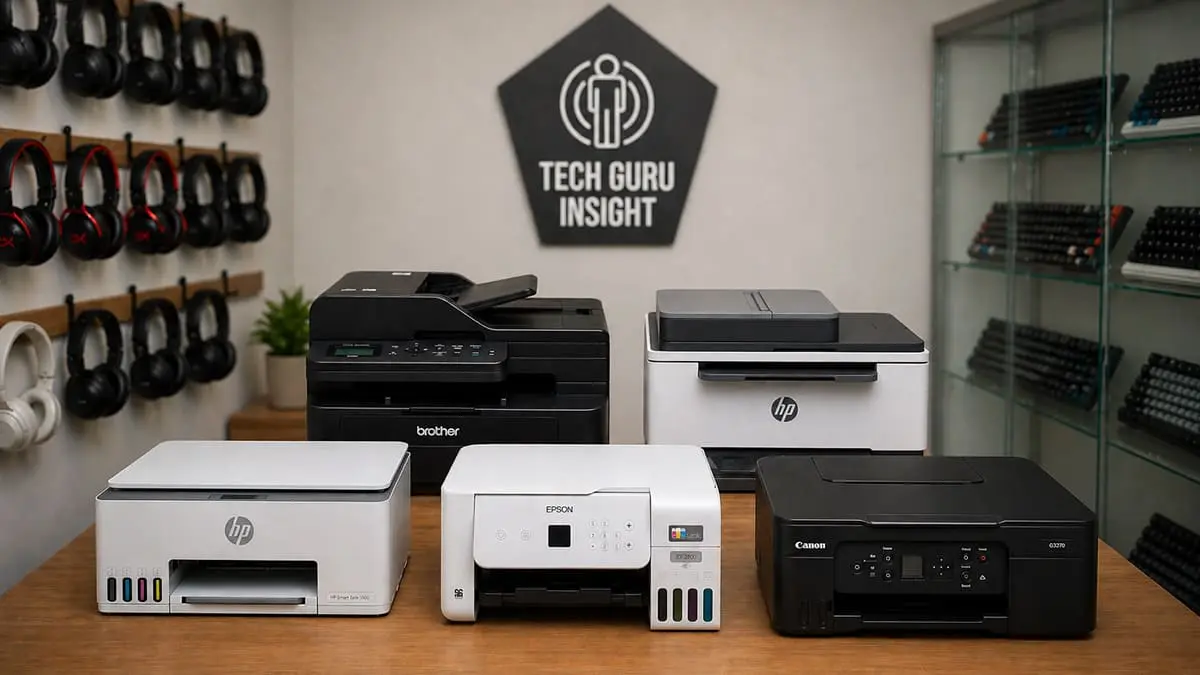
The right choice depends less on the iPhone itself than on what you expect to print after tapping the share button.
AirPrint support
Native AirPrint lets an iPhone find a compatible printer on the same network and send a document or photo without a separate driver. It is the cleanest setup for conventional printers and shipping-label machines. The Canon PIXMA TS702a, Rollo Wireless, MUNBYN Wireless Label Printer, KNAON Y486AP, and TS5320 models all fit that workflow.
Do not confuse Bluetooth app printing with AirPrint. The KODAK Dock Plus and TATTMUSE A285M can print from an iPhone, but they use their own apps and connection methods.
Print type
Start by deciding whether you need documents, photos, labels, or portable receipts. Inkjet printers such as the Canon models handle ordinary pages and color images. Dye-sublimation models such as the Liene M100 and KODAK Dock Plus focus on finished 4x6 photos. Direct thermal printers are designed for labels or black-and-white mobile documents.
The fastest iPhone printer is the one built for the paper you actually use.
A shipping-label printer is a poor choice for school worksheets, while a photo printer cannot replace a label machine. The TATTMUSE A285M is especially narrow because it prints only black and white on thermal paper.
Paper size and handling
Paper range determines how much a printer can do. The Canon PIXMA TS702a accepts formats from 3.5 x 3.5 inches to legal size and has a 350-sheet plain-paper capacity. The Canon PIXMA iP8720 goes in the opposite direction, supporting photo output up to 13 x 19 inches.
Photo printers generally focus on 4x6 sheets, while label printers use widths around 4 inches. Check the supported width before buying, especially if your shipping service produces a particular label format.
Wireless setup
Wi-Fi is the most natural connection for AirPrint because the phone and printer share a network. The MUNBYN adds dual-band Wi-Fi and supports up to 10 devices, while the Rollo and KNAON models are aimed at simpler label workflows. A printer with its own hotspot, such as the Liene M100, can avoid interference from an outside network.
Bluetooth can be convenient for a dedicated photo dock, but it usually means using a manufacturer app. That is fine for the KODAK Dock Plus, though it is less seamless than standard iOS printing.
Size and placement
Full-size inkjet printers need a stable surface and room for paper access. The Canon PIXMA iP8720 is particularly wide, while the TS5320 models are shorter and easier to fit in a home workspace. Label printers are smaller but still need room for label rolls or a holder.
For travel, the TATTMUSE A285M is the clear outlier at 1.5 pounds. Its portability comes with black-and-white thermal output and a Bluetooth app workflow, so do not choose it simply because it takes up less room.
Frequently asked questions
Can I print from an iPhone without installing a printer app?
Yes, when the printer supports Apple AirPrint and both devices are connected to the same Wi-Fi network. The iPhone can select the printer from a compatible app's print menu. Some models, including the KODAK Dock Plus and TATTMUSE A285M, use their own apps instead.
Which printer is best for iPhone shipping labels?
The Rollo Wireless is the strongest fit for frequent shipping labels because it supports AirPrint, prints at up to 150 mm/s, and handles label widths from 1.57 to 4.1 inches. The MUNBYN and KNAON models are also suitable alternatives for AirPrint label printing.
Can these printers print regular documents?
The Canon PIXMA TS702a and both Canon TS5320 models are designed for ordinary documents. The Canon PIXMA iP8720 can handle photo-focused work but is still a conventional inkjet printer. The Liene, KODAK, Rollo, and MUNBYN models are specialized, while the TATTMUSE prints black-and-white documents on thermal paper.
Which pick prints the best iPhone photos?
The answer depends on the desired size. The Liene M100 and KODAK Dock Plus are designed for 4x6 photos with dye-sublimation color and protective finishes. The Canon PIXMA iP8720 is the better fit for larger photo output up to 13 x 19 inches.
Do all of these printers use AirPrint?
No. The Rollo Wireless, Canon PIXMA TS702a, MUNBYN Wireless Label Printer, KNAON Y486AP, Canon PIXMA TS5320 models, and Canon PIXMA iP8720 support AirPrint. The KODAK Dock Plus uses Bluetooth and the KODAK app, while the TATTMUSE A285M uses Bluetooth and its own app.
Are thermal printers suitable for permanent documents?
Thermal printers are convenient for labels, receipts, lists, and temporary documents, but the paper type matters. The TATTMUSE A285M prints only on thermal paper and only in black and white. For long-term color photos or conventional paperwork, a dye-sublimation or inkjet printer is a better match.
The bottom line
The Best airprint printers for iphone shortlist starts with the Canon PIXMA TS702a for most homes. Its AirPrint support, auto two-sided printing, broad paper range, and 350-sheet capacity make it the most capable conventional printer here, though its lack of a scanner keeps it from being a complete all-in-one.
Choose the Rollo Wireless for shipping labels, the Liene M100 for 4x6 iPhone photos, or the Canon PIXMA TS5320 White when a compact scanner and copier matter. The Canon PIXMA iP8720 earns its place for large photos, while the TATTMUSE A285M is the specialist for black-and-white pages away from a desk.
If you are undecided, choose the Canon PIXMA TS702a for documents, the Liene M100 for photos, and the Rollo Wireless for labels.
As an Amazon Associate we earn from qualifying purchases.