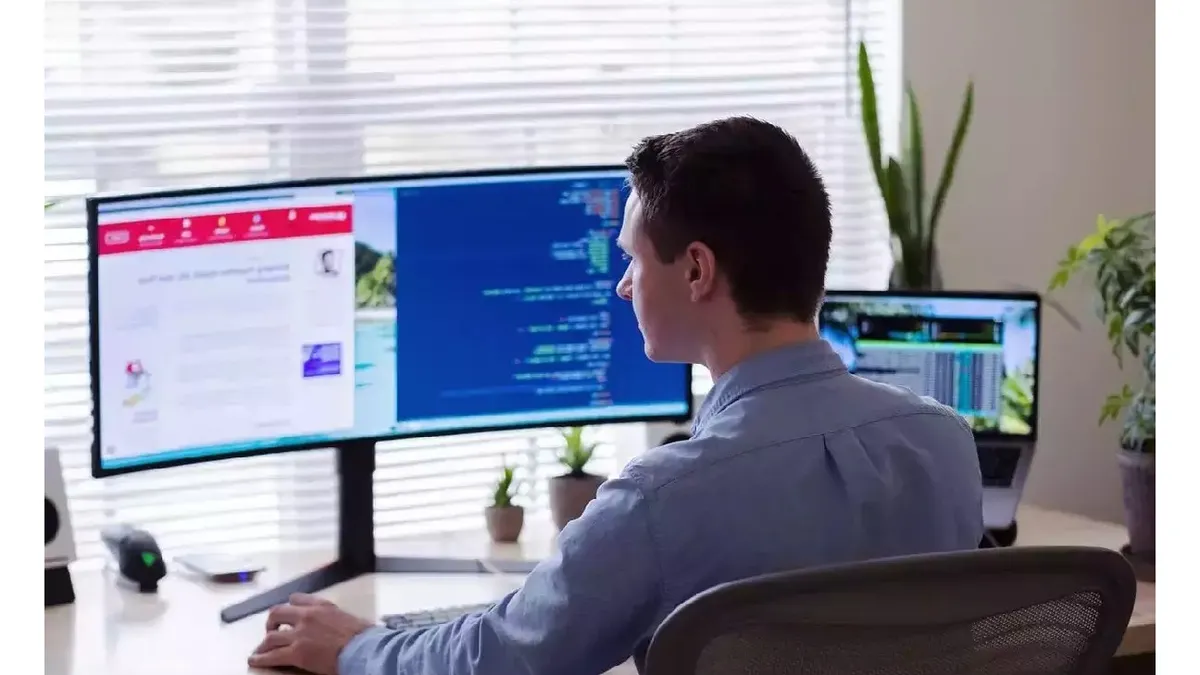

A flat screen can make a busy workday feel like a constant exercise in window shuffling. Curved monitors bring the edges closer to your line of sight, while ultrawide models can replace two displays with one uninterrupted workspace. The right choice depends on whether you need sharper text, laptop connectivity, a compact footprint, or room for several full-size applications.
We compared ten options across Full HD, WQHD, and Dual QHD designs. The Dell 34 Monitor S3425DW is our top pick for most people, while the list also includes capable 27-inch and 32-inch screens, large ultrawides, and a compact 24-inch option.
Comparison table
| # | Product | Award | Panel | Resolution | Refresh rate | Best for |
|---|---|---|---|---|---|---|
| 1 | Dell S3425DW | Best overall | VA | WQHD | 120Hz | All-day work and mixed use |
| 2 | LG 32MR50C-B | Best 32-inch Full HD | VA | Full HD | 100Hz | General office work |
| 3 | Samsung S36GD | Best compact Samsung | Not specified | Full HD | 100Hz | Smaller desks |
| 4 | Samsung LS49C954UANXZA | Best for serious multitasking | Not specified | Dual QHD | 120Hz | Replacing a dual-monitor setup |
| 5 | Samsung S39GD | Best 32-inch eye comfort | Not specified | Full HD | 100Hz | Large single-screen workspaces |
| 6 | Sceptre C345B-QUT168 | Best high-refresh ultrawide | Not specified | WQHD | Up to 180Hz | Work and fast-moving content |
| 7 | CRUA 34-inch Ultrawide | Best IPS ultrawide | IPS | UWQHD | 100Hz | Color-conscious multitasking |
| 8 | SANSUI 34-inch Ultrawide | Best high-refresh performance | Fast VA | UWQHD | Up to 200Hz | Work with gaming on the side |
| 9 | LG 34WR55QK-B | Best connected ultrawide | Not specified | WQHD | 100Hz | Laptop-based workstations |
| 10 | Sceptre C248W-1920RN | Best compact monitor | Not specified | 1080p | 75Hz | Basic home-office setups |
1. Dell S3425DW: Best Overall
Pros
- WQHD resolution gives documents and windows useful room
- USB-C provides up to 65W power delivery
- Strong color coverage and built-in sound
- ComfortView Plus reduces blue light emissions
Cons
- Large and heavy for a compact desk
- VA panel can be less suitable for wide-angle color-critical work
Best for: someone who wants one polished curved display for work, entertainment, and occasional gaming.
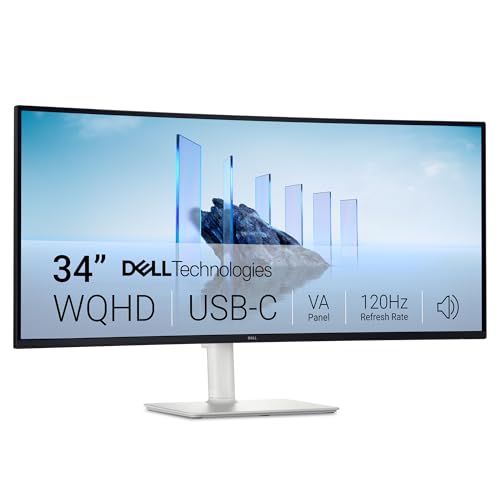
The Dell S3425DW gets the important things right without turning the desk into a technology project. Its 34-inch curved screen gives spreadsheets, browser windows, and communication apps enough room to sit side by side, and the WQHD resolution keeps that extra workspace substantially clearer than a similarly large Full HD panel. It is the kind of monitor we would choose for a home office that needs to handle a little of everything.
The VA panel uses a 3000:1 contrast ratio, so dark text and darker images have useful depth. Dell also lists 99% sRGB and 95% DCI-P3 coverage, which makes the screen better suited to photo work and media than the basic Full HD choices here. It is HDR ready, though the listing does not provide a peak brightness figure, so this should not be treated as a dedicated HDR production display.
A 120Hz refresh rate makes scrolling through long pages feel more fluid than the 60Hz baseline common to office displays. AMD FreeSync Premium is included, and the claimed 0.03ms response time gives this monitor some gaming credibility without taking attention away from its work strengths. The built-in sound is described as improved over the previous generation, which is convenient for calls and casual video when desk space is limited.
Connectivity is a major reason to put it ahead of the LG 32MR50C-B and Samsung S39GD. One USB-C cable can carry the display connection and provide up to 65W of power to a compatible laptop, reducing cable clutter. ComfortView Plus reduces harmful blue light emissions to 35% or less while preserving color accuracy, a more useful approach for long work sessions than simply making the image amber.
The weakness is physical. The monitor weighs 20.68 pounds and measures 31.78 inches wide, so it needs a stable, reasonably deep desk. People who need precise color consistency from the sides may also prefer an IPS display such as the CRUA 34-inch Ultrawide. For everyone else, the Dell is the most balanced Best curved monitor for work pick in this group.
2. LG 32MR50C-B: Best 32-inch Full HD
Pros
- Large 32-inch screen for ordinary office tasks
- 100Hz refresh rate improves scrolling
- Reader Mode and tilt adjustment support long sessions
- OnScreen Control can split the workspace
Cons
- Full HD is not especially dense at 32 inches
- Connectivity is limited to HDMI in the listed features
Best for: home workers who want a large curved screen without moving to an ultrawide resolution.
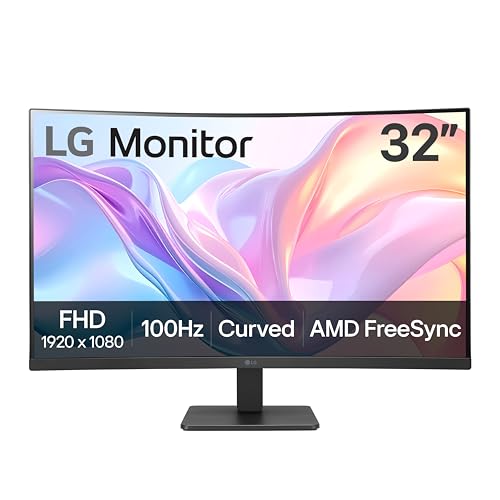
The LG 32MR50C-B is straightforward and easy to understand. It gives you a broad 32-inch VA display with a gentle curve, enough room for a document and a browser, and a stand that tilts to improve the viewing angle. It does not try to be a docking station or a creative workstation. That simplicity is its appeal.
Its 1920 by 1080 Full HD resolution is perfectly usable for email, spreadsheets, video calls, and web applications. The catch is that Full HD pixels are spread across 32 inches, so text and interface elements will not look as crisp as they do on the Dell S3425DW, LG 34WR55QK-B, or any of the WQHD ultrawides. Users who sit close to the screen or work with dense tables should keep that limitation in mind.
The 100Hz refresh rate is a meaningful step up for everyday movement. Scrolling pages and dragging windows looks smoother, and AMD FreeSync helps reduce tearing with compatible systems. LG also includes Reader Mode to reduce blue light, while its OnScreen Control software can split the display into sections and adjust basic monitor settings with a few clicks.
The gaming-oriented Black Stabilizer and Dynamic Action Sync features are less important for office work, but they do not get in the way. Built-in speakers are not listed among the features, so plan to use your computer or separate audio equipment for sound. The listed dimensions make this a sizeable screen, though at 11.3 pounds it is easier to position than the Dell.
Compared with the Samsung S36GD, the LG gives you a larger work surface. Compared with the Samsung S39GD, it avoids some of the same-size tradeoffs only if you prefer LG's software tools and stand behavior. Skip it if sharp text or multiple high-resolution windows are priorities. Choose it when readable scale and a familiar 16:9 layout matter more than pixel density.
3. Samsung S36GD: Best Compact Samsung
Pros
- Compact 27-inch footprint
- 1800R curve reduces the visual flatness of the screen
- 100Hz refresh rate suits work and casual play
- TÜV-certified eye comfort features
Cons
- Full HD leaves less room for simultaneous windows
- The listing does not specify the panel type or detailed port selection
Best for: someone with a smaller desk who wants a curved screen from a familiar monitor line.
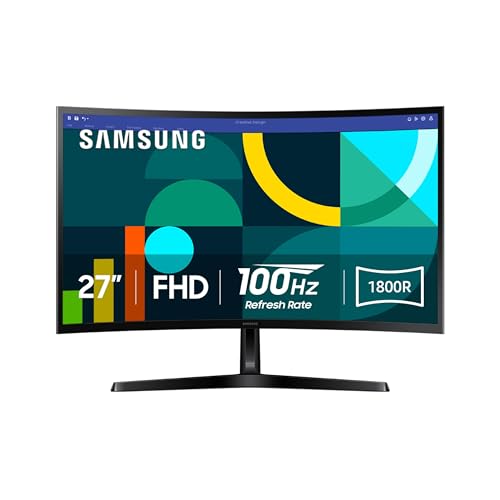
The Samsung S36GD is the sensible small-desk option. Its 27-inch size is large enough to feel more spacious than a typical laptop display, but it does not demand the width or desk depth of a 34-inch ultrawide. The 1800R curve is relatively moderate, so it should feel natural rather than dramatic when you are reading documents or moving between windows.
Full HD at 1920 by 1080 is a reasonable match for this screen size. It is not the right resolution for fitting several dense applications side by side, but it keeps office software familiar and avoids the scaling questions that can come with higher-resolution panels. Samsung lists a 100Hz refresh rate, which makes cursor movement, scrolling, and video playback feel more composed.
Eye comfort is the strongest work-specific feature. The monitor uses TÜV-certified technology to reduce blue light and irritating screen flicker. That does not replace sensible brightness settings or regular breaks, but it gives the display a more thoughtful starting point for long reading sessions. Samsung also includes game settings that adjust color and contrast, useful if this monitor has to serve as both a work screen and an evening entertainment display.
The S36GD is physically compact at 24.5 inches wide and weighs 8.4 pounds. That is easier to fit into a shallow workspace than the 27.9-inch LG 32MR50C-B or 28.2-inch Samsung S39GD. The product information says it supports connecting devices directly to the monitor, but it does not spell out the full port lineup, so buyers with a particular laptop or dock should confirm compatibility before ordering.
The main compromise is the limited workspace. The Dell S3425DW and LG 34WR55QK-B are much better for side-by-side windows, while the Samsung S36GD is better for a single primary task. Pick it for a tidy desk, ordinary office applications, and eye-focused reading. Skip it if your job involves large timelines, wide spreadsheets, or several persistent windows.
4. Samsung LS49C954UANXZA: Best for Serious Multitasking

Pros
- 49-inch 32:9 screen can replace two displays
- Dual QHD resolution provides substantial workspace
- USB-C supports up to 90W charging
- Height-adjustable stand and built-in speakers
- Picture-by-picture style desk replacement potential
Cons
- Very large and heavy
- Needs a wide desk and careful placement
- Overkill for single-window office work
Best for: professionals who routinely manage several full-size windows or input sources at once.
The Samsung LS49C954UANXZA is not simply a larger monitor. It is an attempt to replace a dual-screen desk with one seamless surface. The 49-inch display uses a 32:9 aspect ratio and Dual QHD resolution, giving project managers, analysts, developers, and editors a panoramic workspace without a center bezel interrupting the middle of the desk.
Its 1000R curve is much more pronounced than the 1800R curve on the Samsung S36GD. That shape makes sense at this width because the edges would otherwise sit far outside a comfortable forward gaze. The 120Hz refresh rate keeps window movement and scrolling smooth, while VESA DisplayHDR 400 support gives compatible video and images more range between dark and bright areas.
This model is also the most capable connectivity hub here. It has DisplayPort, two HDMI inputs, USB connections, and USB-C with up to 90W charging. A compatible laptop can use one cable for display and power, leaving the monitor to act as the center of the workstation. Built-in speakers further reduce the number of devices competing for desk space.
The height-adjustable stand is important because a screen this large cannot be casually tilted into place. The monitor measures 45.18 inches wide and weighs 32.19 pounds, so measure the desk first and check that the surface can support it. It is also worth considering how much room a dual-display workspace really needs before committing to a screen this broad.
Compared with every other product here, this Samsung wins on simultaneous workspace. The LG 34WR55QK-B is easier to place and still provides USB-C, while the Dell S3425DW is a more restrained all-purpose choice. The Samsung's weakness is obvious: it is too much screen for many ordinary desks, and the sheer width can make simple tasks feel oddly spread out. Buy it for parallel work, not for a single browser window and email.
5. Samsung S39GD: Best 32-inch Eye Comfort

Pros
- Spacious 32-inch screen
- 100Hz refresh rate for smoother everyday movement
- TÜV-certified eye comfort technology
- Built-in speakers save desk space
- Curved design keeps the edges within view
Cons
- Full HD is modest for a screen this large
- The stand and connection details are less extensive than on premium ultrawides
Best for: users who want a large single display with eye-focused features and built-in audio.
The Samsung S39GD sits between the compact S36GD and the larger ultrawides. Its 32-inch panel gives a document or browser more breathing room, but it retains the familiar 16:9 shape used by most applications and video services. The curve helps the outer edges feel less distant when you are sitting directly in front of it.
Samsung specifies a 100Hz refresh rate, which is useful beyond gaming. Long web pages scroll with less judder, moving windows feel cleaner, and video playback has a more fluid appearance. The monitor also includes game settings for adjusting color and contrast, though those controls are secondary for office buyers.
Eye comfort is a central part of this model. TÜV-certified technology reduces blue light and screen flicker, two sensible concerns for people who spend much of the day reading. The built-in speakers are another practical touch. They keep a compact desk free from separate audio hardware, although buyers who need rich music or detailed conference audio should still use dedicated speakers or headphones.
At 28.2 inches wide and 11.2 pounds, the S39GD is manageable but not small. Its Full HD resolution is the limiting factor: text will not have the same fine appearance as it does on the WQHD Dell S3425DW, and wide spreadsheets will still require more window switching than on a 34-inch ultrawide. The monitor's listed features also do not identify USB-C power delivery, so laptop users should not assume it can replace a dock.
The S39GD is a better fit than the S36GD when physical scale matters more than compactness. The LG 32MR50C-B offers a similar Full HD concept with LG's OnScreen Control, while this Samsung adds built-in speakers and more explicit eye comfort features. Choose the S39GD for comfortable general work on a large conventional screen, and look elsewhere if you need high-resolution multitasking.
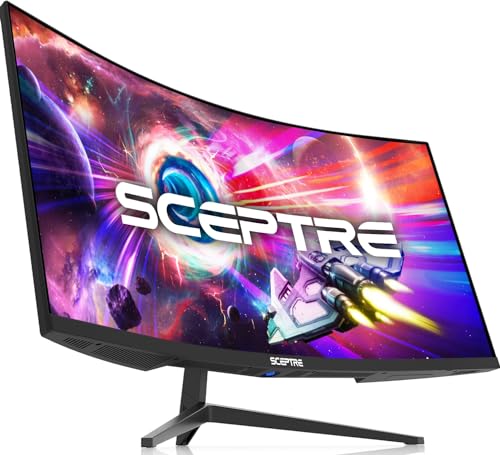
6. Sceptre C345B-QUT168: Best High-Refresh Ultrawide
Pros
- 3440 by 1440 WQHD resolution
- 21:9 layout gives substantially more horizontal room
- Refresh rate reaches up to 180Hz
- 99% sRGB coverage
- Two DisplayPort inputs and built-in speakers
Cons
- The feature set is more performance-focused than office-focused
- Stand adjustment details are limited in the listing
- Back lighting may not suit every professional desk
Best for: multitaskers who want an ultrawide work surface and very fluid motion.
The Sceptre C345B-QUT168 makes a strong case for the 34-inch ultrawide format. Its 21:9 layout creates room for two or three windows without the interruption of a bezel, and 3440 by 1440 resolution gives that workspace far more detail than Full HD. For writing beside research, editing timelines, or monitoring several browser panes, the extra width is immediately useful.
Sceptre claims the screen provides about 30% more space than a conventional display. The important part is not the slogan but the practical arrangement: two comfortably sized windows can sit beside each other, with room left for a narrower utility panel. The R1500 curve adds immersion and brings the sides inward, though it is more pronounced than the CRUA's 3800R design.
The headline refresh rate reaches up to 180Hz, and the listed response time is 1ms MPRT. Those figures matter most for fast movement and games, but they also make scrolling and dragging windows feel exceptionally immediate. The monitor covers 99% of sRGB, a useful baseline for web content and general creative work. It is not presented as a color-managed professional display, so designers should still consider a monitor with more explicit calibration features.
Connectivity includes two DisplayPort inputs, and built-in speakers handle basic audio without another box on the desk. The rear LED lighting gives the monitor a more gaming-oriented personality. That is harmless if the screen sits in a mixed-use room, but people building a quiet, understated office may prefer the Dell S3425DW or LG 34WR55QK-B.
At 31.8 inches wide and 15.32 pounds, the C345B-QUT168 needs a proper desk but is less imposing than the Samsung LS49C954UANXZA. It beats the Samsung 34-inch alternatives on refresh rate, while the CRUA offers a more explicitly color-focused IPS specification. Choose Sceptre if motion and ultrawide space are equally important. Skip it if USB-C laptop charging or an adjustable office stand is essential.
7. CRUA 34-inch Ultrawide: Best IPS Ultrawide

Pros
- IPS panel with wide viewing consistency
- 3440 by 1440 resolution
- 120% sRGB and 92% DCI-P3 coverage
- Two HDMI and two DisplayPort inputs
- Built-in speakers and wall-mount support
Cons
- 100Hz is lower than the fastest ultrawide options
- Tilt adjustment is more limited than a height-adjustable stand
- Very wide footprint
Best for: people who want an ultrawide work display with IPS viewing angles and broad color coverage.
The CRUA 34-inch Ultrawide stands out because it takes a different panel approach from the VA-heavy field. Its IPS panel is designed to keep brightness and color more consistent across a 178-degree viewing angle, which is useful when a colleague is looking over your shoulder or when you are not sitting perfectly centered.
The 3440 by 1440 UWQHD resolution gives it the same broad working canvas as the Sceptre C345B-QUT168, but its 3800R curve is much gentler. That can be more comfortable for document-heavy work because straight lines and layouts feel less dramatically wrapped. The display supports 100Hz refresh and AMD FreeSync, enough for smooth scrolling, video, and light gaming.
Color specifications are unusually detailed for this group. CRUA lists 120% sRGB, 92% DCI-P3, 350 cd/m² brightness, a 1000:1 contrast ratio, and 1.07 billion colors through 8-bit plus FRC processing. Those numbers suggest a lively, wide-gamut image. They do not automatically make the monitor a calibrated design reference, but they make it appealing for photo browsing, video, and creative tasks. Readers comparing screen sizes may also want to consider how much width a 34-inch curved display adds before choosing an ultrawide.
The port selection is generous: two HDMI 2.0 inputs, two DisplayPort 1.4 inputs, and a 3.5mm audio jack. Built-in speakers reduce clutter, and 100 by 100mm wall-mount support gives more placement flexibility. The supplied stand tilts from minus 5 to 15 degrees, but the listing does not mention height adjustment, which makes desk height more important.
The CRUA is a strong alternative to the faster Sceptre and SANSUI models. It is less suited to someone chasing maximum refresh rate, but its IPS panel, gentle curve, and color coverage make it a calmer work display. The white finish is also a departure from the mostly black alternatives. Choose it for wide creative and office work, and skip it if your laptop needs USB-C charging through the monitor.
8. SANSUI 34-inch Ultrawide: Best High-Refresh Performance

Pros
- UWQHD 3440 by 1440 resolution
- Refresh rate reaches up to 200Hz
- HDMI 2.1 and DisplayPort 1.4 inputs
- Picture-in-picture and picture-by-picture support
- Wide color claims and 1500R curve
Cons
- No built-in speakers
- Gaming features are more prominent than office features
- No USB-C connection listed
Best for: users who want a wide work canvas that can also support demanding gaming setups.
The SANSUI 34-inch Ultrawide is the performance-first choice. It pairs a 1500R curve with a 3440 by 1440 resolution and a refresh rate of up to 200Hz. For office work, that means very fluid pointer movement and scrolling. For gaming after hours, it gives the screen a capability that the more office-oriented Dell and LG models do not match.
The fast VA panel includes an overdrive response setting rated at 1ms. SANSUI also lists HDR, 300 nits of brightness, 130% sRGB, and 97% DCI-P3 coverage. The broad color claims are attractive for media work, though buyers should treat them as capability indicators rather than a promise of factory calibration. The 178-degree viewing angle helps when the screen is shared.
The connectivity is unusually modern for this category. There are two HDMI 2.1 inputs, a DisplayPort 1.4 connection, and an earphone output. Picture-in-picture and picture-by-picture modes can show two sources at once, which is useful for comparing a work laptop with a desktop or keeping a reference feed visible. The monitor does not list USB-C, so it cannot serve as a one-cable laptop dock.
SANSUI includes AI-oriented display tools such as blue-light reduction, an AI crosshair, picture adjustment, and a sniper scope. Some of these are clearly gaming features, and they will not improve a spreadsheet. The stand tilts from minus 5 to 15 degrees, supports a 100 by 100mm VESA mount, and includes a Kensington lock. There are no built-in speakers, an important omission beside the speaker-equipped CRUA and Samsung S39GD.
Compared with the Sceptre C345B-QUT168, the SANSUI offers a higher listed refresh ceiling and picture source modes. Compared with the CRUA, it has a tighter curve and a more gaming-focused feature set. It is not the cleanest office choice, but it is compelling for someone who wants one screen for work and fast games. Skip it if laptop docking, built-in audio, or a quieter business design matters more.
9. LG 34WR55QK-B: Best Connected Ultrawide

Pros
- 3440 by 1440 ultrawide workspace
- USB-C supports up to 65W power delivery
- Height and tilt adjustable stand
- Picture-by-picture support
- Two HDMI, two USB, DisplayPort, and headphone jack
Cons
- 100Hz is modest beside the SANSUI and Sceptre
- Listed response time is 5ms
- HDR10 is not paired with a listed brightness figure
Best for: laptop users who want a practical ultrawide with display, charging, and peripheral connections.
The LG 34WR55QK-B is built around the daily mechanics of a work desk. The 34-inch 21:9 screen and 3440 by 1440 resolution provide enough width for multiple windows, while the height-adjustable stand gives it a more office-ready feel than several performance-focused alternatives. It is a monitor for people who want their workspace to stay organized.
USB-C is the centerpiece. It provides up to 65W of power delivery, allowing a compatible laptop to receive power while sending video through the same cable. LG also lists two HDMI ports, two USB ports, DisplayPort, and a headphone jack. That is a useful collection for a laptop, desktop, peripherals, and occasional second source.
The refresh rate is 100Hz and the response time is listed as 5ms. Those figures are more than adequate for ordinary office movement, video, and casual play, but they do not compete with the 180Hz Sceptre or up to 200Hz SANSUI. HDR10 support and up to 99% sRGB coverage add flexibility for media and web work, although the listing does not provide a brightness figure to indicate how forcefully HDR will appear.
LG's OnScreen Control software can split the workspace, and picture-by-picture mode can display two input sources simultaneously. That makes this a more useful single-screen replacement for a dual setup than a conventional 16:9 display. The stand's tilt and height adjustment also give it a clear ergonomic edge over products limited to tilt alone. For a deeper look at layouts, the trade-offs between one wide screen and two separate panels are worth considering.
The LG is more work-focused than the SANSUI and more connected than the Sceptre C345B-QUT168. The Dell S3425DW has a higher 120Hz refresh rate and similar 65W USB-C power, while this LG offers more explicit port variety and picture-by-picture tools. Choose it for a laptop-centered workstation. Skip it if maximum motion performance or a very high contrast ratio is the priority.
10. Sceptre C248W-1920RN: Best Compact Monitor

Pros
- Compact 24-inch footprint
- 1800R curve
- Two HDMI inputs and VGA
- Built-in speakers
- VESA wall-mount support
Cons
- 75Hz is the lowest refresh rate here
- 1080p offers limited room for multitasking
- No DisplayPort or USB-C listed
Best for: a basic workstation, secondary display, or small desk where width matters.
The Sceptre C248W-1920RN is the practical small-screen fallback. Its 24-inch curved display fits where a 32-inch or 34-inch monitor cannot, and the 1800R curve adds a little immersion without requiring a wide desk. It is best understood as a focused screen for email, documents, browser work, or a secondary workstation.
The 1080p resolution suits the size and keeps common office interfaces readable. Sceptre lists 98% sRGB coverage, which is a useful sign for everyday color, plus a brightness figure of 250 cd/m² in the feature list. The same listing also mentions 220 cd/m², so buyers should not treat either figure as a precise expectation. There is enough information to place this below the newer, higher-resolution displays for demanding creative work.
Its 75Hz refresh rate is smoother than a strict 60Hz office display, but it is clearly behind every other monitor in this roundup. That difference will show most in scrolling and fast movement, not in writing an email or editing a document. The screen includes two HDMI inputs, VGA, and PC audio in, along with built-in speakers, so it can accommodate older and newer computers without a separate audio device.
VESA wall-mount readiness is helpful when desk depth is scarce. The monitor measures 21.61 inches wide and weighs 7 pounds, making it the easiest model here to move or place on a narrow table. It does not list DisplayPort or USB-C, so modern laptop users may need an adapter or dock.
The LG 32MR50C-B is the better choice when a larger screen and 100Hz refresh rate are useful, while the Samsung S36GD gives a 27-inch desk setup more room. The Sceptre wins only when compactness and basic connections are the deciding factors. Choose it for a simple workstation or second display, and skip it if you need to keep several full-size windows visible.
How to choose best curved monitor for work
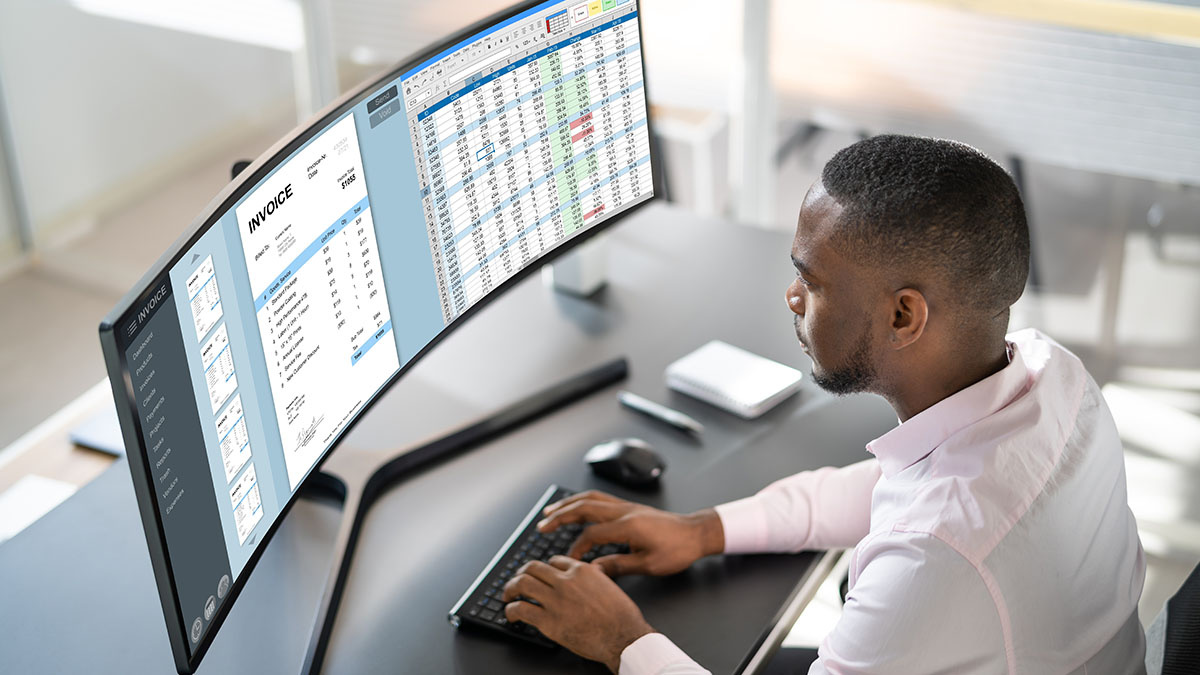
A curved work monitor should make your desk easier to use, not simply make the screen look more dramatic. Focus on workspace, text clarity, connection options, comfort, and the physical demands of the stand.
Screen size and curve
A 27-inch screen is easier to fit into a small workspace, while 32-inch models provide more scale without requiring an ultrawide layout. A 34-inch 21:9 monitor gives much more horizontal room for side-by-side windows. The 49-inch Samsung LS49C954UANXZA is a different class entirely, with enough width to replace two displays.
Curve strength matters more as the screen gets wider. A 3800R curve such as the CRUA's is gentle and office-friendly. A 1500R or 1000R curve wraps more closely around you, which can help with a very wide display but may feel more noticeable with straight lines and documents.
Resolution and text clarity
Full HD works well on compact 24-inch and 27-inch displays, but it spreads fewer pixels across a larger physical area on 32-inch screens. WQHD and UWQHD provide more room for text, timelines, and multiple windows. Dual QHD on a 49-inch screen gives the most workspace, but it also asks more from your computer and your desk.
Do not choose resolution by size alone. Check the scaling behavior of your operating system and the applications you use. A dense display is useful only when text remains comfortable to read.
Panel type and color
VA panels, used by several displays here, typically emphasize contrast and deep-looking blacks. IPS panels generally offer more consistent color and brightness when viewed from different angles. The CRUA 34-inch Ultrawide is the only model in this set explicitly identified as IPS.
Color coverage figures such as sRGB and DCI-P3 indicate the range of colors a monitor can show. They do not prove calibration accuracy. For ordinary office work, consistent brightness and comfortable text may matter more than an unusually wide gamut.
For work, the most useful ultrawide is the one that keeps text sharp and windows organized, not the one with the biggest curve.
Refresh rate and response
A 100Hz monitor makes scrolling and window movement feel smoother than a basic 60Hz model. The Dell reaches 120Hz, the Sceptre C345B-QUT168 goes up to 180Hz, and the SANSUI reaches up to 200Hz. Those higher figures are most valuable when work and gaming share the same display.
Response-time claims need context. A 1ms MPRT figure is aimed at reducing visible blur during fast movement, while the LG 34WR55QK-B lists 5ms. For documents and spreadsheets, refresh rate and text rendering are usually more noticeable than the smallest response-time number.
Ports and laptop charging
USB-C with power delivery can simplify a laptop workstation. The Dell S3425DW and LG 34WR55QK-B support up to 65W, while the Samsung LS49C954UANXZA supports up to 90W. That feature can replace a separate video cable and reduce desk clutter, provided the laptop supports the required connection mode.
DisplayPort and HDMI remain useful for desktops, game systems, and additional sources. Picture-by-picture support, included on the Samsung LS49C954UANXZA and LG 34WR55QK-B, can show two sources at once.
Stand and viewing comfort
Height adjustment is more useful than tilt alone because it lets you position the top of the display closer to eye level. The Dell, Samsung 49-inch model, and LG 34WR55QK-B list stronger ergonomic support than models that only mention tilt.
Eye comfort features can reduce blue light or flicker, but they do not fix poor placement. Keep the display at a comfortable distance, control glare, and adjust brightness to match the room. For more workspace ideas, a few practical home-office layout changes can matter as much as the monitor itself.
Frequently asked questions
Is a curved monitor good for office work?
Yes, especially when the screen is wide enough for the curve to bring the outer edges closer to your normal viewing position. A 34-inch ultrawide can make side-by-side work easier, while a 24-inch or 27-inch curved monitor is more appropriate for a compact desk.
What size curved monitor is best for work?
A 34-inch ultrawide is the most useful size for people who regularly keep multiple windows open. A 27-inch display is easier to place and works well for a single main task. A 32-inch Full HD model gives more physical scale, but it does not provide the same desktop width or pixel density as a WQHD ultrawide.
Is 100Hz enough for office work?
Yes. A 100Hz refresh rate makes scrolling, pointer movement, and window dragging smoother than a basic 60Hz display. Higher rates such as 120Hz, 180Hz, and 200Hz are useful when the monitor will also be used for fast games or other motion-heavy content.
Is USB-C important on a work monitor?
USB-C is especially useful for laptop users because one cable can carry video and provide power when the monitor supports both functions. The Dell S3425DW and LG 34WR55QK-B provide up to 65W, while the Samsung LS49C954UANXZA provides up to 90W. Desktop users may have less need for it.
Are VA or IPS panels better for work?
Neither is automatically better. VA panels commonly offer stronger contrast, while IPS panels are often more consistent when viewed from different angles. For color-sensitive work, look beyond the panel label and consider color coverage, calibration information, brightness, and viewing conditions.
Can a curved monitor replace two monitors?
A 34-inch 21:9 monitor can replace two smaller displays for many workflows, especially writing, research, coding, and timeline work. The 49-inch Samsung LS49C954UANXZA goes further with a 32:9 Dual QHD layout. A single display may still be less flexible than two monitors if you need separate heights, orientations, or independent physical placement.
The bottom line
The Best curved monitor for work in this group is the Dell S3425DW. Its 34-inch WQHD screen, 120Hz refresh rate, strong color coverage, built-in sound, eye comfort features, and 65W USB-C charging create the most balanced workstation. The LG 34WR55QK-B is the better alternative for laptop users who need a broad port selection, picture-by-picture support, and a height-adjustable stand.
Choose the Samsung LS49C954UANXZA when your work genuinely demands a dual-monitor replacement, and choose the Samsung S36GD or Sceptre C248W-1920RN when desk space is tight. For a wide screen that can also handle serious gaming, the Sceptre C345B-QUT168 and SANSUI 34-inch Ultrawide are the livelier options.
If you are undecided, choose the Dell unless your desk, laptop, or workflow clearly points to a different size.
As an Amazon Associate we earn from qualifying purchases.