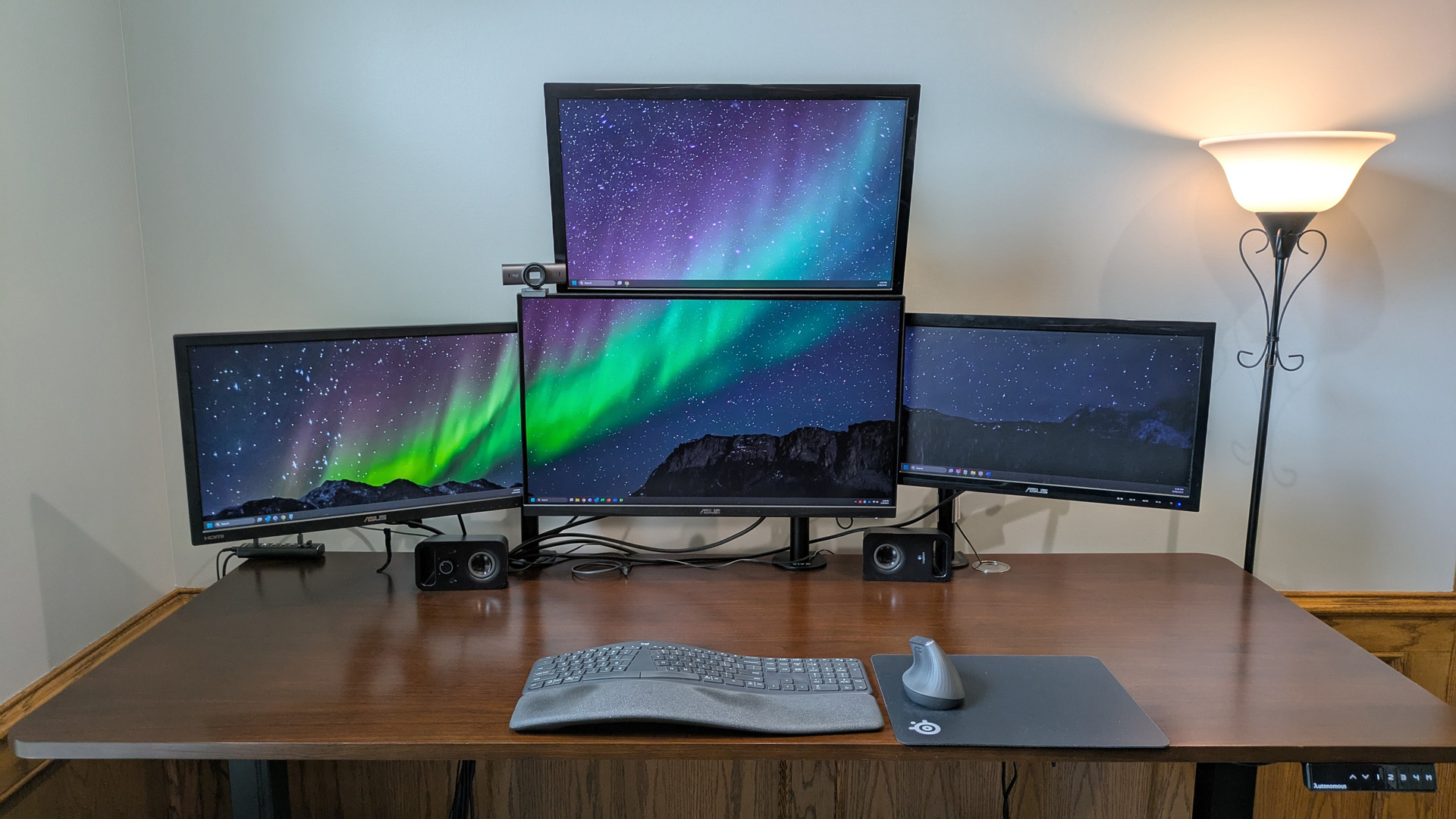

A dual-screen workstation can solve a very specific frustration: constantly shrinking a spreadsheet, browser window, or video call just to see the next thing you need. The right Best dual monitor computer system gives you room to work across two displays without forcing you to assemble every cable and component separately.
This list includes complete renewed desktops with two monitors, a two-screen monitor package, a portable laptop extender, and monitor arms for people who already have a computer and displays. The distinction matters. A ready-made desktop is the easiest route, while a stand or portable extender makes more sense when your existing hardware is still doing the job.
For most home and office buyers, the HP EliteDesk 800 G3 Dual Monitor PC is the strongest complete package. The lineup ranges from compact and portable setups to larger 27-inch screens and fully adjustable desk mounts.
Comparison table
| # | Product | Award | Processor or capacity | Display or fit | Best for |
|---|---|---|---|---|---|
| 1 | HP EliteDesk 800 G3 Dual Monitor PC | Best overall | Intel i7-6700, 32GB DDR4 | Two 24-inch monitors | A complete work-ready station |
| 2 | Dell Optiplex Tiny Dual 27-inch PC | Best large-screen bundle | Intel Core i5, 32GB RAM, 1TB SSD | Two 27-inch curved monitors | A spacious desk setup |
| 3 | Dell OptiPlex 10th Gen Dual Monitor PC | Best modern office bundle | Intel Core i5-10500, 16GB DDR4 | Two 24-inch monitors | Office multitasking |
| 4 | Dell Optiplex 9020 Dual Monitor PC | Best storage-focused bundle | Intel Core i5, 16GB RAM, 2TB hard drive | Two 24-inch LCD monitors | Files and everyday desktop work |
| 5 | Kado Dual Curved 24-inch Monitors | Best matched monitor pair | 75Hz refresh rate | 24-inch, 1500R, 1920x1080 | Adding two displays to a PC |
| 6 | CIDETTY 15.6-inch Laptop Extender | Best portable option | 1080p FHD IPS | One 15.6-inch extender | Mobile triple-screen work |
| 7 | HUANUO FlowLift Dual Monitor Stand | Best full-motion stand | 4.4 to 19.8 pounds per arm | 13 to 32-inch screens | Flexible ergonomic positioning |
| 8 | WALI GSMP002N Dual Monitor Stand | Best for large monitors | Up to 22 pounds per arm | 13 to 32-inch screens | Larger flat or curved displays |
| 9 | HUANUO Advanced Dual Monitor Mount | Best high-capacity mount | Up to 22 pounds per arm | 17 to 32-inch screens | Heavy dual-display setups |
| 10 | WALI Articulating Dual Monitor Stand | Best for smaller screens | Up to 22 pounds per arm | 13 to 27-inch screens | Compact desks and displays |
1. HP EliteDesk 800 G3 Dual Monitor PC: Best Overall

Pros
- Intel Core i7-6700 processor
- 32GB of DDR4 memory
- Fast 1TB NVMe SSD plus 2TB hard drive
- Two 24-inch monitors included
- Wi-Fi 6 and Bluetooth 5
Cons
- Refurbished desktop hardware
- Small-form-factor desktop limits expansion
- Monitor brand and display specifications are not fully detailed
Best for: someone who wants a complete dual-screen office workstation with generous memory and storage.
The HP EliteDesk 800 G3 Dual Monitor PC is the bundle we'd choose when the goal is to start working rather than build a shopping list. It includes the small-form-factor desktop, two 24-inch KOORUI monitors, a wireless keyboard and mouse, HDMI cables, and a DisplayPort to HDMI adapter. That combination removes several of the usual setup questions, especially for an office that needs two screens quickly.
Its hardware is also the most convincing complete package here. The Intel Core i7-6700 is paired with 32GB of DDR4 memory, giving the system plenty of headroom for browser tabs, documents, communication apps, and other routine desktop tasks at the same time. The 1TB M.2 NVMe SSD should make Windows and frequently used applications feel much more responsive than a hard-drive-only system, while the separate 2TB hard drive provides a large place for files and media.
Connectivity is a quiet strength. Wi-Fi 6 and Bluetooth 5 are built in, so the desktop does not need an external wireless adapter for a compatible network or Bluetooth peripherals. The included DisplayPort to HDMI adapter is useful because complete dual-monitor bundles often stumble at the last connection. For a closer look at the cable and port decisions that affect a two-screen workstation, the connections that keep two displays running cleanly are worth considering before setup.
The weakness is the age and nature of the renewed desktop. The processor is an older generation, and the listing does not provide detailed panel information for the included monitors beyond their 24-inch size and slim bezels. This is not the right package for someone shopping around high-end graphics or demanding modern gaming. It is the right Best dual monitor computer system for office work, administration, study, and general multitasking where memory, storage, and included accessories matter more than cutting-edge graphics.
2. Dell Optiplex Tiny Dual 27-inch PC: Best Large-Screen Bundle

Pros
- Compact Dell Optiplex Tiny desktop
- 32GB of RAM and a 1TB SSD
- Two 27-inch curved monitors
- Keyboard, mouse, soundbar, and webcam included
- Windows 11 Pro installed
Cons
- Processor model is not specified
- Large displays need substantial desk width
- RGB accessories may not suit a conservative office
Best for: someone who wants the largest screens and the most complete accessory bundle in one package.
The Dell Optiplex Tiny Dual 27-inch PC makes the desktop itself almost disappear while making the displays impossible to miss. Its compact Optiplex Tiny computer is paired with two 27-inch curved monitors, which gives documents, timelines, dashboards, and side-by-side browser windows more visual breathing room than the 24-inch bundles on this list.
The internal configuration is well suited to multitasking. It has 32GB of RAM and a 1TB SSD, so the basic experience should feel responsive when launching Windows and switching among ordinary applications. The listing identifies the processor only as an Intel Core i5, without naming the generation or exact model. That missing detail makes it harder to predict performance against the HP EliteDesk 800 G3 Dual Monitor PC, whose i7-6700 processor is clearly identified.
The accessory package is unusually broad. Along with the AI-enabled RGB keyboard and mouse, the bundle includes an RGB soundbar and a high-definition webcam. Those extras make sense for video calls and a desk that doubles as an entertainment station, although the lighting will be more at home in a personal office than a formal reception area. The two curved displays are the main reason to pick this package, not the decorative accessories.
There is a practical trade-off to the 27-inch arrangement. Two screens of this size consume more desk width and viewing distance, and the listing does not give their resolution, refresh rate, or panel type. The lack of a precise processor model is another reason to avoid treating it as a performance workstation. Still, for a buyer who wants a compact computer behind a broad two-screen workspace, this is a distinctive alternative to the HP and Dell 24-inch bundles.
3. Dell OptiPlex 10th Gen Dual Monitor PC: Best Modern Office Bundle

Pros
- Intel Core i5-10500 10th Gen processor
- Six cores and up to 4.5GHz Turbo
- 16GB DDR4 memory
- 256GB SSD
- Wireless keyboard and mouse included
Cons
- Less storage than the other complete desktop bundles
- Monitor resolution and refresh rate are not specified
- Renewed hardware
Best for: office users who want a clearly identified newer-generation processor and a straightforward two-screen setup.
The Dell OptiPlex 10th Gen Dual Monitor PC is the most straightforward choice for a conventional business desk. It includes a small-form-factor Dell desktop, two 24-inch LED monitors, a wireless keyboard and mouse, built-in Wi-Fi, and power cables. There is less extra equipment to sort through than with the Dell Optiplex Tiny Dual 27-inch PC, and the intended office use is clear.
The Intel Core i5-10500 is a 10th Gen processor with six cores and a turbo speed up to 4.5GHz. That is a more specific and more recent processor description than the one attached to the Tiny bundle. With 16GB of DDR4 RAM, it is configured for the usual two-screen workload: spreadsheets on one panel, email or a browser on the other, with room for several applications open at once.
Storage is the compromise. The 256GB SSD should help Windows and everyday programs start quickly, but it leaves less space for a large local file collection than the HP's 1TB NVMe SSD plus 2TB hard drive or the Dell Optiplex 9020 Dual Monitor PC's 2TB hard drive. The ports listed include DisplayPort, USB 3.0, USB 2.0, and Ethernet, which gives an office user sensible wired connectivity, though the listing does not specify the exact monitor cable arrangement.
The monitors are listed as 24-inch LED displays, but their resolution, refresh rate, and panel technology are not provided. That makes this bundle easier to recommend for documents and business software than for color-sensitive creative work. It is a better fit than the HP if a clearly stated 10th Gen processor matters, while the HP remains the more capable storage-heavy choice for a workstation that will hold substantial files.
4. Dell Optiplex 9020 Dual Monitor PC: Best Storage-Focused Bundle

Pros
- 16GB of RAM
- 2TB hard-drive storage
- Two 24-inch LCD monitors
- Wi-Fi and Bluetooth 4.0
- Windows 11 Pro installed
Cons
- Older Optiplex platform
- Hard drive is the only listed storage type
- Monitor details are limited
Best for: home and office users who need a large local file library in a complete dual-screen package.
The Dell Optiplex 9020 Dual Monitor PC is built around a simple idea: provide two screens and enough local storage for a large collection of documents, photos, music, or video. The system includes two 24-inch LCD monitors, 16GB of RAM, Wi-Fi, Bluetooth 4.0, a DVD-RW drive, and Windows 11 Pro. It is an unusually practical set of extras for someone replacing an older home or office computer.
The 2TB hard drive is the defining feature. It offers substantially more listed capacity than the Dell OptiPlex 10th Gen Dual Monitor PC, so users who keep files locally will have more room before they need external storage. The 16GB of RAM is still a sensible starting point for office multitasking. The listing says the desktop can connect to multiple monitors through its installed onboard video connections, though it does not identify the exact output types.
This is the least modern complete desktop here. The processor is described only as an Intel Core i5, and Bluetooth 4.0 is older than the Bluetooth 5 included with the HP EliteDesk 800 G3 Dual Monitor PC. The storage is also specified as a hard drive rather than an SSD, so application launches and Windows startup may not feel as quick as they do on the Dell 10th Gen system or the HP with its NVMe drive.
That makes the 9020 a focused pick rather than a universal winner. Skip it if fast storage response is your priority or if you need a detailed account of the included monitors. Choose it when two 24-inch screens, a DVD-RW drive, Wi-Fi, and a substantial local file library matter more than newer internal hardware.
5. Kado Dual Curved 24-inch Monitors: Best Matched Monitor Pair

Pros
- Two 24-inch curved monitors
- 1500R curvature
- 1920x1080 resolution
- 75Hz refresh rate
- Built-in speakers
- 98% sRGB coverage claim
Cons
- Requires a separate computer
- Stands and desk arrangement are not detailed
- Full gaming and connectivity specifications are limited
Best for: someone who already owns a desktop or laptop and wants a matched pair of curved displays.
The Kado Dual Curved 24-inch Monitors package is the cleanest route for upgrading an existing computer into a two-screen workspace. It does not include a desktop, keyboard, or mouse, so it is not a complete computer system in the same sense as the Dell and HP bundles. Its appeal is the matched pair: two displays with the same stated size, shape, resolution, and refresh rate.
Each screen uses a 1500R curve and a 1920x1080 FHD resolution. On a 24-inch panel, that resolution is a familiar fit for office work, web browsing, and media, while the curve is intended to keep the edges more naturally within view. The 75Hz refresh rate is a small step above standard 60Hz operation, which can make cursor movement and scrolling appear smoother. The listing also cites 98% sRGB coverage, a useful detail for general creative and multimedia work, though it does not replace a full color accuracy specification.
Built-in speakers help keep a basic desk less cluttered. The monitors also advertise fast response times and custom FPS and RTS modes, so they are not limited to spreadsheets. We would still place them behind a purpose-built gaming display for demanding play because the listing does not give a complete response-time figure, adaptive sync information, or detailed input list.
The main question is whether your computer can drive both screens with the required connections. The Kado pair is a better choice than buying two unrelated displays when consistent alignment and appearance matter. It is not the right Best dual monitor computer system for someone starting with no computer at all, but it is a sensible display foundation for an existing desktop. If you are choosing between this pair and other panels, the screen traits that matter when two monitors share a desk can help narrow the decision.
6. CIDETTY 15.6-inch Laptop Extender: Best Portable Option

Pros
- 15.6-inch 1080p FHD IPS display
- 4mm single-screen thickness
- Supports 13 to 17-inch laptops
- Works with Windows, macOS, and Chrome OS
- Includes cables, power adapter, and carrying bag
Cons
- Compatibility depends on laptop ports
- Some MacBook connections need a special cable and driver
- Adds a screen rather than providing a desktop system
Best for: mobile workers who need extra screen space without carrying a separate desktop monitor.
The CIDETTY 15.6-inch Laptop Extender solves a different problem from every desktop bundle here. Instead of creating a permanent two-monitor desk, it attaches to a compatible laptop and adds another display, creating a portable multi-screen workstation for travel, presentations, and remote work. That makes it the most useful pick for someone whose desk changes from week to week.
The single screen is a 15.6-inch 1080p FHD IPS panel and is listed as only 4mm thick. Its adjustable telescopic stand is designed for laptops from 13 to 17.3 inches, while the reinforced back bracket and non-slip rubber pads are intended to keep the extender secure. The thin design is meaningful in practice because a portable display that is too bulky quickly defeats the point of carrying it.
Connection details deserve careful attention. The package includes two Type-C cables, a USB-A to USB-C cable, a power adapter, a quick guide, instructions, and a carrying bag. The extender is described as plug and play with Windows, macOS, Chrome OS, Android, and Linux, but compatibility is not universal in the same way a desktop monitor is. Laptops without a full-featured USB-C port, including M1 to M4 MacBooks according to the listing, may require an H5-T cable, HDMI, USB-A power, and driver installation.
That caveat is the product's real weakness. Check the laptop's ports before ordering, particularly if the computer has a USB-C port that supports charging but not video. The CIDETTY is far more portable than the Kado pair and more flexible for travel, but it cannot replace the spacious side-by-side arrangement of two 24-inch or 27-inch desktop monitors. For mobile work, the practical limits of carrying extra screens on the road are just as important as the panel size.
7. HUANUO FlowLift Dual Monitor Stand: Best Full-Motion Stand

Pros
- Supports 13 to 32-inch screens
- Full-motion tilt, swivel, and rotation
- C-clamp and grommet installation
- Raises screens up to 15.75 inches
- Built-in cable management
Cons
- Each arm supports 4.4 to 19.8 pounds
- Requires VESA mounting holes
- Desk material and thickness restrictions apply
Best for: someone who wants broad positioning control and a clean desk with two mounted screens.
The HUANUO FlowLift Dual Monitor Stand is for the buyer who already has a computer and monitors but dislikes the fixed height and footprint of their factory stands. It lifts both displays off the desk, leaving space for a keyboard, notebook, or docking station. The full-motion design is more useful than a simple riser because each screen can be pulled closer, pushed back, tilted, swiveled, or turned.
Compatibility is clearly defined. Each monitor must be between 13 and 32 inches, weigh from 4.4 to 19.8 pounds, and use a 75x75mm or 100x100mm VESA pattern. The arms provide +85 and -50 degrees of tilt, plus or minus 90 degrees of swivel, and 360-degree rotation. That range supports a conventional landscape pair, a portrait display for coding or long documents, or a setup angled toward more than one seating position.
Installation has two routes. The stand supports a C-clamp or grommet mount and is intended for wooden desks between 0.59 and 3.54 inches thick. Plastic and glass desks are specifically excluded, and underside cross beams or panels can interfere with the mounting hardware. Those restrictions are not minor details, so measure the desk before choosing this over the more broadly sized HUANUO Advanced Dual Monitor Mount.
The weight range is the reason to skip this model for especially light monitors or screens near its upper limit. A 32-inch display can fit by size but still needs to fall within the stated arm capacity. The stand is a better ergonomic upgrade than the WALI Articulating Dual Monitor Stand if you want the wider 13 to 32-inch screen range and a lift of up to 15.75 inches.
8. WALI GSMP002N Dual Monitor Stand: Best for Large Monitors

Pros
- Fits flat or curved screens up to 32 inches
- Supports up to 22 pounds per arm
- Extends screens up to 19.3 inches
- 360-degree rotation
- Cable management included
- C-clamp and grommet mounting
Cons
- Intended for wooden desks
- Monitor VESA pattern and weight must be checked
- Large extension can need careful tension adjustment
Best for: users mounting heavier or larger displays who want extensive height and reach adjustment.
The WALI GSMP002N Dual Monitor Stand is the most accommodating stand in this group for larger screens. It accepts flat or curved monitors up to 32 inches and supports up to 22 pounds on each arm. That extra capacity gives it a clearer role than the WALI Articulating Dual Monitor Stand, which stops at 27-inch screens.
The adjustment range is generous. The arms can extend the displays 19.3 inches from the base and raise them up to 17.3 inches above the desktop. Each display can swivel plus or minus 90 degrees, tilt from +70 to -45 degrees, and rotate 360 degrees between landscape and portrait. That is enough movement to bring a screen close for detailed work, push it away when sharing a desk, or turn one panel vertically for long pages.
The mounting system supports both C-clamp and grommet installation on desks from 0.39 to 2.76 inches thick. The listing recommends a wooden desk without an obstructing crossbeam. It also calls out a wider VESA head and a tighter-fitting VESA panel for stability, plus a core tested through more than 20, 000 cycles. Those construction claims make the stand particularly interesting for a workstation where the screens will be adjusted regularly.
The drawback is that large movement creates more leverage on the desk and mount. A pair of heavy 32-inch monitors needs careful tightening and a suitable surface, even when each screen is within the stated capacity. Choose the WALI GSMP002N over the HUANUO FlowLift if your displays are larger or heavier, and choose the HUANUO Advanced Dual Monitor Mount if your desk has a different thickness range that better matches its mounting options.
9. HUANUO Advanced Dual Monitor Mount: Best High-Capacity Mount

Pros
- Supports up to 22 pounds per arm
- Fits most 17 to 32-inch flat or curved monitors
- Plus or minus 90-degree swivel
- 360-degree rotation
- C-clamp and grommet options
- Listed setup time of 10 minutes
Cons
- Does not target smaller 13-inch screens
- Desk thickness limits vary by mounting method
- Requires compatible VESA holes
Best for: owners of heavier 17 to 32-inch monitors who want a high-capacity adjustable mount.
The HUANUO Advanced Dual Monitor Mount is a solid choice for a conventional pair of medium or large displays. It is designed for most 17 to 32-inch flat or curved monitors and gives each arm a maximum capacity of 22 pounds. That makes it a natural match for the larger displays that can overwhelm lighter arms.
Its movement range covers the adjustments most people actually use. The screens can swivel plus or minus 90 degrees, tilt from +90 to -35 degrees, and rotate 360 degrees for portrait orientation. The arms extend up to 17.5 inches and raise up to 17.5 inches above the desk, so the setup can move from a close, focused position to a more open arrangement for collaboration.
The mount uses either a C-clamp or a grommet. C-clamp installation is specified for desks from 0.39 to 2.56 inches thick, while grommet installation covers desks from 0.39 to 2.17 inches. The included tools and instructions are intended to make setup take about 10 minutes, although monitor mounting and cable routing still require careful alignment.
The smaller screen limit is the main distinction from the HUANUO FlowLift Dual Monitor Stand, which starts at 13 inches. The FlowLift also offers a different tilt range and a wider desk thickness range. Pick this HUANUO when 22 pounds per arm and a 17.5-inch lift are more important than supporting small displays. It is a practical mount for a Best dual monitor computer system built around two substantial screens, but it cannot provide the computer or the displays themselves.
10. WALI Articulating Dual Monitor Stand: Best for Smaller Screens

Pros
- Supports two monitors up to 27 inches
- Up to 22 pounds per arm
- 360-degree portrait and landscape rotation
- C-clamp and grommet bases included
- Detachable, height-adjustable mounting plates
Cons
- Does not support screens larger than 27 inches
- Desk and monitor compatibility must be checked
- Adjustment specifications are less extensive than newer large-screen stands
Best for: someone mounting two smaller monitors on a compact desk.
The WALI Articulating Dual Monitor Stand is the compact, uncomplicated option in the stand section. It supports two screens up to 27 inches and up to 22 pounds per arm, which covers many 22-inch, 24-inch, and 27-inch office monitors. By moving those screens off their factory bases, it creates more usable space without requiring a larger display setup.
The arms extend and retract, tilt and swivel plus or minus 90 degrees, and rotate 360 degrees from landscape to portrait. That is enough for a standard side-by-side arrangement, a vertical document display, or a screen angled toward another person. The detachable, height-adjustable mounting plates can also make the initial attachment easier than working with a fixed plate.
There are two installation choices. The stand includes a two-stage locking system with a 3.5-inch C-clamp and a 3-inch grommet base. The monitor side uses the familiar 75x75mm or 100x100mm VESA patterns, but the screens still need to stay within the 27-inch and 22-pound limits. A monitor's size alone does not confirm compatibility, so check its mounting pattern and actual weight.
The WALI GSMP002N is the better fit for 32-inch displays and offers more explicit reach and height figures. The Articulating model makes more sense on a smaller desk with two modestly sized screens. It is also a sensible pick when you want the basic ergonomic benefits of portrait rotation and freed-up desk space without building a broad, large-screen workstation.
How to choose the best dual monitor computer system
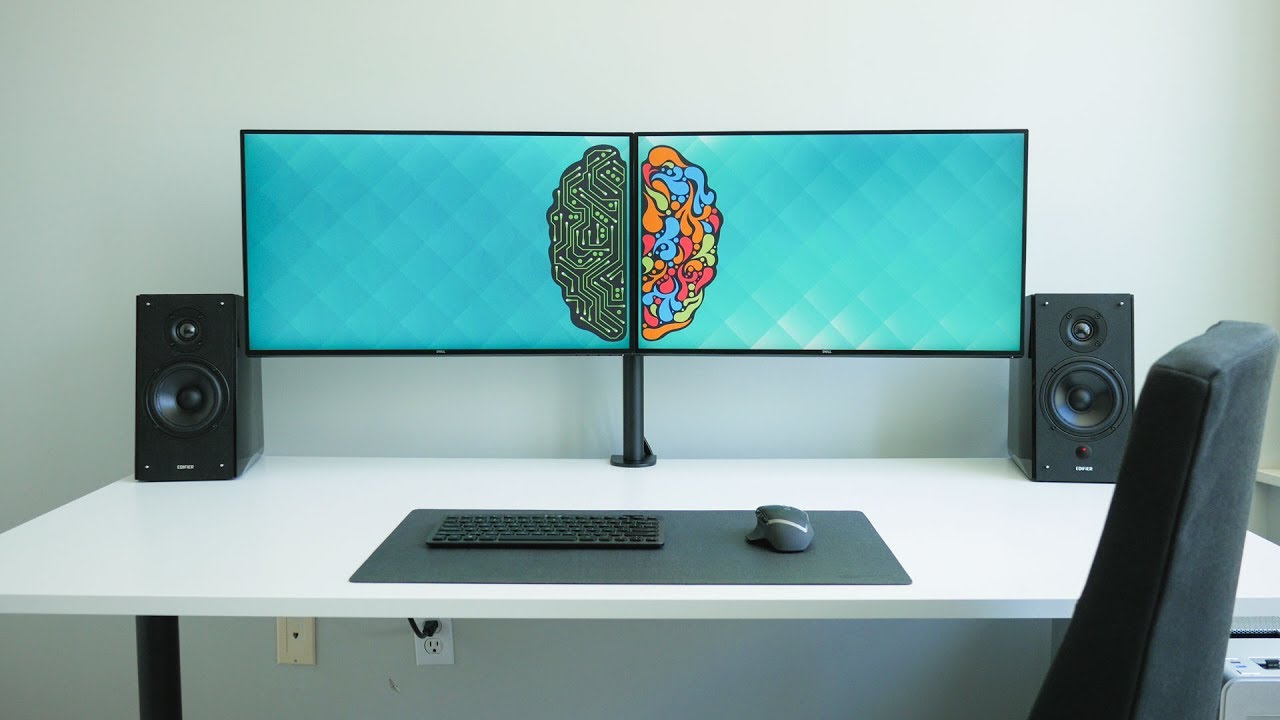
The right setup depends first on whether you need a complete computer, a matched pair of displays, or a way to mount screens you already own.
Complete computer bundle
A complete bundle should include the desktop, two monitors, input devices, operating system, and the cables needed to connect everything. The HP EliteDesk 800 G3 Dual Monitor PC is the most complete option here, while the Dell Optiplex 9020 Dual Monitor PC offers a simpler older configuration. Check the listing carefully for the exact processor, storage type, wireless features, and included adapters.
Processor and memory
Two screens do not automatically require a powerful computer, but multitasking benefits from sufficient memory and a clearly identified processor. The HP's 32GB of DDR4 memory gives it more room than the 16GB Dell bundles, while the Dell OptiPlex 10th Gen Dual Monitor PC identifies a six-core Intel Core i5-10500. Treat an unspecified processor as a limitation when comparing systems for demanding software.
Storage type
An SSD affects startup and application loading, while a hard drive is useful for keeping a larger local file collection. The HP combines a 1TB NVMe SSD with a 2TB hard drive, the Dell 10th Gen bundle uses a 256GB SSD, and the 9020 lists a 2TB hard drive. Decide whether you need faster everyday response, more local capacity, or both.
Display size and image quality
Two 24-inch 1080p monitors are easier to fit on a typical desk than two 27-inch screens. The Kado pair provides the most complete display information, including 1500R curvature, 1920x1080 resolution, 75Hz refresh, and a 98% sRGB coverage claim. The complete desktop bundles provide less detail about their included panels, so do not assume that screens with the same diagonal size have identical image quality.
Monitor arm compatibility
A monitor arm requires three checks: screen size, screen weight, and VESA mounting pattern. The stand must also suit the desk. The HUANUO FlowLift supports 13 to 32-inch screens weighing 4.4 to 19.8 pounds per arm, while several other mounts support up to 22 pounds. C-clamp and grommet thickness limits differ, and the listings recommend wooden desks without obstructing underside beams.
A two-screen system is only as flexible as its weakest connection, so verify the computer outputs, monitor inputs, VESA pattern, and desk mount before ordering.
Portability
A desktop bundle is meant to stay in one place. The CIDETTY 15.6-inch Laptop Extender is the exception, adding a 1080p IPS screen to compatible 13 to 17.3-inch laptops. Its portability is useful for travel, but USB-C video support and MacBook compatibility need more scrutiny than a standard desktop arrangement.
Frequently asked questions
Do these products include a computer and two monitors?
Some do, and some do not. The HP EliteDesk 800 G3 Dual Monitor PC, both Dell desktop bundles, and the Dell Optiplex Tiny Dual 27-inch PC include a computer and two monitors. The Kado product is a pair of monitors only, while the monitor stands and CIDETTY extender are accessories for computers you already own.
Is a dual monitor computer system good for office work?
Yes. Two screens are particularly useful for keeping a document, browser, communication app, or spreadsheet visible at the same time. The complete desktop bundles here include Windows 11 Pro, and the HP, Dell, and Dell Optiplex Tiny options are configured around ordinary office multitasking.
Can the Kado monitors connect to any computer?
The monitors require a computer with suitable video outputs and compatible cables. The listing confirms their size, resolution, refresh rate, and built-in speakers, but it does not provide a complete input specification in the supplied product details. Check the computer's available outputs before choosing them.
Can the monitor stands hold curved screens?
Several can. The HUANUO Advanced Dual Monitor Mount and WALI GSMP002N specifically describe compatibility with flat or curved monitors, while the other stands require the screen to meet their size, weight, and VESA requirements. Curvature does not remove the need to check the mounting pattern.
What VESA pattern do these monitor arms use?
The stands in this roundup generally use 75x75mm or 100x100mm VESA mounting patterns. The monitor must also fall within the arm's supported size and weight range. A screen with the right VESA holes can still be unsuitable if it exceeds the arm capacity.
Is the CIDETTY extender a true desktop dual-monitor system?
It is a portable laptop screen extender rather than a desktop computer bundle. It adds a 15.6-inch 1080p FHD IPS screen to a compatible laptop, allowing more windows to remain visible. Its connection requirements are more complicated on laptops without full-featured USB-C video output.
Which setup is easiest for a first-time buyer?
A complete desktop bundle is the simplest starting point because the computer, monitors, operating system, and some accessories arrive together. The HP EliteDesk 800 G3 Dual Monitor PC has the clearest all-in-one specification in this group. A monitor pair or arm is easier to justify when you already own the computer or displays.
The bottom line
The Best dual monitor computer system in this roundup is the HP EliteDesk 800 G3 Dual Monitor PC. Its Intel Core i7-6700, 32GB of DDR4 memory, 1TB NVMe SSD, 2TB hard drive, two 24-inch monitors, wireless connectivity, and included adapters make it the most complete work-focused package. The Dell OptiPlex 10th Gen Dual Monitor PC is the better alternative if a clearly identified 10th Gen processor matters more than storage capacity.
For buyers who already own a computer, the Kado Dual Curved 24-inch Monitors provide a matched 1500R pair with 1920x1080 resolution and a 75Hz refresh rate. If your priority is reclaiming desk space and improving screen position, the WALI GSMP002N Dual Monitor Stand is the strongest fit for larger displays.
If you are undecided, choose the HP for a complete office workstation, the Kado pair for an existing computer, or the CIDETTY when your workstation needs to travel.
As an Amazon Associate we earn from qualifying purchases.