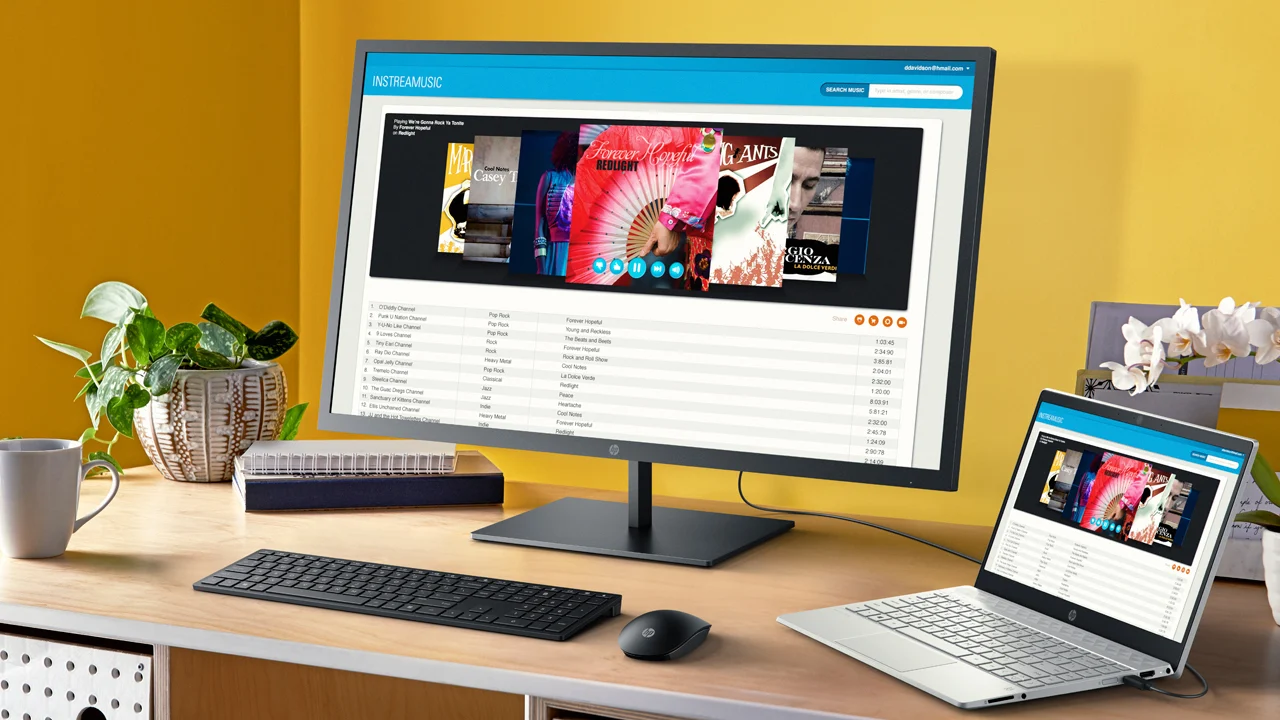

Long documents, crowded spreadsheets, and video calls all expose the same monitor problem: a screen that looks acceptable for ten minutes can feel cramped, soft, or tiring by midafternoon. The right display gives your windows room to breathe and keeps text comfortable without turning your desk into a control room.
Our Best monitors for work picks cover compact 24-inch displays, flexible 27-inch models, sharp 4K screens, and wide monitors that can replace a two-screen setup. The Dell S3425DW 34-inch is our top pick, followed by capable options for smaller desks, sharper text, and simpler office setups.
Best monitors for work comparison
| # | Product | Award | Resolution | Panel and refresh rate | Best for |
|---|---|---|---|---|---|
| 1 | Dell S3425DW 34-inch | Best overall | WQHD | VA, up to 120Hz | Multitasking and long workdays |
| 2 | Dell S2725QS 27-inch 4K | Best for sharp text | 4K UHD | IPS, up to 120Hz | Detailed documents and creative work |
| 3 | Samsung ViewFinity S50GC 34-inch | Best ultrawide multitasker | Ultra-WQHD | 100Hz | Two sources on one screen |
| 4 | Dell S2425HSM 24-inch | Best adjustable compact monitor | FHD | 144Hz, 1ms MPRT | Small desks and flexible seating |
| 5 | Dell SE2726H 27-inch | Best 27-inch IPS monitor | FHD | IPS, 144Hz, 1ms MPRT | General office work |
| 6 | Dell S2725HSM 27-inch | Best with built-in speakers | FHD | 144Hz, 1ms MPRT | Calls and casual media |
| 7 | Acer KB272 G0bi 27-inch | Best straightforward 27-inch monitor | FHD | IPS, 120Hz, 1ms VRB | Everyday productivity |
| 8 | Samsung Essential S3 27-inch | Best curved screen | FHD | Curved, 100Hz | Immersive desk setups |
| 9 | Dell SE2426H 24-inch | Best compact IPS monitor | FHD | IPS, 144Hz, 1ms MPRT | Smaller workspaces |
| 10 | Philips 241V8LB 24-inch | Best for reading | FHD | VA, 100Hz | Documents and web work |
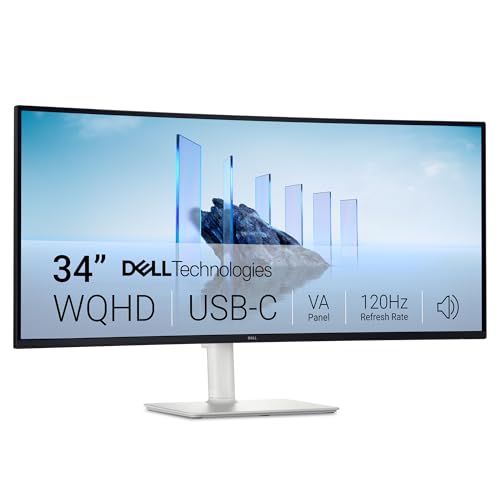
1. Dell S3425DW 34-inch: Best Overall
Pros
- Wide WQHD canvas suits side-by-side windows
- VA panel provides a 3000:1 contrast ratio
- USB-C supports up to 65W power delivery
- Up to 120Hz refresh rate
- Strong color coverage and eye-comfort features
Cons
- Large and heavy for a compact desk
- VA viewing behavior is less consistent than IPS
- The ultrawide format is not ideal for every application
Best for: someone who wants one wide screen for documents, browsers, calls, and creative work.
The Dell S3425DW 34-inch is the monitor we'd keep for a workstation that needs room without immediately moving to two separate panels. Its wide body gives spreadsheets, email, and a browser space to coexist, and the WQHD resolution keeps that broad workspace more useful than a stretched Full HD screen. It feels like a practical center of gravity for a desk rather than a display built around one particular application.
The VA panel is an important part of its character. A stated 3000:1 contrast ratio gives dark interface elements more depth than the IPS screens in the Dell SE2726H or Dell S2725QS, while the claimed 99% sRGB and 95% DCI-P3 coverage make it suitable for people who spend time with photos, layouts, or video. It is also HDR-ready. That does not turn it into a dedicated HDR production display, but it gives supported content more range than a basic office panel.
Scrolling and cursor movement benefit from the up-to-120Hz refresh rate, with AMD FreeSync Premium available for smoother motion. The more useful office feature may be the USB-C connection with up to 65W power delivery. A compatible laptop can use one cable for the display and charging, which cuts down on desk clutter. The built-in sound has also been re-engineered for more output and a deeper frequency response than the previous generation, though external speakers or a headset remain the better choice for serious listening.
The weakness is physical scale. This is a 31.78-inch-wide, 20.68-pound display, so it needs a sturdy, deep desk and careful positioning. A wide VA panel can also be less uniform from an angle than an IPS screen, which matters if several people regularly look at the display together. The Samsung ViewFinity S50GC offers a similarly wide working concept with picture-by-picture and picture-in-picture support, while the Dell S2725QS is the sharper choice for fine text on a smaller canvas.
Choose this one if your main problem is a lack of horizontal room. For a single-screen home office, the Dell S3425DW is the most complete combination of workspace, connectivity, comfort, and motion handling in this group.
2. Dell S2725QS 27-inch 4K: Best for Sharp Text

Pros
- 4K resolution makes text and fine details crisp
- IPS panel with 99% sRGB coverage
- Up to 120Hz refresh rate
- ComfortView Plus reduces blue light emissions
- Thin bezels and integrated sound
Cons
- 4K can make interface elements look small at default scaling
- Less horizontal workspace than an ultrawide
- The stand footprint needs planning on a small desk
Best for: detail-focused office work, design tasks, and anyone who dislikes fuzzy text.
The Dell S2725QS 27-inch 4K solves a different problem from the wide Dell S3425DW. It does not give you the same broad row of windows, but its 4K UHD resolution puts four times the pixel count of a Full HD display into a 27-inch frame. That makes small type, fine lines, and detailed images look noticeably cleaner when the computer is set to a comfortable scaling level.
Its IPS panel is a sensible match for office work because color consistency holds up across the wide viewing angles expected from IPS technology. Dell lists 99% sRGB coverage, a 1500:1 contrast ratio, and HDR readiness. The contrast figure is more modest than the Dell S3425DW's VA panel, but the S2725QS is the more predictable pick for documents, web pages, and work that depends on consistent color from different seating positions.
The up-to-120Hz refresh rate keeps scrolling and window movement feeling fluid instead of tied to the slower office displays that still dominate many desks. FreeSync Premium helps smooth compatible graphics output, and the listed 0.03ms response figure is aimed at reducing visible motion delay. ComfortView Plus reduces harmful blue light emissions to 35% or less without the heavy yellow cast that can make a screen unpleasant for design work. The display also includes integrated sound and ultra-thin bezels.
There is a real trade-off with 4K at this size. Running everything at native scaling can make menus and text too small for many people, while scaling gives back some of the extra workspace. The screen is also much less useful than the Samsung ViewFinity S50GC if you regularly need two full-size application windows side by side. If you are deciding between resolution and width, how much text clarity changes at different viewing distances is a useful question to settle before choosing.
The Dell S2725QS is the right specialist pick for writers, editors, designers, and spreadsheet users who care about clean edges more than maximum width. It is the monitor to choose when soft text is the problem you notice every day.
3. Samsung ViewFinity S50GC 34-inch: Best Ultrawide Multitasker

Pros
- Ultra-WQHD 21:9 layout gives applications room to spread out
- Picture-by-picture and picture-in-picture modes
- Two HDMI inputs and one DisplayPort input
- Ambient light sensor adjusts brightness
- HDR10 and 3000:1 static contrast ratio
Cons
- Requires substantial desk width
- 100Hz is slower than the fastest Dell models here
- VA viewing consistency may not suit shared viewing
Best for: multitaskers who want two inputs or several windows on one wide display.
The Samsung ViewFinity S50GC 34-inch is built for the person who is tired of constantly minimizing one application to see another. Its 21:9 aspect ratio and Ultra-WQHD resolution create a long, useful desktop for a document beside a browser, a timeline beside a preview, or a spreadsheet beside a chat window. The virtually borderless design also helps the broad panel feel less interrupted.
Samsung gives this display a particularly strong set of multitasking tools. It has two HDMI 2.2 inputs and one DisplayPort 1.2 input, plus picture-by-picture for showing two sources at once at native resolution. Picture-in-picture can keep a second source visible while the main task occupies most of the screen. Those features make it more versatile than simply connecting one computer to a wide panel, especially for people who switch between a work machine and another source.
The panel is rated at 300 cd/m² typical brightness and a 3000:1 static contrast ratio. HDR10 support expands the range of compatible content, while the stated support for more than one billion colors gives images more gradation than standard SDR. For office use, the ambient light sensor is more immediately relevant: it can adjust brightness as the room changes. Eye Saver Mode and Flicker Free are also included for long sessions.
Its 100Hz refresh rate is smooth for scrolling and video, although the Dell S3425DW reaches 120Hz and adds USB-C power delivery. The Samsung is also a flat display, while the Samsung Essential S3 uses an 1800R curve that wraps more closely around the viewer. The ViewFinity is the stronger choice for inputs and side-by-side work, but it is a 32.1-inch-wide, 10.8-pound object that needs a desk capable of accommodating it.
A wide screen only helps when the desk and software support it. Before buying, consider the desk depth and viewing distance a wide panel needs, particularly if the display will sit against a shallow wall-mounted desk. Pick the ViewFinity when its PBP, PIP, and 21:9 layout solve a specific workflow problem, not simply because a larger screen sounds appealing.
4. Dell S2425HSM 24-inch: Best Adjustable Compact Monitor

Pros
- Full ergonomic adjustment for a compact display
- Height, tilt, pivot, and swivel movement
- 144Hz refresh rate and 1ms MPRT
- Integrated dual 3W speakers
- Four-star TÜV-certified eye comfort
Cons
- Full HD gives less workspace than 4K or ultrawide models
- Only HDMI connectivity is listed
- Nearly 11 pounds with the stand
Best for: a small desk where viewing position changes throughout the day.
The Dell S2425HSM 24-inch is the compact monitor here that takes ergonomics seriously. A 23.8-inch screen is easy to fit into a busy workstation, but the included height, tilt, pivot, and swivel adjustment means it does not have to remain fixed in the position dictated by its stand. That matters on a desk shared between sitting and standing, or where the monitor needs to move aside for paperwork.
The FHD panel keeps the display straightforward and easy to drive. Its 1500:1 contrast ratio gives images reasonable depth, while the 144Hz refresh rate makes cursor movement, scrolling, and video playback feel more immediate than a conventional 60Hz office display. The 1ms MPRT figure is designed to reduce motion blur. These specifications are more useful for smoothness than for office image quality, but they also make this monitor suitable for occasional gaming after work.
Dell includes dual 3W speakers, so a desk does not immediately need separate speakers for calls, alerts, or casual video. The screen also carries a four-star TÜV certification for eye comfort and is designed to reduce harmful blue light while retaining color quality. Dell Display and Peripheral Manager can help optimize a Dell PC workspace, which is a useful extra for an office already built around Dell hardware.
The 24-inch size is its clear limitation. The Dell S2725HSM uses the same general feature set at 27 inches, and the Dell S2725QS is much sharper for fine text. The S2425HSM also lists HDMI connectivity rather than the USB-C single-cable setup found on the Dell S3425DW. Still, the smaller panel can be an advantage when a second screen changes how much desk depth you actually need, since two compact displays can be easier to arrange than one very wide model.
This is the right Dell for a compact, adjustable workstation. Choose it when physical flexibility matters more than resolution, and skip it if your work depends on large spreadsheets or several dense windows at once.
5. Dell SE2726H 27-inch: Best 27-inch IPS Monitor

Pros
- IPS panel with consistent wide-angle color
- 144Hz refresh rate and 1ms MPRT
- Two HDMI inputs
- Thin bezels suit multi-monitor layouts
- TÜV Rheinland three-star eye-comfort certification
Cons
- Full HD is not especially dense at 27 inches
- Stand adjustment is limited to tilt
- No speakers or USB-C features are listed
Best for: general office work on a roomy 27-inch IPS screen.
The Dell SE2726H 27-inch takes the basic Dell SE2426H formula and gives it more physical space. That extra three inches makes documents and web pages easier to view at a comfortable distance, though the unchanged FHD resolution means it does not show more information with the same sharpness as the Dell S2725QS. It is a sensible general office screen for people who prefer a larger image without moving to an ultrawide.
Its IPS panel is the main reason to choose it over a VA alternative. Dell specifies consistent color and viewing across 178 by 178 degrees, which helps when the screen is viewed from the side or used in a two-monitor arrangement. The 144Hz refresh rate and 1ms MPRT rating make everyday movement smooth, and AMD FreeSync is available for compatible systems. Those features are not essential for email, but they make the display feel less sluggish during scrolling and video.
The thin bezels are useful beyond appearance. They reduce the visual gap when this monitor is placed next to another display, and two HDMI inputs make switching between sources easier. The TÜV Rheinland three-star eye-comfort certification is aimed at reducing harmful blue light while preserving color quality. That combination makes the SE2726H a more considered office screen than its plain exterior suggests.
The stand is the catch. Unlike the Dell S2425HSM and Dell S2725HSM, the listed adjustment is tilt, so height and rotation may require a monitor arm, riser, or careful desk setup. The 27-inch FHD format can also look less crisp than a 24-inch FHD screen when text is close to your face. The Acer KB272 G0bi offers a similar 27-inch IPS concept with 120Hz motion, while the Dell is faster and adds a second HDMI input.
Buy this one for a straightforward 27-inch IPS workspace, particularly if thin bezels and broad viewing angles matter. Choose a smaller FHD panel for denser text at close range, or step up to 4K if detail is the priority.
6. Dell S2725HSM 27-inch: Best With Built-In Speakers

Pros
- Large 27-inch work area
- Integrated dual 3W speakers
- Height, tilt, pivot, and swivel adjustment
- 144Hz refresh rate and 1ms MPRT
- Four-star TÜV-certified eye comfort
Cons
- FHD resolution is not especially sharp at 27 inches
- No USB-C connection is listed
- The stand makes it heavier than simpler models
Best for: office workers who want one adjustable screen for calls, documents, and entertainment.
The Dell S2725HSM 27-inch is the larger counterpart to the S2425HSM, and its strongest feature is the combination of space and adjustability. A 27-inch screen is more comfortable for full-size documents and side-by-side windows than a compact 24-inch panel, while height, tilt, pivot, and swivel controls make it easier to place the top of the screen at a sensible eye level.
The display uses FHD resolution, a 1500:1 contrast ratio, and a 144Hz refresh rate. The first two make it a familiar office monitor with decent image depth, while the faster refresh rate improves the feel of scrolling and cursor movement. Its 1ms MPRT rating is aimed at reducing blur in moving images, and AMD FreeSync helps keep compatible graphics output synchronized. Those gaming-oriented details are secondary here, but they make the monitor more flexible after work.
The dual 3W speakers are a practical convenience. They can handle a meeting, a short video, or system audio without adding another device to an already crowded desk. Dell also includes its four-star TÜV-certified eye-comfort design, which reduces blue light emissions while aiming to preserve the screen's color quality. Dell Display and Peripheral Manager is another useful addition for people who already use Dell peripherals.
Compared with the Dell SE2726H, this model is easier to position and includes sound, but it is not as useful for a multi-monitor setup where a simple, thin stand is preferred. The Acer KB272 G0bi has the same broad 27-inch FHD purpose with IPS viewing behavior, while the S2725HSM adds ergonomic movement and speakers. The limitation shared by both Dell S2725HSM sizes is pixel density: the Dell S2725QS is visibly better for fine text and detailed images.
Pick this monitor when built-in sound and a flexible stand will simplify your desk. If calls happen through headphones and the screen will remain in one position, the simpler Dell SE2726H may fit the job just as well.
7. Acer KB272 G0bi 27-inch: Best Straightforward 27-inch Monitor

Pros
- 27-inch FHD IPS screen
- 120Hz refresh rate
- Adaptive-Sync support
- 1ms VRB response rating
- 250-nit stated brightness
Cons
- FHD resolution is modest for a 27-inch screen
- No ergonomic adjustment beyond what is listed
- Fewer office-focused extras than several Dell models
Best for: everyday documents, web work, and video on a simple 27-inch display.
The Acer KB272 G0bi 27-inch is an uncomplicated office monitor with the proportions many people want. Its 27-inch widescreen layout gives a browser and document enough room to sit together, and the 1920 by 1080 resolution keeps compatibility simple across older laptops and desktops. It is not trying to be a color-critical or high-resolution workstation display.
Acer uses an IPS panel, so colors and brightness should remain more consistent when the viewer is not directly centered than with a typical narrow-viewing panel. The listed 250-nit brightness is a useful reference for a normal indoor office, though it does not suggest a screen designed to overpower strong sunlight. Adaptive-Sync support can match the display's refresh to a compatible graphics output, reducing tearing during video playback and other moving content.
The refresh rate reaches 120Hz, and the 1ms VRB response rating is intended to control blur. For work, that shows up as smoother scrolling and less distracting movement when dragging windows. It also gives the monitor some after-hours versatility without changing its basic office character. Its 24.07-inch width and roughly 11-pound weight make it a manageable but not especially lightweight addition to a desk.
The Dell SE2726H is the more compelling alternative if you want 144Hz, two HDMI inputs, and Dell's stated three-star eye-comfort certification. The Dell S2725HSM is better if height and rotation adjustment or speakers are important. Acer remains attractive for someone who wants the core 27-inch IPS experience without paying for features they will not use.
The main reason to skip it is the 27-inch FHD density. Text will be usable, but the Dell S2725QS looks cleaner when small type and detailed graphics matter. Choose the Acer for routine office work at a comfortable viewing distance, particularly when uncomplicated operation is more important than maximum sharpness.
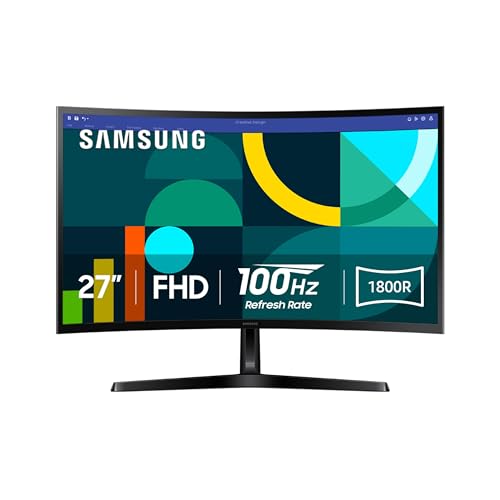
8. Samsung Essential S3 27-inch: Best Curved Screen
Pros
- 1800R curve wraps around the viewer
- 100Hz refresh rate
- TÜV-certified eye-comfort technology
- Flicker reduction and blue-light management
- Useful display connectivity
Cons
- Curvature is not ideal for every document workflow
- FHD resolution at 27 inches is modest
- No detailed ergonomic adjustment is listed
Best for: a single-screen desk where an enveloping curved view is appealing.
The Samsung Essential S3 27-inch changes the feel of a normal 27-inch office monitor with its 1800R curve. Instead of presenting a flat rectangle, the sides angle gently toward the viewer, which can make a single screen feel more present and reduce the sense that the edges are far away. It is most convincing when the monitor is centered and used alone.
The display runs at 100Hz, a useful step up from the standard office refresh rate for smoother scrolling, video, and general movement. Samsung also includes Game Mode settings that adjust image and contrast, but the more relevant work feature is eye comfort. TÜV-certified technology reduces blue light and irritating flicker, which can make long reading sessions easier for some users. Samsung says the screen is designed to keep the viewer comfortable during extended use.
The curved design can be helpful for broad content, but it is not automatically better for every task. Straight lines near the edge can feel less natural than on a flat panel, especially when editing layouts or working with technical drawings. The available information identifies the display as FHD and 27 inches, so it does not offer the crispness of the Dell S2725QS or the workspace of either 34-inch model. It does, however, provide flexibility for connecting devices directly to the monitor.
The Dell SE2726H is the safer choice for a conventional office setup because its IPS panel and 178-degree viewing angles suit shared viewing and multi-monitor arrangements. Samsung's own ViewFinity S50GC is the stronger wide-screen alternative, with Ultra-WQHD resolution and PBP and PIP modes. The Essential S3 makes more sense when you specifically want the immersive feel of one curved screen rather than a broad productivity canvas.
If you are considering a curved display, the viewing position that makes a curved screen comfortable matters more than the curve itself. Choose the Essential S3 for centered, single-screen work and mixed office entertainment. Skip it if perfectly straight geometry or a two-monitor layout is central to your routine.
9. Dell SE2426H 24-inch: Best Compact IPS Monitor

Pros
- Compact 23.8-inch IPS format
- 144Hz refresh rate and 1ms MPRT
- Two HDMI inputs
- 178 by 178 degree viewing angles
- Thin bezels and eye-comfort certification
Cons
- Tilt-only stand
- Full HD leaves less room for large projects
- No integrated speakers or USB-C features are listed
Best for: a small desk, a second display, or general work at close range.
The Dell SE2426H 24-inch is the compact version of Dell's straightforward IPS office formula. Its 23.8-inch size fits where a 27-inch monitor would crowd the keyboard or leave too little room for notes. At this size, FHD resolution also looks reasonably dense for ordinary documents and browsers, especially when the screen is placed at a normal desk distance.
The IPS panel is rated for consistent color across 178 by 178 degree viewing angles. That is useful in an office where the display is not always viewed straight on, and it makes the monitor a sensible partner for a second screen. Thin bezels keep the frame from becoming visually heavy, while two HDMI inputs provide a simple way to connect more than one source.
Dell gives the screen a 144Hz refresh rate and 1ms MPRT. These specifications are not needed for writing an email, but they make scrolling and moving windows feel fluid and keep the monitor usable for video and casual gaming. AMD FreeSync support can reduce tearing with compatible systems. Eye comfort is another focus, with TÜV Rheinland three-star certification for reducing harmful blue light while preserving color quality.
The stand only tilts, so this display works best when the desk height and chair position already suit it. The Dell S2425HSM is the better compact option if you need height, pivot, and swivel controls, while the Philips 241V8LB adds a VA panel and EasyRead mode for document-heavy use. The SE2426H is the cleaner pick when IPS viewing behavior and two HDMI inputs are more important than speakers or stand movement.
This is a practical small-screen choice, not a replacement for a wide or high-resolution workstation. Buy it for a compact desk, a side-by-side arrangement, or a close viewing position where 24-inch FHD remains comfortable.
10. Philips 241V8LB 24-inch: Best for Reading

Pros
- Crisp FHD resolution on a 23.8-inch screen
- VA panel with deeper blacks
- 100Hz refresh rate
- 178 by 178 degree viewing angle
- EasyRead mode for lengthy documents
Cons
- Less motion headroom than the 144Hz Dell models
- No speakers or USB-C features are listed
- The stand and adjustment range are not highlighted
Best for: reading documents, browsing, and uncomplicated office work.
The Philips 241V8LB 24-inch is the most document-focused monitor in this group. Its 23.8-inch FHD panel keeps text reasonably compact and clear, while the VA technology emphasizes deeper blacks and brighter whites. That contrast can give paragraphs and interface elements a little more visual weight than a flat-looking basic display.
Philips lists a 178 by 178 degree viewing angle, so colors should remain consistent when the screen is viewed off center. The three-sided virtually bezel-free design also makes it a natural candidate for a two-monitor setup. It is slim enough visually that a second panel can sit beside it without creating a thick central divider.
The 100Hz refresh rate is a useful middle ground for office use. Scrolling through a long page should feel smoother than on a basic 60Hz panel, while videos and moving windows benefit from the extra updates. The standout feature is EasyRead mode, which is intended to create a more paper-like reading experience for busy office workers. That is more directly relevant to a document-heavy desk than the high response figures found on several of the Dell screens.
The Philips gives up some flexibility to the competition. The Dell SE2426H reaches 144Hz and includes two HDMI inputs, while the Dell S2425HSM adds a fully adjustable stand and speakers. The Philips is also not the choice for someone who wants the most vivid wide-gamut work display or the largest number of windows. Its strength is narrower and more useful: readable everyday content on a compact screen.
Choose it if your workday is mostly documents, web pages, and email. If your workload includes fast motion, frequent source switching, or extensive screen repositioning, one of the Dell alternatives will be a better fit.
How to choose best monitors for work
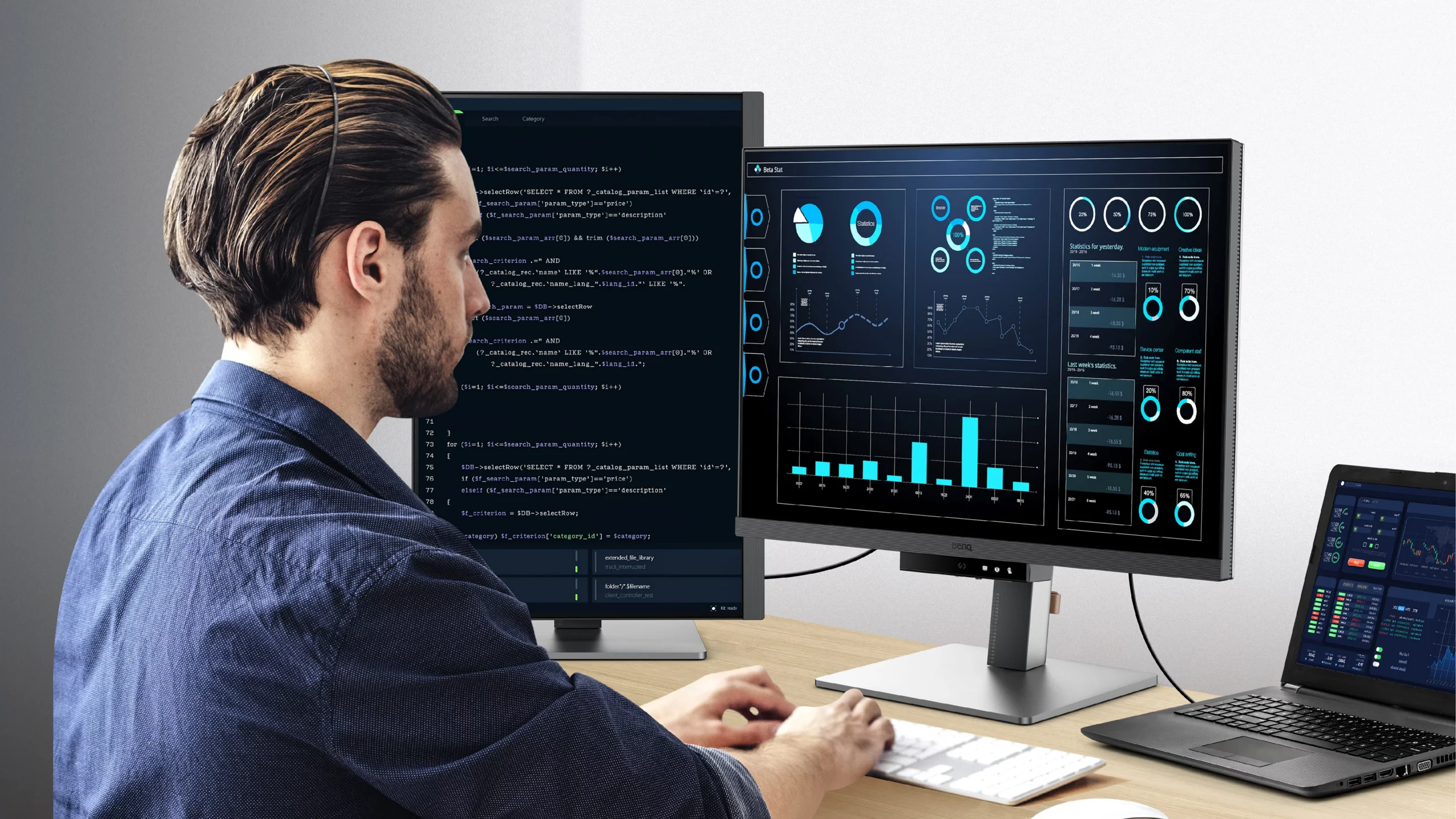
The right work monitor depends less on headline features than on how much information you need to see, how close you sit, and how often the screen has to move.
Resolution and pixel density
Resolution determines how much detail a monitor can show, but screen size determines how tightly that detail is packed. FHD is a sensible match for a 24-inch display and remains usable at 27 inches, though text can look less crisp up close. The Dell S2725QS uses 4K UHD at 27 inches, giving small type and fine interface details much cleaner edges.
Ultra-WQHD is a different advantage. It gives the Samsung ViewFinity S50GC room for multiple windows without the extreme vertical scaling that can make a high-resolution screen harder to use. For reading and writing, choose the resolution that keeps text sharp at your normal seating distance.
Screen size and layout
A 24-inch monitor is easier to fit into a small workspace and works well in a dual-monitor arrangement. A 27-inch screen offers a more comfortable single-panel canvas, but FHD becomes less dense at that size. A 34-inch ultrawide can replace two screens, although it needs a wide desk and software that handles window placement well.
Buy more screen area only when your desk and workflow can use it.
Panel type
IPS panels such as those in the Dell SE2426H, Dell SE2726H, Acer KB272 G0bi, and Dell S2725QS are generally the safer choice for consistent color across wide viewing angles. VA panels such as the Dell S3425DW and Philips 241V8LB emphasize contrast and deeper blacks. That can make dark interfaces and video look richer, though viewing consistency may be less uniform from the side.
Curved panels can make one broad display feel more immersive, but they are not ideal for everyone. They suit a centered single-screen setup better than a desk where straight geometry, shared viewing, or multiple aligned panels matters.
Refresh rate and motion
A higher refresh rate makes scrolling, dragging windows, and video playback feel smoother. The 100Hz to 120Hz range in the Philips, Samsung Essential S3, Acer, Samsung ViewFinity, and Dell S3425DW is already a noticeable improvement over a basic office display. Dell's 144Hz models add more headroom, while their 1ms MPRT figures target motion blur rather than text quality.
For ordinary work, refresh rate should not outrank resolution, panel quality, or ergonomics. It becomes more important if the monitor also serves for games, fast video, or frequent visual motion.
Ergonomics and connectivity
Height adjustment is more useful than a stylish stand because it helps put the top of the screen near eye level. Pivot and swivel controls are valuable for portrait documents, shared viewing, and flexible desks. The Dell S2425HSM and S2725HSM are the strongest choices here, while the SE2426H and SE2726H list tilt adjustment.
Connectivity can simplify a workstation. The Samsung ViewFinity S50GC offers two HDMI inputs, one DisplayPort input, PBP, and PIP. The Dell S3425DW supports USB-C with up to 65W power delivery, which can reduce cable clutter with a compatible laptop. Check the ports on your computer before choosing a monitor, especially if you want one-cable laptop docking.
Frequently asked questions
Is 24 inches or 27 inches better for office work?
A 24-inch monitor is easier to fit on a small desk and pairs well with a second display. A 27-inch monitor gives documents and windows a larger physical view, but FHD resolution can look less sharp at that size. Choose based on viewing distance, desk space, and whether you prefer one large screen or two smaller ones.
Is 4K useful for a work monitor?
Yes, especially for small text, detailed documents, images, and design work. The Dell S2725QS uses 4K UHD on a 27-inch IPS panel, which produces sharper edges than the FHD screens in this list. You may need display scaling so menus and text remain comfortable to read.
Is an ultrawide monitor good for working from home?
An ultrawide can be excellent when you regularly keep two or three applications visible. The Samsung ViewFinity S50GC adds picture-by-picture and picture-in-picture modes, while the Dell S3425DW combines a wide WQHD layout with USB-C power delivery. Both need enough desk width and a viewing distance that lets you see the whole panel without excessive head movement.
Are curved monitors suitable for spreadsheets?
They can be, particularly when the display is centered and used alone. A curve may make the sides feel closer, but some people prefer the straight geometry of a flat panel for tables, layouts, and technical documents. The Samsung Essential S3 is the curved option here, while the other monitors use a conventional flat layout unless otherwise specified.
Does a work monitor need a high refresh rate?
It does not need 144Hz, but a refresh rate of 100Hz or higher can make scrolling, window movement, and video feel smoother. Resolution, panel quality, and ergonomics usually matter more for a work-first setup. Higher refresh rates are most useful when the monitor will also be used for gaming or fast-moving content.
Are built-in monitor speakers useful?
Built-in speakers are convenient for calls, alerts, and short videos, but they usually do not replace dedicated speakers or headphones. The Dell S2425HSM and Dell S2725HSM include dual 3W speakers. If audio is not important, a monitor without speakers may provide everything your desk needs.

The bottom line
The Dell S3425DW 34-inch is our top choice among the Best monitors for work because it combines a wide WQHD workspace, strong contrast, useful color coverage, up-to-120Hz motion, eye-comfort features, and USB-C power delivery. It is the best fit for someone who wants one display to handle a busy day without arranging two separate panels.
The Dell S2725QS 27-inch 4K is the better alternative when sharp text and detailed images matter more than width. For a smaller desk, the Dell S2425HSM 24-inch offers the most useful ergonomic movement, while the Samsung ViewFinity S50GC 34-inch is the specialist pick for multiple sources and wide-screen multitasking.
If you are undecided, choose the Dell S3425DW for maximum workspace or the Dell S2725QS for maximum text clarity.
As an Amazon Associate we earn from qualifying purchases.