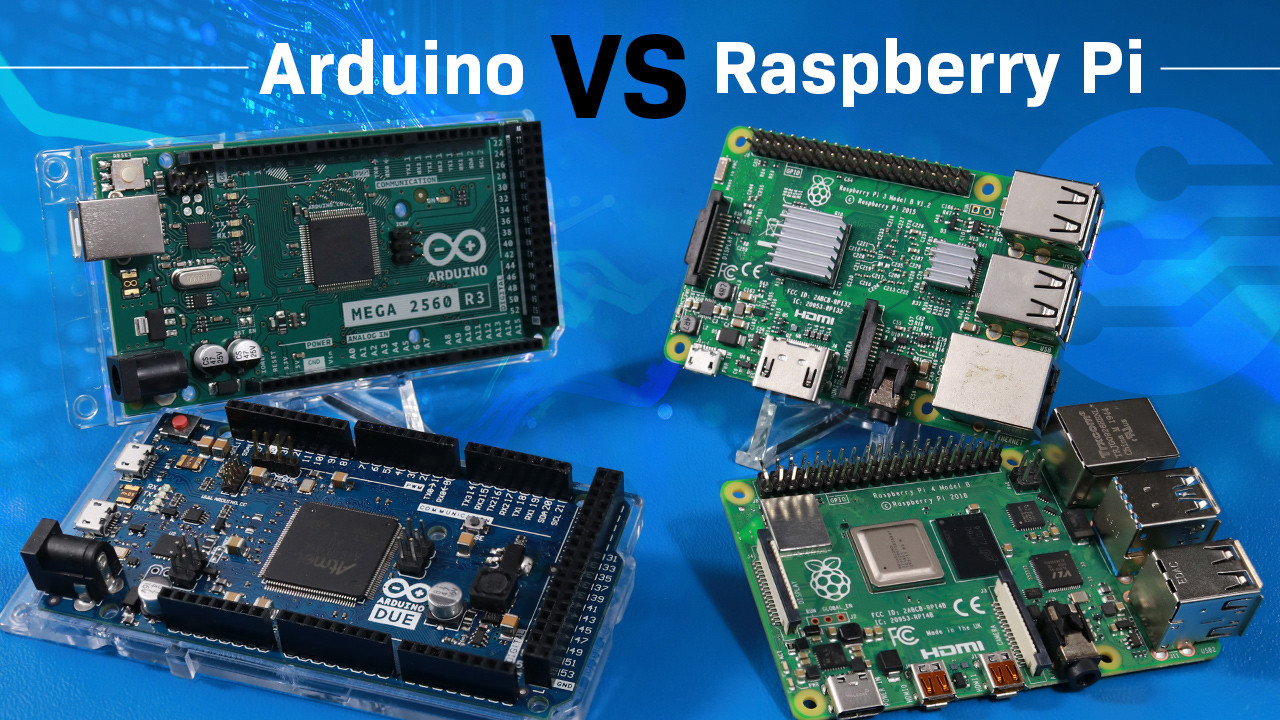

A Raspberry Pi project can stall before the first command runs if the kit is missing storage, cooling, or a suitable power supply. The board itself is only part of the decision, and the difference between a ready-to-use bundle and a bare starter package is significant.
Our Best best raspberry pi picks range from the polished CanaKit Raspberry Pi 5 Pro 8GB to compact basic kits, a fully assembled desktop, and older Raspberry Pi 4 and 3 options. The single best all-around pick is the CanaKit Raspberry Pi 5 Pro 8GB, while the other nine serve more specific needs.
Comparison table
| # | Product | Award | RAM | Storage | Cooling and power | Best for |
|---|---|---|---|---|---|---|
| 1 | CanaKit Raspberry Pi 5 Pro 8GB | Best overall | 8GB | 128GB microSD | Fan, heat sink, 45W PD supply | Most Raspberry Pi 5 projects |
| 2 | CanaKit Raspberry Pi 4 Pro 4GB | Best Pi 4 kit | 4GB | 32GB microSD | Fan, heat sinks, 3.5A supply | A complete Pi 4 setup |
| 3 | RasTech Pi 5 8GB 64GB Kit | Best connected kit | 8GB | 64GB card | Active cooler, 27W 5A supply | Dual-display and maker projects |
| 4 | CanaKit Raspberry Pi 5 Pro 16GB | Best for heavy multitasking | 16GB | 128GB microSD | Fan, heat sink, 45W PD supply | Memory-hungry workloads |
| 5 | RasTech Pi 5 8GB Kit | Best board bundle | 8GB | Not included | Active cooler | Adding your own storage |
| 6 | SANOOV Pi 5 4GB Kit | Best for beginners | 4GB | Not included | Active cooler, ABS case | IoT and robotics projects |
| 7 | CanaKit Pi 5 Desktop PC | Best assembled desktop | 8GB | 256GB PCIe NVMe SSD | Active cooler, 45W supply | A ready-made Pi computer |
| 8 | Raspberry Pi 3 Model B+ | Best for simple legacy projects | 1GB | Not included | Not included | Lightweight older projects |
| 9 | CanaKit Pi 5 Basic 8GB | Best bare Pi 5 kit | 8GB | Not included | Heat sinks, 45W PD supply | Builders with their own storage |
| 10 | CanaKit Pi 4 Basic 4GB | Best simple Pi 4 kit | 4GB | Not included | Heat sinks, 3.5A supply | Basic Pi 4 builds |
1. CanaKit Raspberry Pi 5 Pro 8GB: Best Overall

Pros
- Raspberry Pi 5 with 8GB of RAM
- 128GB microSD card arrives with 64-bit Raspberry Pi OS
- Turbine case, fan, and large heat sink are included
- 45W PD power supply and two display cables
- Supports up to 4K at 60p through the included cables
Cons
- The bundle is larger than a basic board package
- The cooling fan adds another moving part
- The 128GB card is still slower than an NVMe SSD
Best for: someone who wants a complete Raspberry Pi 5 setup without assembling a parts list.
The CanaKit Raspberry Pi 5 Pro 8GB is the kit we would hand to most people who want to start a serious Pi project. It feels complete in the practical sense: the board has ample memory, the case protects it, the cooling hardware is already accounted for, and the operating system is preloaded onto the included card. There is much less guesswork than with the basic kits.
Its 8GB of RAM is a comfortable middle ground for a Pi 5 desktop, coding workstation, home server, or media project. The board uses a 2.4GHz 64-bit quad-core CPU, while the 128GB microSD card provides room for Raspberry Pi OS, applications, and project files without immediately forcing a storage upgrade. That card is not the same class of storage as the NVMe drive in the CanaKit Pi 5 Desktop PC, but it makes this kit simpler to deploy.
CanaKit includes a low-noise bearing system fan, a black anodized mega heat sink, and a Turbine Black case. Those pieces matter because a Pi 5 can be used for workloads that run longer and harder than the lighter Pi 4 projects many people remember. The 45W PD supply gives the board a proper power source, and the two six-foot display cables support up to 4K 60p. Dual-display use is one of the reasons to choose this over the older CanaKit Raspberry Pi 4 Pro 4GB.
The weakness is that the microSD card remains the central storage device. People building a database, compiling frequently, or moving large files will get a more responsive system from the SSD-equipped desktop kit. The 16GB CanaKit Raspberry Pi 5 Pro also offers more memory, but most everyday projects will not need it. For a first Pi 5, a general-purpose desktop, or a tidy home automation build, this is the most balanced bundle in the group.
2. CanaKit Raspberry Pi 4 Pro 4GB: Best Pi 4 Kit

Pros
- Raspberry Pi 4 Model B with 4GB of RAM
- 32GB EVO+ microSD card is preloaded
- Includes case, fan, heat sinks, and display cable
- PiSwitch provides a physical on and off control
- Power supply includes a noise filter
Cons
- Older processor than every Pi 5 option here
- Storage capacity is modest for a desktop
- The case and accessories add bulk to a simple board project
Best for: users who specifically want a complete Raspberry Pi 4 kit with a convenient power switch.
The CanaKit Raspberry Pi 4 Pro 4GB remains appealing because it is a genuinely complete older-generation package. It includes the board, a case, active cooling hardware, storage, power, a display cable, and a PiSwitch. That last item is easy to overlook, but a physical on and off switch is useful when the Pi is sitting behind a monitor or being used by someone who should not have to unplug it.
The Pi 4 Model B runs a 1.5GHz 64-bit quad-core CPU and has 4GB of RAM. That is enough for a lightweight Linux desktop, coding lessons, web services, and many home automation tasks. It is not as quick as the 2.4GHz quad-core Raspberry Pi 5 boards, and it lacks the newer Pi 5 platform features described by the RasTech Pi 5 8GB Kit, but its capabilities are still sensible for projects that do not need maximum processing speed.
The included 32GB EVO+ microSD card comes preloaded, so the first boot is straightforward. CanaKit also includes a low-noise bearing system fan, heat sinks, and a 3.5A USB-C supply with a noise filter. The six-foot display cable supports up to 4K60p, though the older processor and 4GB memory make this a better fit for ordinary desktop use than demanding graphics work.
This kit loses ground to the Pi 5 bundles when compilation speed, dual-display capability, or heavy multitasking matters. It also has less storage than the 128GB card in the CanaKit Raspberry Pi 5 Pro 8GB. Still, a Pi 4 can be the better match for a stable classroom project, a simple server, or an existing Pi 4 accessory collection. It is the complete Pi 4 choice, not the fastest Pi in this roundup.
3. RasTech Pi 5 8GB 64GB Kit: Best Connected Kit

Pros
- Raspberry Pi 5 board with 8GB of RAM
- 64GB card and two card readers included
- Active cooler and case included
- 27W USB-C supply supports 5.1V at 5A
- Two display cables support dual 4Kp60 output
Cons
- Storage is smaller than the leading CanaKit bundle
- The listing uses a mixed brand identity
- The included case is functional rather than a standout design
Best for: makers who need a well-stocked Raspberry Pi 5 kit for displays, cameras, or connected hardware.
The RasTech Pi 5 8GB 64GB Kit is built around the accessories that tend to get forgotten. It supplies the Pi 5 board, active cooler, case, two card readers, two display cables, a screwdriver, instructions, and a 64GB card. That makes it especially suitable for a maker who expects to move cards between projects or connect the board to more than one display.
The Pi 5 inside has an 8GB memory configuration, a 2.4GHz 64-bit quad-core Arm Cortex-A76 processor, and an 800MHz VideoCore VII GPU. The stated graphics support includes OpenGL ES 3.1 and Vulkan 1.2. Those details matter for a Pi used with multimedia, graphics-heavy interfaces, or retro gaming rather than just a small sensor script. Its two display outputs can run 4Kp60, and the kit supplies the cables needed to use them.
The 27W GaN USB-C power supply supports 5.1V at 5A, as well as 9.0V at 3.0A, 12.0V at 2.25A, and 15.0V at 1.8A. The active cooler helps keep the Pi 5 under control during sustained work. The board also brings two USB 3.0 ports, two USB 2.0 ports, Gigabit Ethernet, wireless connectivity, and a PCIe interface. The product information even lists a 4 by 3 by 1-inch size for the kit, though the board and accessories will occupy more space together.
The 64GB card is the obvious compromise beside CanaKit Raspberry Pi 5 Pro 8GB, which includes 128GB. For a project with large media files or many packages, that difference will show up quickly. The RasTech bundle is more interesting when your project involves displays, card handling, or hardware connections. Readers planning a small Linux desktop may also want to compare how compact computers handle Linux workloads before choosing a Pi at all.
4. CanaKit Raspberry Pi 5 Pro 16GB: Best for Heavy Multitasking
Pros
- Raspberry Pi 5 with 16GB of RAM
- 128GB microSD card with 64-bit Raspberry Pi OS
- Turbine case, fan, and mega heat sink included
- 45W PD power supply
- Two six-foot display cables support up to 4K 60p
Cons
- Many Pi projects will not use all 16GB
- MicroSD storage is slower than the included NVMe option elsewhere
- The kit is not the most compact way to build a simple Pi
Best for: developers and advanced users whose workloads can use a large memory pool.
The CanaKit Raspberry Pi 5 Pro 16GB is the specialist pick for memory-heavy work. It has the same broad kit design as the 8GB CanaKit model, so it arrives with a case, active cooling components, a 128GB microSD card, a 45W PD supply, and two display cables. The meaningful difference is the board's 16GB of RAM.
That extra memory can help when several applications, services, containers, or development tools need to stay open at once. It does not make the processor run at a higher stated speed than the 8GB model. Both use a 2.4GHz 64-bit quad-core CPU, so a task limited by CPU speed will not suddenly finish twice as fast. The 16GB configuration makes more sense when the limitation is memory capacity.
CanaKit's cooling package includes a low-noise bearing system fan and a black anodized mega heat sink inside the Turbine Black case. The 45W PD supply gives the Pi 5 the power source the bundle calls for, while the two display cables support up to 4K 60p. A preloaded 128GB card also makes this easier to start than the CanaKit Pi 5 Basic 8GB, which does not include an SD card.
Its weakness is specialization. A simple retro gaming system, sensor hub, or single-purpose server is unlikely to need 16GB, and the SSD-equipped CanaKit Pi 5 Desktop PC remains the more compelling choice for storage-heavy desktop work. Choose this model when you already know your software stack benefits from extra memory. It is the right tool for experimentation with several simultaneous workloads, not an automatic upgrade for every Raspberry Pi owner.
5. RasTech Pi 5 8GB Kit: Best Board Bundle

Pros
- Raspberry Pi 5 board with 8GB of RAM
- Active cooler and case included
- Dual 4Kp60 display support
- Two USB 3.0 and two USB 2.0 ports
- PCIe interface, Gigabit Ethernet, Wi-Fi, and Bluetooth
Cons
- No storage card is included
- The listing does not describe a bundled power supply
- You must supply more parts than with the complete kits
Best for: experienced builders who already have storage and want a cooled 8GB Pi 5 board.
The RasTech Pi 5 8GB Kit is not a complete starter kit in the same way as the first three picks. Its appeal is narrower: it gives you the 8GB Pi 5 board, a case, an active cooler, a screwdriver, and installation instructions. If you have a suitable card and know which remaining accessories your project needs, that focused bundle avoids duplicating parts.
The board's specifications are strong. Its 2.4GHz 64-bit quad-core Arm Cortex-A76 processor is paired with an 800MHz VideoCore VII GPU, with compatibility for OpenGL ES 3.1 and Vulkan 1.2. The product description states that the Pi 5 provides a 2 to 3 times CPU performance increase over the Pi 4. It also supports dual 4Kp60 displays, HDR, and the SDR104 high-speed mode for the card slot.
Connectivity is a particular strength. There are two USB 3.0 ports with stated 5Gbps simultaneous operation, two USB 2.0 ports, Gigabit Ethernet, dual-band Wi-Fi, and Bluetooth 5.0/BLE. The PCIe 2.0 x1 interface can attach an SSD with a separate M.2 HAT, and the product description gives a 500MB/s figure for that interface. These features make it much more expandable than the Raspberry Pi 3 Model B+.
The missing storage and power supply are not small omissions for a first-time buyer. The RasTech Pi 5 8GB 64GB Kit includes both, while this package expects you to make those choices yourself. Its included active cooler is useful, but it does not turn the bundle into a ready-to-boot computer. Pick it when you already own compatible parts or want to select a specific storage setup. Beginners should move up to a more complete kit.
6. SANOOV Pi 5 4GB Kit: Best for Beginners

Pros
- Raspberry Pi 5 with 4GB of RAM
- Active cooler combines an aluminum heat sink and PWM fan
- ABS case protects the board and leaves ports accessible
- Includes screwdriver
- Suits IoT, robotics, media, and retro gaming projects
Cons
- Storage is not included
- The case cannot install an M.2 HAT and solid-state drive
- 4GB leaves less headroom than the 8GB Pi 5 kits
Best for: a beginner building an IoT, robotics, or retro gaming project around a Pi 5.
The SANOOV Pi 5 4GB Kit takes a friendly, practical approach to the Pi 5. It includes the board, an active cooler, an ABS case, and a screwdriver. The bundle does not include storage, so it is not ready to boot on its own, but the physical assembly is less intimidating than a bare board and loose cooling parts.
Its 4GB memory configuration is enough for programming, IoT control, robotics, media playback, and a modest Linux desktop. The product details identify a 64-bit quad-core Arm Cortex-A76 processor, Gigabit Ethernet, IEEE 802.11ac Wi-Fi, and Bluetooth 5.0 with dual-band 2.4GHz and 5GHz support. The product also mentions Power over Ethernet compatibility. Those connections give a beginner plenty of room to grow beyond a first blinking-LED project.
The cooler combines an aluminum heat sink with a PWM fan, and the listing says it is designed to reduce temperature and limit throttling during sustained loads. The ABS case uses four screws, has a layered design for easier disassembly, and leaves the ports and buttons accessible. That case choice has one important limit: it cannot accommodate an M.2 HAT add-on board and solid-state drive.
Compared with the RasTech Pi 5 8GB Kit, this SANOOV bundle has half the memory and less expansion flexibility, but its presentation is easier to understand for a new builder. It also trails the CanaKit Raspberry Pi 5 Pro 8GB because the latter includes storage, a larger supply, and display cables. If your project will remain modest and you want a protected board with cooling already addressed, this is a sensible starting point. Add a compatible card before expecting a complete first boot.
7. CanaKit Pi 5 Desktop PC: Best Assembled Desktop

Pros
- Fully assembled for plug-and-play operation
- Raspberry Pi 5 with 8GB of RAM
- 256GB PCIe Pi NVMe SSD preloaded with 64-bit Pi OS
- M.2 HAT+ included
- Case, active cooler, power supply, and two display cables included
Cons
- Less suited to people who want to assemble every part
- SSD expansion is tied to the included M.2 hardware
- The assembled design is heavier than a bare board
Best for: someone who wants a Pi 5 desktop experience with fast built-in storage and no assembly.
The CanaKit Pi 5 Desktop PC is the cleanest answer for a reader who wants to use a Raspberry Pi as a small desktop rather than as a box of parts. It arrives fully assembled, which removes the card reader, cooler installation, case fitting, and storage mounting steps that slow down many first builds. The included 256GB PCIe Pi NVMe SSD is the detail that makes this package stand apart.
An SSD changes the character of a Pi desktop. Applications and files have a faster storage path than they would on a microSD card, and 256GB gives a desktop, development environment, and project files more room to coexist. The Pi 5 board has 8GB of RAM, while the M.2 HAT+ connects the NVMe drive to the board. The SSD is preloaded with 64-bit Raspberry Pi OS, so the package is designed to start as a computer rather than a kit that still needs a boot medium.
CanaKit adds an active cooler, a Turbine Black case, a 45W USB-C PD supply, and two display cables. The product information lists a weight of about 1.21 pounds. That is not a concern for a desktop that stays on a shelf, but it is more equipment to move than the CanaKit Pi 5 Basic 8GB. The two display cables also make a multi-screen setup easier to assemble.
The main drawback is that this is not the choice for a tinkerer who wants to select every storage and cooling component. It also does not offer the 16GB memory configuration of CanaKit Raspberry Pi 5 Pro 16GB. For a daily Pi workstation, local file storage, programming environment, or small desktop computer, the assembled design and NVMe drive are more meaningful than extra accessories. Readers comparing it with conventional small desktops can also see which small computers make sense for general desktop work.
8. Raspberry Pi 3 Model B+: Best for Simple Legacy Projects

Pros
- Compact Raspberry Pi 3 Model B+ board
- 1GB of RAM is enough for lightweight tasks
- Useful for older project designs
- Small board footprint
Cons
- Much slower and less capable than the Pi 5 models
- No storage, case, cooler, or power supply included
- Only 1GB of RAM limits desktop and multitasking use
Best for: a simple, low-demand project that specifically calls for a Raspberry Pi 3 Model B+.
The Raspberry Pi 3 Model B+ is the outlier in this roundup, and that is precisely why it can still make sense. It is a board-only purchase for an older Raspberry Pi generation, not a starter bundle. Someone replacing a board in an established project may prefer matching the existing hardware instead of redesigning around the far faster Pi 5.
The available data identifies 1GB of RAM and a compact board measuring about 3.35 inches long, 2.2 inches wide, and 0.67 inches high. There are no listed included accessories or features in this package, so the buyer must provide storage, power, cooling if needed, and a case. That simplicity can be useful for an embedded project, but it is a poor introduction for someone expecting a computer in a box.
The 1GB memory limit is the key constraint. It is suitable for lightweight scripts and focused controller tasks, but it leaves little room for a modern desktop with several applications open. The Pi 4 Basic 4GB already gives a much larger memory margin, and every Pi 5 in this list is substantially better equipped for current desktop, graphics, and development workloads.
Skip this board if you are starting from zero and want a ready-made Raspberry Pi setup. Choose it when compatibility with an older design, compact dimensions, or a low-demand task matters more than performance. It is a targeted replacement board, not the general recommendation for a new Raspberry Pi project.
9. CanaKit Pi 5 Basic 8GB: Best Bare Pi 5 Kit

Pros
- Raspberry Pi 5 with 8GB of RAM
- 45W PD power supply included
- Heat sinks included
- Simple package for custom builds
- Smaller component list than a full starter kit
Cons
- No microSD card
- No case or display cable
- Requires more setup decisions than the complete bundles
Best for: experienced Pi builders who want an 8GB Raspberry Pi 5 and plan to choose their own storage and enclosure.
The CanaKit Pi 5 Basic 8GB is a useful middle ground between a bare board and a full starter bundle. It includes the Raspberry Pi 5 8GB board, a 45W PD power supply, and a set of heat sinks. There is no card, case, or display cable, so the buyer has to decide how the project should be assembled.
That freedom is the reason to choose it. A builder may already have a case that fits a particular enclosure, a preferred high-speed card, or a display connection that does not require a bundled cable. The 8GB board itself offers the same 2.4GHz 64-bit quad-core Pi 5 platform found in the more complete CanaKit Raspberry Pi 5 Pro 8GB.
The included 45W PD supply is a strong foundation for a Pi 5 build, while the heat sinks address passive heat management. The absence of a fan or active cooler means this package is less obviously prepared for sustained heavy loads than the RasTech Pi 5 8GB Kit or the assembled CanaKit Pi 5 Desktop PC. The lack of storage is the practical issue to solve first. If you are weighing storage choices, the trade-off between compact systems and expandable storage is useful context even beyond Raspberry Pi projects.
This kit is less convenient than the SANOOV Pi 5 4GB Kit for a first-time user, despite having twice the memory. It is also less complete than the 8GB CanaKit Pro bundle. Its advantage is control: you get the capable board and power supply without being locked into a preselected card or enclosure. Buy it when your project already has a parts plan, not when you want to boot immediately.
10. CanaKit Pi 4 Basic 4GB: Best Simple Pi 4 Kit

Pros
- Raspberry Pi 4 Model B with 4GB of RAM
- 3.5A USB-C power supply included
- PiSwitch adds a physical on and off control
- Three aluminum heat sinks included
- Straightforward foundation for a Pi 4 build
Cons
- No storage card or case
- Older platform than the Pi 5 kits
- The included PiSwitch is unnecessary for some embedded builds
Best for: a custom Raspberry Pi 4 project that needs power, heat sinks, and a physical switch.
The CanaKit Pi 4 Basic 4GB strips the Pi 4 package down to the parts that are easiest to reuse. You get the Raspberry Pi 4 Model B, a 3.5A USB-C power supply with a noise filter, a PiSwitch, and three aluminum heat sinks. There is no card or case, so it is aimed at someone who wants to build around an existing enclosure or source those parts separately.
The board uses a 1.5GHz 64-bit quad-core CPU and has 4GB of RAM. That combination remains suitable for basic programming, home automation, lightweight servers, and a simple Linux desktop. It cannot match the 2.4GHz processor and newer graphics platform in the Pi 5 kits, but the 4GB memory configuration is far more usable than the 1GB Raspberry Pi 3 Model B+ for multitasking.
The PiSwitch is the most distinctive extra. A physical on and off switch is handy for a project that will be turned on and off regularly, especially when the board is mounted somewhere awkward. The three aluminum heat sinks provide passive cooling, but this kit has no fan. For sustained processing, the complete CanaKit Raspberry Pi 4 Pro 4GB is better equipped because it includes a case, fan, and preloaded 32GB card.
Its missing storage is the part that beginners will notice first. You need a compatible card and a case before the Pi becomes a practical computer, and the buyer must make sure the enclosure leaves room for the PiSwitch connection. Choose this package for a custom Pi 4 build or a project where physical power control matters. For a first Raspberry Pi purchase, the Pro version is the easier route.
How to choose best raspberry pi
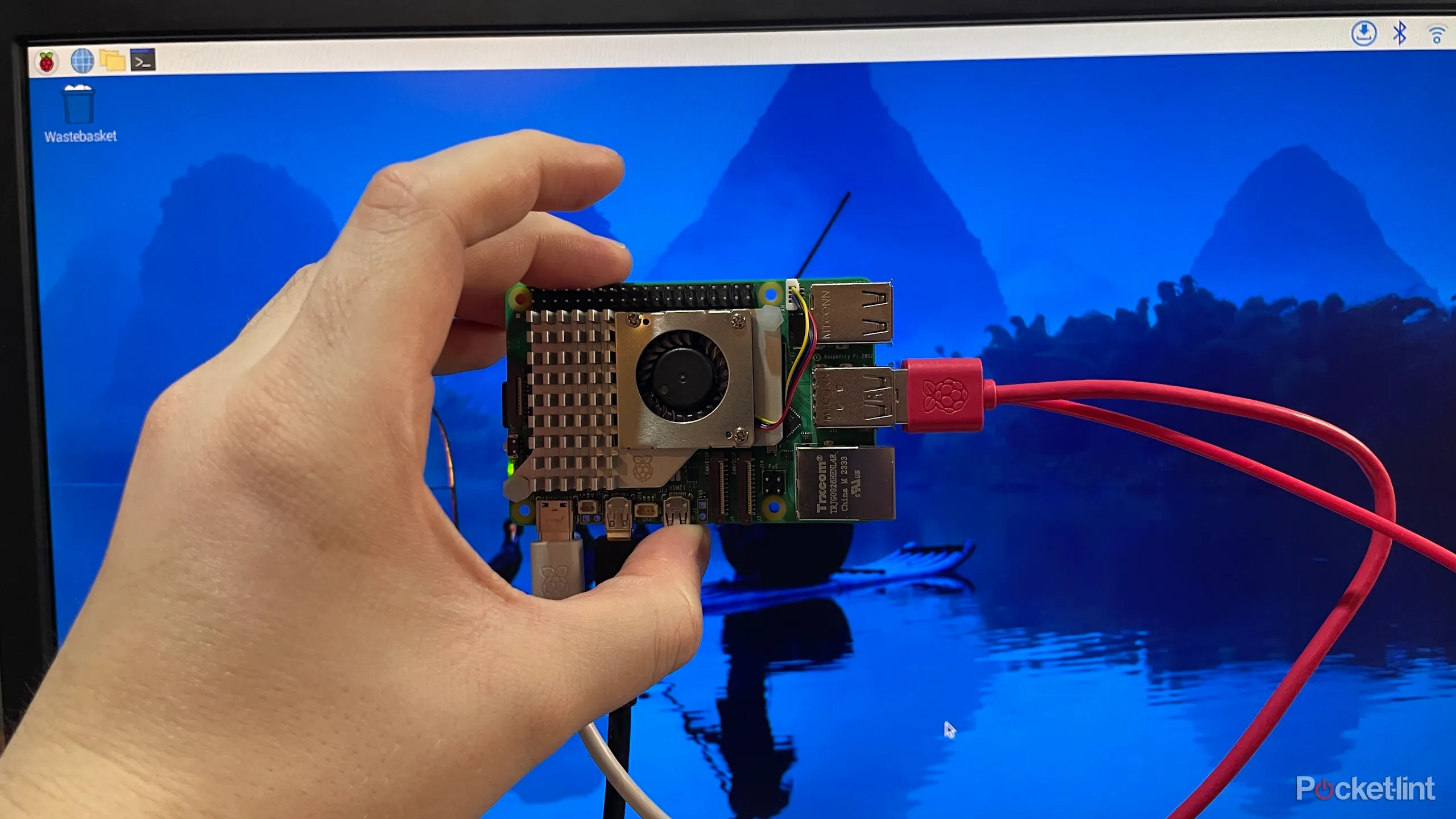
The right Raspberry Pi kit depends less on the name on the box than on the board generation, memory, storage, cooling, and the accessories your project actually needs.
Board generation
Raspberry Pi 5 boards use a 2.4GHz 64-bit quad-core Arm Cortex-A76 processor and an 800MHz VideoCore VII GPU in the products listed here. They also bring features such as dual 4Kp60 display support and a PCIe interface. Raspberry Pi 4 boards remain capable for lighter projects, while the Raspberry Pi 3 Model B+ is best reserved for simple or legacy designs.
Memory capacity
Memory affects how comfortably the Pi handles a desktop, development tools, containers, and multiple services at once. The 4GB options are suitable for focused tasks and ordinary use, 8GB is the most flexible configuration in this group, and 16GB is for workloads that can actually keep a larger memory pool busy.
Extra RAM helps only when your software needs it. It cannot replace faster storage or a newer processor.
Storage type and capacity
A microSD card is convenient and appears in capacities of 32GB, 64GB, and 128GB among these kits. The 256GB PCIe NVMe SSD in the CanaKit Pi 5 Desktop PC is a different class of storage, with more room and a faster path for a desktop or file-heavy project. Basic kits with no card require you to select compatible storage before the board can boot.
Cooling and power
Pi 5 bundles are more convincing when they include an active cooler or a fan and heat sink combination. Passive heat sinks can be enough for lighter tasks, but sustained workloads can benefit from active cooling to reduce the chance of throttling. Pay attention to the power supply too. The Pi 5 kits here use supplies rated at 27W or 45W, while the Pi 4 bundles include 3.5A supplies designed for that older board.
Case and expansion
A case protects the board and should leave access to the USB, Ethernet, display, card, and power connections. The SANOOV case is easy to install but cannot accommodate an M.2 HAT and SSD. If you expect to add storage or other hardware, a case with room for those parts is more useful than a fully enclosed design.
Frequently asked questions
Which Raspberry Pi is best for a first project?
The CanaKit Raspberry Pi 5 Pro 8GB is the easiest general-purpose starting point in this selection because it includes storage, cooling, a case, power, and display cables. Its 8GB of RAM also leaves room for desktop use and more ambitious projects. The SANOOV Pi 5 4GB Kit is another beginner-friendly option, but you must supply storage.
Is 4GB of RAM enough for Raspberry Pi?
Yes, 4GB is enough for many programming, IoT, robotics, media, and home automation projects. It is also workable for a modest Linux desktop. Choose 8GB when you expect several applications, services, or containers to run together.
Should I choose Raspberry Pi 4 or Raspberry Pi 5?
Choose Raspberry Pi 5 for newer CPU and graphics performance, dual 4Kp60 display support, and PCIe expansion. Raspberry Pi 4 remains sensible for a lighter project, an existing Pi 4 accessory collection, or software that does not need the newer platform. The Pi 4 kits can also be simpler when the project has modest requirements.
Do these Raspberry Pi kits include storage?
Some do and some do not. The CanaKit Raspberry Pi 5 Pro 8GB and 16GB kits include 128GB microSD cards, the RasTech Pi 5 8GB 64GB Kit includes a 64GB card, and the CanaKit Raspberry Pi 4 Pro 4GB includes a 32GB card. The basic kits, SANOOV Pi 5 4GB Kit, RasTech Pi 5 8GB Kit, and Raspberry Pi 3 Model B+ do not list storage as included.
Does every kit include a power supply?
No. The CanaKit Pi 5 Pro models, CanaKit Pi 5 Basic 8GB, CanaKit Pi 5 Desktop PC, RasTech Pi 5 8GB 64GB Kit, and the Pi 4 CanaKit kits list power supplies. The RasTech Pi 5 8GB Kit, SANOOV Pi 5 4GB Kit, and Raspberry Pi 3 Model B+ do not list a bundled power supply in the supplied product details.
Can a Raspberry Pi replace a small desktop computer?
The CanaKit Pi 5 Desktop PC is the closest match here because it is assembled, includes 8GB of RAM, and uses a 256GB NVMe SSD with Raspberry Pi OS preloaded. A Pi 5 with 8GB and a microSD card can also handle a lightweight desktop. It remains a compact single-board computer, so demanding desktop applications may require a different type of computer.
The bottom line
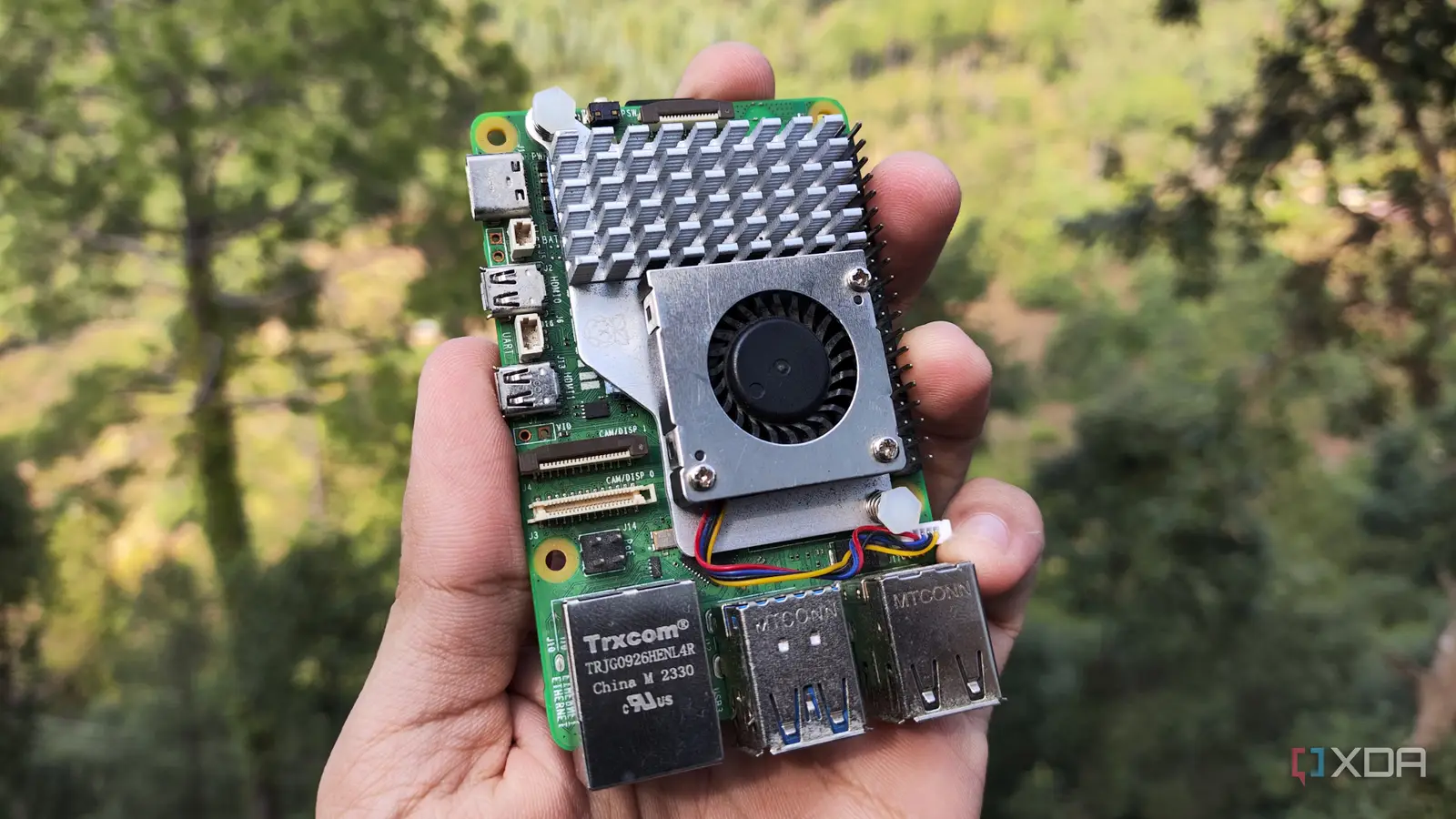
The CanaKit Raspberry Pi 5 Pro 8GB is the Best best raspberry pi choice for most people because it combines the current Pi 5 platform with 8GB of RAM, a 128GB preloaded card, proper cooling, a case, power, and display cables. It avoids the missing-parts problem that affects several otherwise capable kits.
For a desktop-first setup, choose the CanaKit Pi 5 Desktop PC and its assembled 256GB NVMe configuration. For advanced memory-heavy work, the CanaKit Raspberry Pi 5 Pro 16GB is the specialist pick, while the Pi 4 and Pi 3 options make sense when compatibility or project simplicity matters more than speed.
If you are undecided, choose the CanaKit Raspberry Pi 5 Pro 8GB unless you specifically need an SSD, 16GB of memory, or an older Pi board.
As an Amazon Associate we earn from qualifying purchases.