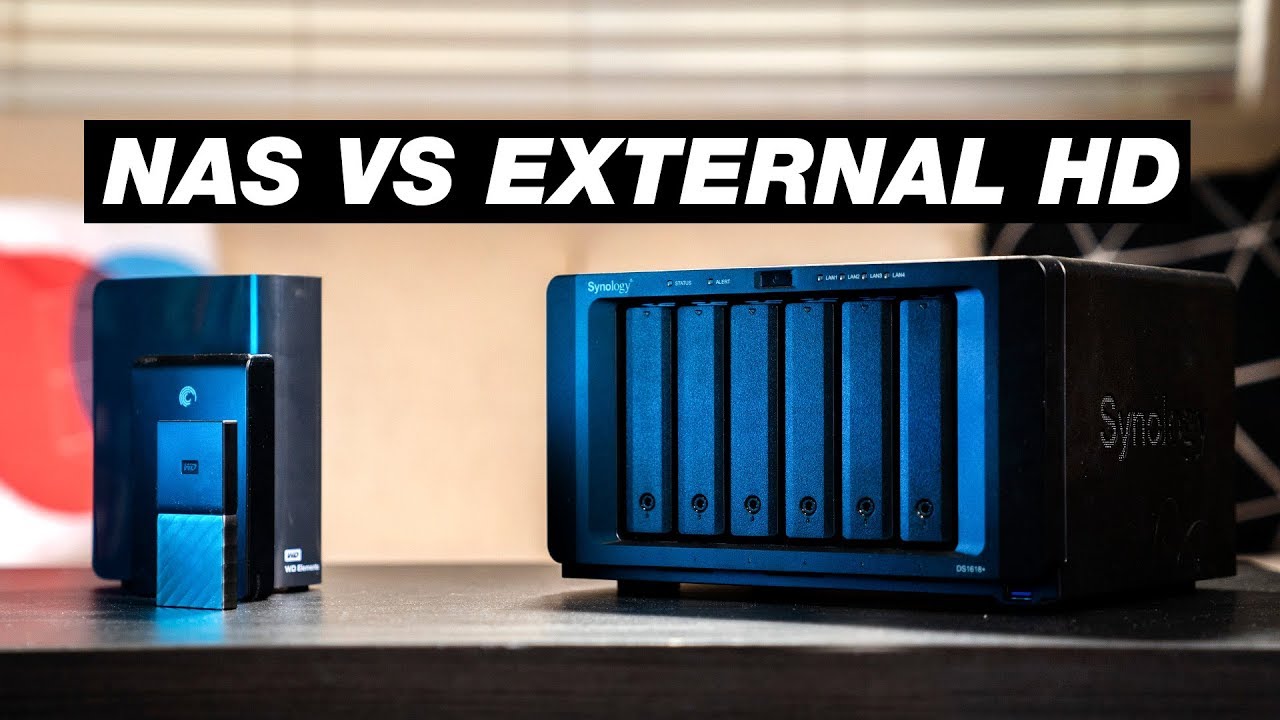

A NAS can be the quietest, most useful part of a home network, or an expensive box that leaves you wondering why an external drive was not enough. The difference usually comes down to drive bays, network speed, backup options, and whether the enclosure includes storage at all. The Best best nas drives need to make those trade-offs clear before you commit to a setup.
This list includes complete NAS enclosures, internal hard drives designed for NAS use, and one preconfigured four-bay system with disks already installed. That makes it useful for both first-time buyers and people expanding an existing server.
Our top pick is the UGREEN NAS DXP4800 Plus, with the Western Digital Red Plus 10TB as the strongest standalone drive. The rest of the lineup ranges from simple two-bay personal storage to four-bay systems built for Docker, media, and larger collections.
| # | Product | Award | Bays or capacity | Network or drive details | Best for |
|---|---|---|---|---|---|
| 1 | UGREEN NAS DXP4800 Plus | Best overall | 4-bay, up to 144TB | 10GbE, 10Gbps USB | Small offices and advanced home servers |
| 2 | UGREEN NAS DXP2800 | Best two-bay enclosure | 2-bay, up to 80TB | Cross-platform access | Remote workers and advanced home users |
| 3 | Western Digital Red Plus 10TB | Best high-capacity drive | 10TB | 7200 RPM, CMR, 512MB cache | Busy multi-drive NAS systems |
| 4 | UGREEN NAS DH4300 Plus | Best four-bay starter | 4-bay, up to 128TB | 2.5GbE, 8GB RAM | Home media and private storage |
| 5 | BUFFALO TeraStation Essentials | Best ready-to-run NAS | 32TB included, 24TB usable in RAID 5 | 2.5GbE, RAID preconfigured | Buyers who want disks included |
| 6 | Western Digital Red Plus 12TB | Best maximum single-drive capacity | 12TB | 7200 RPM, CMR, 512MB cache | Large media libraries |
| 7 | Western Digital Red Plus 4TB | Best compact NAS drive | 4TB | 5400 RPM, CMR, 128MB cache | Small RAID arrays |
| 8 | UGREEN NAS DH2300 | Best for beginners | 2-bay, up to 64TB | 1GbE, 4GB RAM | Personal backups and photos |
1. UGREEN NAS DXP4800 Plus: Best Overall

Pros
- Four bays and up to 144TB of stated capacity
- 10GbE networking and 10Gbps USB ports
- Supports Docker and virtual machines
- Works across Windows, macOS, Linux, iOS, and Android
Cons
- Diskless, so the storage setup requires separate drives
- Larger and heavier than the other UGREEN enclosures
- Fast networking only helps if the rest of the network supports it
Best for: someone building a serious home server or small-office NAS with room to grow.
The UGREEN NAS DXP4800 Plus is the model we'd choose when a NAS needs to do more than hold folders and phone backups. Its four bays give it a useful middle ground: enough room for a flexible RAID arrangement, but not so much hardware that it starts to feel like a rack-mounted server. It is diskless, which adds a setup step, but it also means you can choose drives that match the workload instead of replacing a preselected set.
The headline capability is the Intel Pentium Gold 8505 five-core processor. The processor matters here because the DXP4800 Plus supports both Docker and virtual machines, two features that separate it from the simpler UGREEN models. A basic file server does not need that kind of flexibility. A home lab, shared work archive, or media server with several applications running at once can benefit from the extra headroom.
Network connectivity is unusually strong for this group. The 10GbE port is designed for very fast local transfers, and the 10Gbps USB ports provide another route for backups or attached storage. UGREEN says a 1GB file can be backed up in less than a second under suitable conditions. That claim depends on the drives, cables, network hardware, and file type, but the important point is that this enclosure is not built around a 1GbE ceiling. If your router or switch is limited to 1GbE, the extra port will sit underused until the rest of the network catches up.
The DXP2800 is the more sensible choice for someone who only needs two bays, while the DXP4800 Plus is clearly the better platform for services and expansion. The DH4300 Plus also offers four bays, but its 2.5GbE connection and lack of virtual-machine support put it a step below this model for technical workloads. The weakness is straightforward: this is a relatively substantial enclosure, and the disks are not included. Skip it if you only want a simple destination for automatic backups. Choose it if you want a compact server that can start with file storage and grow into something more ambitious.
2. UGREEN NAS DXP2800: Best Two-Bay Enclosure

Pros
- Supports up to 80TB of stated capacity
- Simple access across computers, phones, browsers, and smart TVs
- AI-assisted photo organization and duplicate removal
- Well suited to remote access and shared home storage
Cons
- Only two drive bays
- Drives are not included
- Less suitable than the DXP4800 Plus for demanding server applications
Best for: remote workers and advanced home users who want flexible two-drive storage.
The UGREEN NAS DXP2800 is the two-bay enclosure for people who have outgrown scattered USB drives but do not need a four-bay server. It is compact enough for a home office and focused on the parts most people actually use: central file storage, automatic backups, remote access, and photo management. The enclosure is diskless, so you still need to install compatible drives, but that lets you decide how much capacity and redundancy make sense.
UGREEN lists support for up to 80TB. That figure describes the enclosure's supported storage ceiling rather than the usable space in every RAID arrangement. Two bays are easy to understand, but they also force a choice. Mirroring gives a second copy when one drive fails, while combining both drives for capacity gives less protection. The DXP2800 is therefore a good fit for a personal archive or family photo library, but it is not as adaptable as the four-bay models when the collection grows.
The software features make this more than a bare file cabinet. The app supports Windows, macOS, Android, iOS, web browsers, and smart TVs, which is useful in a household where no one uses the same device. Its photo tools can recognize faces, scenes, objects, and locations, then remove duplicate images. That can turn a large camera-roll archive into something searchable instead of a folder hierarchy that nobody maintains.
The DXP4800 Plus beats it for Docker, virtual machines, and high-speed transfers, while the DH2300 is the simpler option for people who want fewer decisions. The DXP2800 occupies the comfortable middle: more capable and polished than a basic entry-level box, without the physical and technical overhead of the larger UGREEN. Its real limitation is the two-bay design. If you already know you will add several drives or run multiple services, start with a four-bay enclosure. If your priority is organized personal storage for a few people, this is the UGREEN model that makes the most sense.
3. Western Digital Red Plus 10TB: Best High-Capacity Drive

Pros
- 10TB capacity for large NAS volumes
- 7200 RPM spindle speed
- CMR recording and 512MB cache
- NASware firmware and support for systems with up to eight bays
- Rated for up to 180TB per year of workload
Cons
- Intended for internal NAS installation, not a standalone USB enclosure
- A faster spindle can mean more noise than a lower-speed drive
- Its capacity may be excessive for a small backup server
Best for: a multi-drive NAS handling large media libraries and regular file transfers.
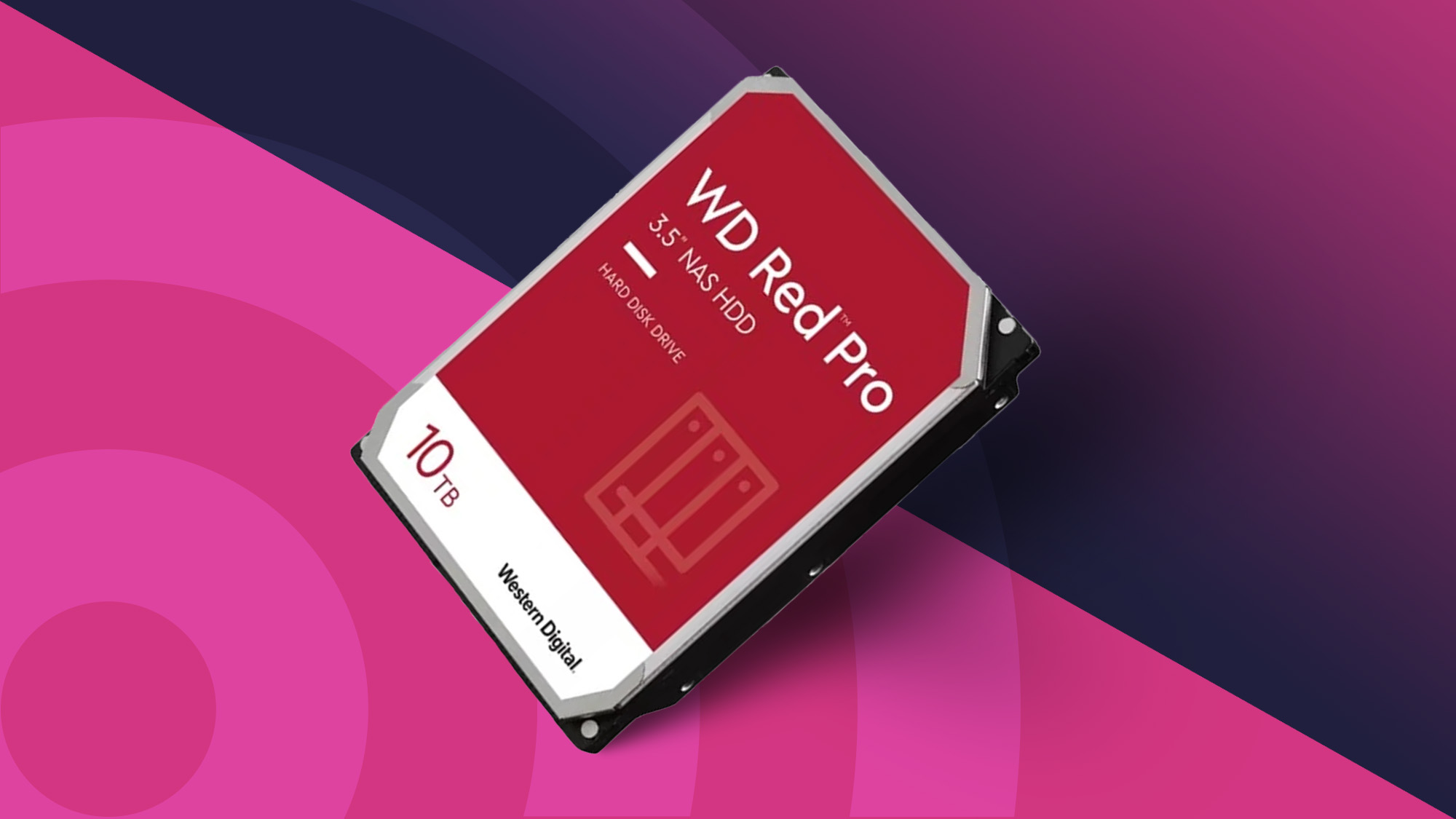
The Western Digital Red Plus 10TB is the most balanced standalone hard drive in this group. It has enough capacity to make a noticeable difference in a media or backup server, while its NAS-specific firmware and workload rating make it a more appropriate choice than a generic desktop hard drive. This is an internal 3.5-inch drive, so it belongs inside a compatible NAS enclosure such as the DXP2800, DXP4800 Plus, or another supported system.
Its 7200 RPM spindle speed is the detail you'll notice in the specifications, but the practical effect is more important than the number itself. Faster rotation can help with responsiveness during file access and transfers, especially when several users are working from the same NAS. The drive uses CMR recording, a technology commonly preferred for NAS arrays because sustained writes are more predictable than with certain shingled designs. Its 512MB cache can help smooth bursts of activity, though it cannot turn a mechanical drive into an SSD.
Western Digital rates this family for up to 180TB of annual workload and says the drive is tested for NAS compatibility in small and medium business systems running continuously. NASware firmware is intended to improve compatibility and behavior in those environments. The support for systems with up to eight bays also gives it a wider installation range than a drive intended only for a small two-bay box. The listed three-year limited warranty adds a clear support window, though it does not remove the need for a separate backup.
The 12TB Red Plus is the better fit when every bay needs the largest capacity available here, while the 4TB version is easier to justify in a smaller array. The 10TB model is the one we'd pick when capacity, speed, and workload support all matter at once. It is not a complete storage solution by itself, and a 7200 RPM disk may be more audible than a slower model. Before filling a NAS, it is useful to compare how NAS-specific hard drives differ from ordinary desktop disks so the enclosure and the drives are matched to the same workload.
4. UGREEN NAS DH4300 Plus: Best Four-Bay Starter

Pros
- Four bays and up to 128TB of stated capacity
- 2.5GbE networking
- 8GB of LPDDR4X RAM
- Supports Docker and Plex through Docker
- 4K HDMI video output
Cons
- Does not support virtual machines
- Diskless design requires separate storage
- Wired Ethernet only, with no built-in Wi-Fi
Best for: a home media server that needs four bays without moving into the DXP4800 Plus class.
The UGREEN NAS DH4300 Plus is a sensible step up from a basic two-bay personal NAS. Four bays make it easier to build a protected array while leaving room for a larger media collection, and the enclosure is aimed squarely at home users who want private storage they can reach from multiple devices. It arrives diskless, so its stated 128TB capacity is a ceiling based on compatible drives and a particular RAID arrangement, not a promise of that much usable space in every setup.
The 2.5GbE port is a meaningful upgrade over the DH2300's 1GbE connection. A suitable switch, router, and client device can move files faster than standard gigabit networking, while the 8GB of LPDDR4X RAM gives the system room for several ordinary services. UGREEN says a 1GB file can transfer in three seconds, though real-world results depend on the drives, network, and file sizes. It also includes 4K HDMI video output, a useful feature for a living-room media setup.
This model supports Docker, and UGREEN specifically says Plex can run through Docker. That makes it more flexible than the DH2300, which does not support Docker or virtual machines. The boundary is important: the DH4300 Plus does not support virtual machines. If you want to run a broader set of isolated operating systems or lab environments, the DXP4800 Plus is the stronger choice. For photo backups, shared folders, media files, and a few containerized applications, the DH4300 Plus is more proportionate.
The built-in app handles Windows, macOS, Android, iOS, browsers, and smart TVs, and its photo tools can recognize people, objects, pets, and similar images. NFC-assisted connection is another small convenience during setup. The trade-off is that it remains a wired-only system, and its software ceiling is lower than the DXP series. Buyers comparing it with other home systems should first decide how many bays a household archive really needs, because four empty bays are useful only when the backup plan and future storage needs justify them. Choose this model for a growing home library and Docker support, not for virtual-machine experimentation.
5. BUFFALO TeraStation Essentials: Best Ready-to-Run NAS

Pros
- Four pre-tested hard drives included
- Ships with RAID 5 configured
- Native 2.5GbE port
- 256-bit drive encryption
- Supports RAID 6 and RAID 0 changes
- Three-year warranty includes hard-drive coverage
Cons
- Less flexible than a diskless enclosure for selecting individual drives
- RAID 5 provides 24TB usable from the stated 32TB
- Larger storage changes can be more involved than adding drives to an empty NAS
Best for: buyers who want a configured four-bay system rather than sourcing and installing disks.
The BUFFALO TeraStation Essentials solves the most annoying part of NAS ownership: starting with an empty enclosure and four separate drives. It includes four pre-tested hard drives and ships with RAID 5 configured, giving the system a usable 24TB from its stated 32TB raw capacity. That makes it the most immediate option in this group for someone who wants a network storage appliance that can be connected, configured, and put to work.
The RAID choices are practical rather than decorative. RAID 5 uses one drive's worth of capacity for redundancy, while the system can be changed to RAID 6 for additional protection or RAID 0 for the full 32TB. RAID is not a substitute for an independent backup, but having those modes available lets the system change as the data and risk tolerance change. The preconfigured setup also removes the uncertainty of selecting a first group of disks, checking compatibility, and installing them correctly.
Its native 2.5GbE port is faster than ordinary gigabit networking and does not require a 10GbE infrastructure. The system also supports 256-bit drive encryption, replication, and backup features, along with cloud integration for Amazon S3, Dropbox, Azure, and OneDrive. Those options make it more suitable for a small organization or a household with important files than a basic enclosure used only as a photo dump.
The three-year warranty includes hard-drive coverage, and the product listing describes US-based support and a data recovery service. Those are meaningful ownership features, though they do not make the system as modular as the UGREEN diskless models. The DXP4800 Plus is the better technical platform for Docker and virtual machines, while the DH4300 Plus offers a similar four-bay concept without bundled drives. The TeraStation is the one to buy when a complete, preconfigured appliance matters more than choosing every component yourself. For a broader look at private storage setups, the features that matter in a home file server are worth settling before choosing between a ready-made system and a bare enclosure.
6. Western Digital Red Plus 12TB: Best Maximum Single-Drive Capacity

Pros
- Largest capacity in this roundup at 12TB
- 7200 RPM spindle speed
- CMR recording and 512MB cache
- Rated for up to 180TB per year
- Tested for continuous operation in NAS systems with up to eight bays
Cons
- Requires a compatible NAS enclosure
- More capacity than many two-bay backup systems need
- Mechanical storage remains slower than solid-state storage for small random files
Best for: filling a large NAS with high-capacity drives for video, photos, and long-term archives.
The Western Digital Red Plus 12TB is for the buyer who knows the storage pool will grow quickly. It is the largest individual drive here, making it a natural match for a four-bay enclosure such as the UGREEN NAS DXP4800 Plus or DH4300 Plus. Like the 10TB version, it is an internal 3.5-inch hard drive rather than an enclosure, and it needs a NAS with a compatible bay and drive support.
The 7200 RPM design, CMR recording, and 512MB cache give this drive the same basic performance profile as the 10TB model, with more room for each disk. That combination suits large sequential files such as video projects and media libraries. It can also help reduce the number of physical disks needed for a particular storage target, although redundancy rules still matter. A four-drive RAID array does not turn four raw capacity figures into four times the amount of available data.
Western Digital lists support for up to eight bays, NASware firmware, and a workload rate of up to 180TB per year. Those details are more relevant for a server that stays active around the clock than for an occasional archive. The drive also carries a three-year limited warranty. Those are useful signs that this is designed for NAS duty, but buyers should still check the enclosure's compatibility list before purchasing several units.
The 10TB Red Plus is the more balanced pick for many home servers, and the 4TB model is easier to use when the NAS is mainly for documents and routine backups. The 12TB version earns its place when replacing or adding drives would be difficult and the library is already large. Its main weakness is not a defect but a mismatch risk: putting this much capacity into a small two-bay system can make the rest of the setup the limiting factor. Choose it for a planned, high-capacity array, and keep a separate copy of irreplaceable files.
7. Western Digital Red Plus 4TB: Best Compact NAS Drive

Pros
- CMR recording for RAID-oriented NAS use
- 5400 RPM design
- 128MB cache
- NASware firmware
- Intended for continuous operation and systems with up to eight bays
Cons
- Lower capacity than the other Red Plus drives here
- Slower spindle speed than the 10TB and 12TB versions
- Internal drive only, with no external enclosure
Best for: smaller NAS arrays used for documents, photos, and routine device backups.
The Western Digital Red Plus 4TB is the straightforward choice for a smaller NAS that does not need a huge media pool. Its 4TB capacity is enough for documents, device backups, and a modest photo collection, particularly when two drives are used in a mirrored arrangement. It is still a proper internal 3.5-inch NAS drive, not a repurposed desktop disk in a plastic case.
The 5400 RPM spindle speed puts it below the 10TB and 12TB Red Plus models for rotational performance, but that is not automatically a problem. A slower drive can be a sensible fit for a quiet home backup server where the NAS spends much of its time idle. The drive uses CMR recording and has a 128MB cache, while NASware firmware is intended to improve compatibility and behavior in RAID-optimized NAS systems.
Western Digital describes this drive as suitable for continuous operation and NAS systems with up to eight bays. Those capabilities give it room to work in more than just an entry-level enclosure. Still, the 4TB model makes the most sense when the data set is relatively controlled. A larger archive can fill it sooner than expected, and rebuilding or replacing a nearly full array is not something to plan casually.
The 10TB Red Plus brings a faster 7200 RPM design and much more capacity, while the 4TB drive is easier to match to a small two-bay setup. It is also a sensible companion for the DXP2800 when the NAS is being used for family backups rather than a large video library. If you are choosing between a NAS hard drive and a removable archive, it helps to consider when an external disk is still the simpler backup. Pick this drive when quiet, predictable NAS storage matters more than maximum transfer speed or capacity.
8. UGREEN NAS DH2300: Best for Beginners

Pros
- Simple two-bay design for personal storage
- Supports up to 64TB of stated capacity
- 4GB of onboard RAM
- Automatic backups across major operating systems
- AI-assisted photo tagging and duplicate removal
Cons
- Does not support Docker or virtual machines
- Limited to 1GbE networking
- Diskless and wired-only
- Not intended for server applications
Best for: first-time NAS buyers who want private photo, video, and file backups.
The UGREEN NAS DH2300 is the least intimidating route into network storage. It is a two-bay personal NAS designed for people moving away from scattered external drives or cloud-only storage. The enclosure is diskless, so the first step still involves buying and installing compatible HDDs or SSDs, but the rest of the proposition is deliberately simple: centralize files, back up devices, and make photos easier to find.
UGREEN lists up to 64TB of capacity, based on compatible drives and a RAID 0 configuration. That qualification matters because usable capacity and redundancy depend on how the bays are configured. The DH2300 can be a useful home archive, but its advertised maximum should not be confused with protected capacity. A mirrored arrangement improves drive-failure protection while reducing the available space.
The 1GbE port is the clearest sign of its entry-level role. UGREEN says transfers can reach up to 125MB/s and that a 1GB file can take about eight seconds under favorable conditions. Actual performance will vary with the router, computer, drive, and file type, but the broader point is that this is a gigabit NAS, not a high-speed editing server. Its 4GB of onboard RAM is enough for the stated personal-storage duties, while automatic backups work across Windows, iOS, Android, and macOS.
The software also includes AI tagging for faces, locations, text, and objects, plus similar-photo detection and live-photo backup. Those tools make it more appealing for a family photo library than a bare network share. The important omissions are Docker, virtual machines, and SAN Manager, and UGREEN says it is not suitable for server applications or critical business use. The DXP2800 is the stronger two-bay choice for advanced users, and the DH4300 Plus is the better path when four bays or Docker support matter. Choose the DH2300 when the goal is private personal storage with the fewest technical demands.
How to choose best nas drives
The right NAS setup depends on whether you need an enclosure, internal drives, or a complete system with disks already installed. Focus on the storage architecture first, then match network speed and software capabilities to the work you expect the NAS to perform.
Drive bays and usable capacity
Two bays are enough for a personal archive, especially when the drives mirror one another for redundancy. Four bays make it easier to balance capacity and protection, and they leave more room for future expansion. A stated maximum such as 64TB, 80TB, 128TB, or 144TB is not automatically the usable capacity because RAID configuration, drive compatibility, and redundancy all change the result.
A preconfigured system such as the BUFFALO TeraStation Essentials removes the drive-selection step, while diskless UGREEN enclosures let you choose the capacity and drive type yourself. Count the bays you need now, then consider how difficult it would be to replace the drives when the library grows.
CMR recording and NAS firmware
For internal hard drives, CMR recording is a useful specification for RAID arrays and sustained write activity. NAS-specific firmware, such as Western Digital NASware, is intended to improve compatibility and behavior in a multi-drive enclosure. Those features do not guarantee that every drive works in every NAS, so check the enclosure's compatibility list before building an array.
The Red Plus 4TB, 10TB, and 12TB drives all use CMR recording, but they differ in spindle speed, cache, and capacity. A 5400 RPM drive can suit quieter backup duties, while a 7200 RPM model is better aligned with heavier transfers and larger active libraries.
A NAS is only as dependable as its weakest layer: enclosure, disks, network, or backup plan.
Network speed
A 1GbE connection is adequate for ordinary documents, phone backups, and occasional photo transfers. A 2.5GbE port gives a faster local path when the router, switch, cables, and client device support it. A 10GbE port can make a major difference for large media files and workstation backups, but it cannot improve performance if the rest of the network remains gigabit.
The DH2300 is limited to 1GbE, the DH4300 Plus and TeraStation use 2.5GbE, and the DXP4800 Plus adds 10GbE. Choose based on the devices that will actually connect to the NAS, not just the fastest number printed on the enclosure.
Processor and application support
Basic backup storage does not require a powerful processor. Docker, media services, indexing, collaboration, and virtual machines demand more. The DH2300 does not support Docker or virtual machines, while the DH4300 Plus supports Docker but not virtual machines. The DXP4800 Plus supports both, making it the most capable application platform in this group.
Photo organization also varies in how useful it feels. UGREEN's enclosures offer AI-assisted recognition and duplicate detection, while the BUFFALO system emphasizes encryption, replication, backup, and cloud integration. Decide whether your priority is a searchable media library, a small server, or a protected file repository.
Wired access and remote use
None of the UGREEN models listed here includes built-in Wi-Fi. They use wired Ethernet, which is normally more consistent for a fixed NAS, but it means the enclosure needs to sit near a network connection or a suitable wired access point. Remote access depends on the app, network configuration, and security settings rather than the NAS being wireless.
Look for automatic backups across the operating systems your household uses. Windows, macOS, Android, iOS, browsers, and smart-TV access are listed for several models, but the exact applications and permissions still need to be configured after installation.
Frequently asked questions
Should I buy a NAS enclosure or a NAS drive?
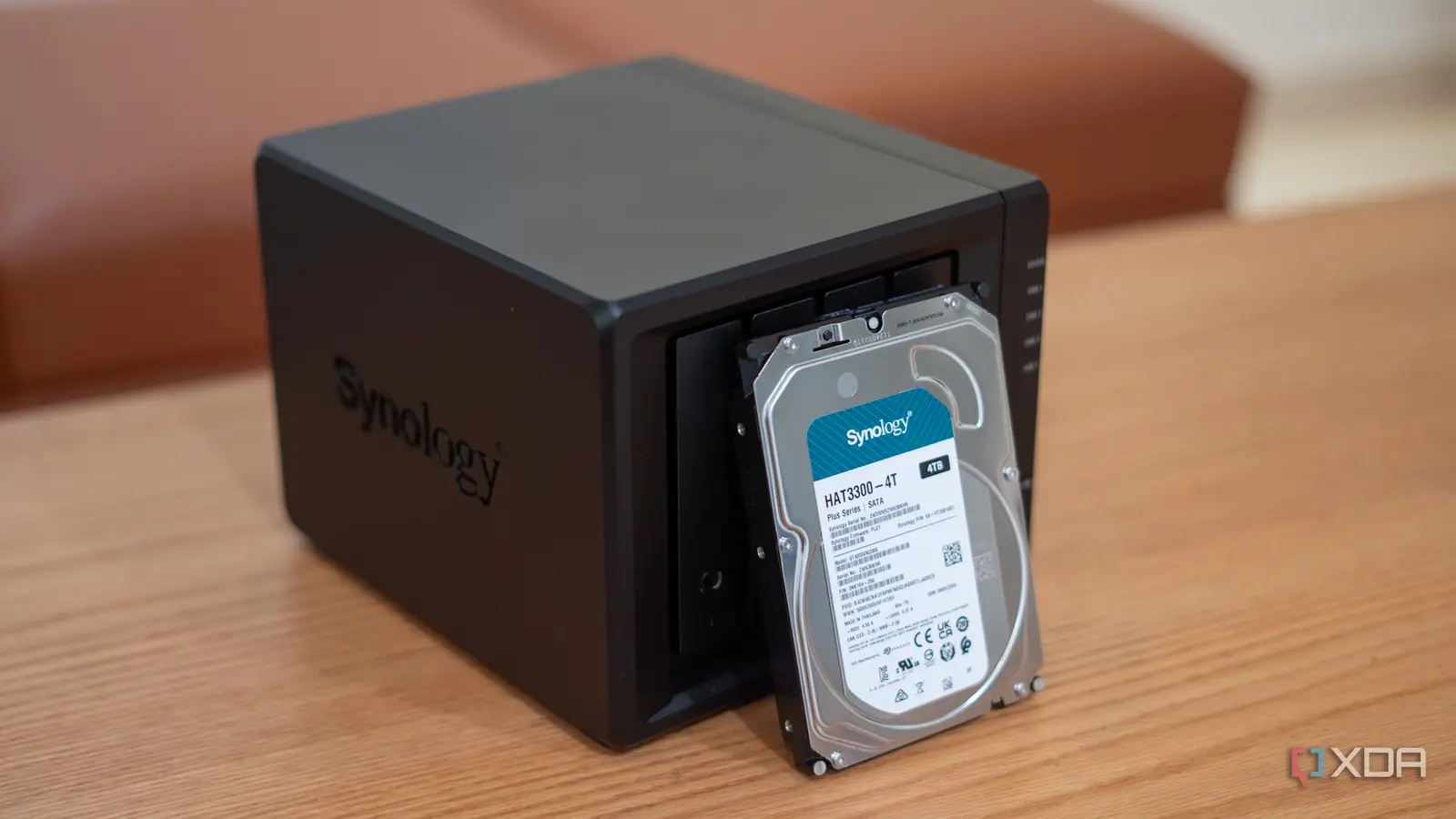
A NAS enclosure is the computer and storage cabinet that manages the network connection, applications, and RAID. A NAS drive is an internal hard drive installed inside that enclosure. The UGREEN models are diskless enclosures, while the Western Digital Red Plus models are individual drives.
Is a two-bay NAS enough for home backups?
A two-bay NAS can be enough for documents, phone photos, and routine computer backups. Two drives can also be configured as a mirror, which protects against the failure of one drive. A four-bay model is more suitable when you need a larger media collection, more flexible RAID layouts, or room to expand.
Do NAS drives need to be the same size?
Using matching drives is usually the simplest way to build and maintain an array. Different sizes can limit usable capacity because the array may be constrained by the smallest drive. Check the NAS compatibility list and RAID documentation before mixing models or capacities.
Is RAID a backup?
No. RAID can keep a NAS running when a drive fails, but it does not protect against accidental deletion, theft, malware, fire, or major hardware damage. Important files should have another copy stored on a separate device or backup destination.
Do these NAS systems work over Wi-Fi?
The UGREEN DH2300, DH4300 Plus, DXP2800, and DXP4800 Plus are wired Ethernet systems and do not include built-in Wi-Fi. They can still serve devices connected to the same wireless network through a router or access point. The NAS itself should use a wired connection for consistent performance.
Can I run Plex on these systems?
The DH2300 does not support Docker, so it is not suited to running Plex through Docker. The DH4300 Plus supports Docker and can run Plex through it. The DXP4800 Plus supports Docker and virtual machines, making it the most flexible option for media and server applications in this group.
Are the advertised capacity figures fully usable?
Not always. Capacity figures such as 64TB, 80TB, 128TB, and 144TB describe supported drive capacity, while RAID can reserve space for redundancy. The BUFFALO system illustrates the distinction directly: its 32TB of installed storage ships with RAID 5 and 24TB usable.
The bottom line
The UGREEN NAS DXP4800 Plus is the strongest all-purpose platform here because it combines four bays, 10GbE networking, Docker, virtual-machine support, and compatibility across major operating systems. It is the pick for a serious home server or small office that needs room to develop. For a ready-to-run system, the BUFFALO TeraStation Essentials is more convenient because it includes four pre-tested drives and arrives with RAID 5 configured.
For individual disks, the Western Digital Red Plus 10TB is the best balance of capacity, 7200 RPM performance, CMR recording, NASware firmware, and workload support. The 12TB model is the better fit for a larger archive, while the 4TB version suits a smaller, quieter backup array. The DXP2800 and DH2300 remain good enclosure choices when two bays are enough, with the DH2300 aimed at simpler personal storage.
If you are still undecided, choose the Best best nas drives setup by starting with your required bays and backup plan, then select the enclosure and disks that support them.
As an Amazon Associate we earn from qualifying purchases.