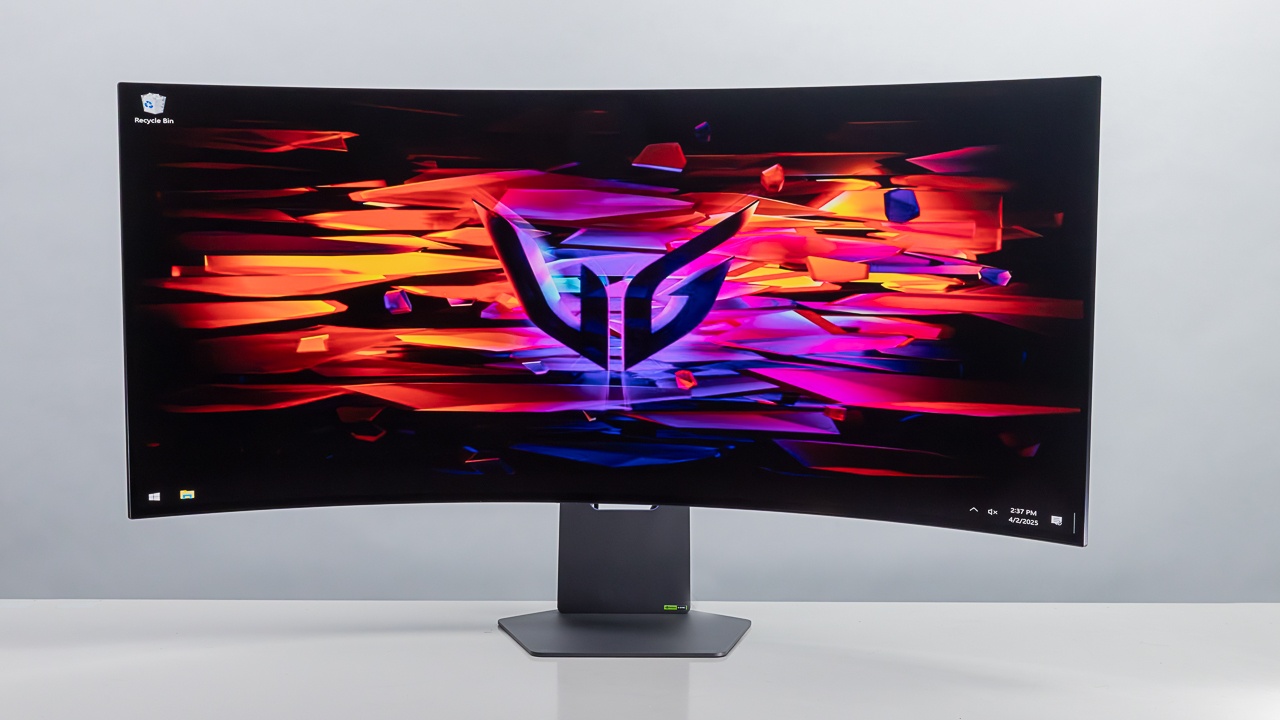

A gaming monitor can make a fast graphics card feel wasted when its refresh rate, resolution, or adaptive sync support does not match the rest of the system. A 240Hz screen is not automatically the right answer either. A competitive player may want speed above all else, while an open-world gamer may notice the extra detail and width of a QHD ultrawide panel more often.
Our top pick for the Best monitors for gaming is the Samsung Odyssey G55C 32-inch. It combines QHD sharpness, a 165Hz refresh rate, a deep 1000R curve, HDR10, and FreeSync in a screen that suits a wide range of PC games. The rest of the lineup covers compact 1080p displays, high-refresh competitive screens, 27-inch QHD options, and two premium Alienware ultrawides.
Comparison table
| # | Product | Award | Resolution | Refresh rate | Panel or curve | Best for |
|---|---|---|---|---|---|---|
| 1 | Samsung Odyssey G55C 32-inch | Best overall | QHD | 165Hz | 1000R curved | Immersive all-round PC gaming |
| 2 | Sceptre E225W-FW144 22-inch | Best compact high-refresh | 1080p | Up to 144Hz | Flat | Small desks and esports |
| 3 | SANSUI 32-inch 240Hz | Best large 1080p speed | 1080p | 240Hz | 1500R curved | Large-screen competitive play |
| 4 | SANSUI 27-inch 160Hz | Best feature-rich starter | 1080p | 160Hz | 1500R curved | Flexible everyday gaming |
| 5 | Sceptre C248W 24-inch | Best simple curved display | 1080p | 75Hz | 1800R curved | Casual gaming and general use |
| 6 | SANSUI 27-inch 240Hz | Best 27-inch speed | 1080p | 240Hz | 1500R curved | High-frame-rate shooters |
| 7 | Alienware AW3425DW | Best OLED ultrawide | 3440 x 1440 | 240Hz | QD-OLED, 1800R | Premium cinematic gaming |
| 8 | Alienware AW3425DWM | Best ultrawide balance | 3440 x 1440 | 180Hz | 1500R curved | Spacious single-screen setups |
| 9 | AOC Q27G41ZE | Best QHD competitive IPS | 2560 x 1440 | 240Hz, up to 260Hz | IPS | Fast QHD PC gaming |
1. Samsung Odyssey G55C 32-inch: Best Overall

Pros
- Sharp QHD resolution on a spacious 32-inch screen
- 165Hz refresh rate and 1ms MPRT response time
- Strongly immersive 1000R curve
- FreeSync, HDR10, and eye comfort features
Cons
- Large curved shape needs a deep desk
- Does not offer the extreme refresh rates of several 1080p rivals
- No height adjustment is listed
Best for: PC gamers who want a large, detailed display that handles both cinematic and competitive games.
The Samsung Odyssey G55C 32-inch is the monitor we would choose for the widest mix of games. Its 32-inch panel gives strategy games, open-world maps, and racing environments room to breathe, while the QHD resolution keeps text, distant objects, and interface details substantially sharper than a 1080p display of the same size. The 1000R curve is pronounced, so the screen feels built around the player rather than simply placed in front of them.
The 165Hz refresh rate is a sensible middle ground. It is quick enough for smooth camera movement and responsive competitive play without making the whole monitor feel dedicated to esports. The listed 1ms MPRT response time is aimed at reducing visible blur, and AMD Radeon FreeSync helps keep the panel and graphics card working in step to reduce tearing. That combination makes more practical sense for most gaming PCs than chasing a very high refresh rate while accepting a softer 1080p image.
Samsung also gives this screen HDR10 support, Eye Saver Mode, and flicker reduction. HDR10 can add more separation between bright effects and dark scenes when a game handles it well, though the presence of HDR support alone does not make this an OLED-class HDR display. Eye Saver Mode and reduced flicker are more consistently useful for long sessions, especially when the monitor also handles work, browsing, and video.
Compared with the SANSUI 32-inch 240Hz, the Samsung is the sharper and more versatile choice because it moves up to QHD. The SANSUI is faster and has a less aggressive 1500R curve, but its 1080p resolution is a clear limitation on a 32-inch canvas. The AOC Q27G41ZE is another strong alternative, particularly for players who want QHD at 240Hz, but it is smaller and uses a flat IPS design rather than the Samsung's enveloping curve.
The main weakness is the physical scale of the screen. A 32-inch 1000R monitor can feel too imposing on a shallow desk, and the available information lists a tilt range but not height adjustment. Skip it if you prefer a flat 24-inch esports screen or sit very close to the display. For everyone else, this is the most complete all-purpose pick in the group.
2. Sceptre E225W-FW144 22-inch: Best Compact High-Refresh

Pros
- Compact 22-inch format suits limited desk space
- Up to 144Hz refresh rate
- HDMI and DisplayPort inputs
- Built-in speakers and blue-light reduction
Cons
- 1080p is less spacious than the larger QHD picks
- Small screen is less immersive for cinematic games
- No curve or advanced HDR feature is listed
Best for: players who need a compact, fast display for a small desk or a two-screen setup.
The Sceptre E225W-FW144 22-inch makes a convincing case for keeping a gaming setup physically small. A 22-inch 1080p panel does not dominate a desk, and its compact footprint is easier to place beside a laptop, console, or second monitor. That matters in bedrooms, dorm rooms, and work areas where a large curved screen would leave little room for a keyboard and mouse.
Its headline feature is support for refresh rates up to 144Hz. That is a major step up from basic office displays, giving fast games cleaner motion when the computer can produce enough frames. HDMI and DisplayPort are both available, so it can fit into a modern PC setup without relying on an unusual connection. The nearly bezel-free design is also useful if you plan to place two screens side by side.
This Sceptre is unusually practical for a compact gaming display because it includes built-in speakers. They will not replace a dedicated headset or speaker system, but they make setup simpler for system sounds, videos, and games where positional audio is not critical. Blue-Light Shift technology is intended to reduce blue-light output during long viewing sessions, which is a helpful convenience rather than a performance feature.
Compared with the Sceptre C248W 24-inch, this model is the better choice for speed and a smaller footprint. The older curved Sceptre gives you a larger 24-inch view but is listed at 75Hz, so motion will not feel nearly as fluid. The SANSUI 27-inch 160Hz provides a larger curved image and more gaming controls, but it also takes up more desk space and lacks built-in speakers.
The trade-off is straightforward: this is a 1080p compact monitor, not a spacious high-detail display. It is less compelling for immersive single-player games than the Samsung Odyssey G55C 32-inch, and the available specifications do not mention HDR or adaptive sync. Choose it when your desk dimensions and refresh rate matter more than visual scale.
3. SANSUI 32-inch 240Hz: Best Large 1080p Speed

Pros
- 240Hz refresh rate for very fluid motion
- Large 32-inch screen with a moderate 1500R curve
- FreeSync, HDR, and 1ms MPRT support
- DisplayPort 1.4 and HDMI can reach 240Hz
Cons
- 1080p resolution looks less dense at 32 inches
- No built-in speakers
- Stand only offers tilt adjustment
Best for: competitive players who want a very large screen and high frame rates without moving to QHD.
The SANSUI 32-inch 240Hz is an unusual monitor. Most high-refresh 1080p screens stay around 24 or 27 inches, while this one stretches to 32 inches and adds a 1500R curve. That creates a broad, immediate view for shooters and racing games. It can also make split-screen play more comfortable, though the benefit depends on how far back you sit.
The 240Hz refresh rate is the reason to choose this screen over the SANSUI 27-inch 160Hz. When a capable gaming PC consistently produces high frame rates, the faster refresh can make rapid turns and tracking feel more immediate. The listed 1ms MPRT response time is designed to limit motion blur, and built-in FreeSync helps reduce tearing when frame output fluctuates.
Connectivity is well suited to that speed. Both HDMI and DisplayPort 1.4 are listed as supporting up to 240Hz, and a DisplayPort cable is included. The display also has HDR technology, 300 nits of brightness, a 3500:1 contrast ratio, and 125% sRGB coverage. Those figures suggest a punchier image than a barebones office panel, though the Full HD resolution remains the defining limitation.
That limitation is more obvious here than on the SANSUI 27-inch 240Hz. The smaller SANSUI keeps the same speed while putting 1080p pixels into a tighter area, so fine details appear cleaner. The Samsung Odyssey G55C 32-inch is the better pick for sharpness and richer scenery, but it tops out at 165Hz. The choice comes down to whether motion speed or image density matters more.
The monitor has no built-in speakers, and its metal stand only provides tilt from minus 5 to plus 15 degrees. It does support 100 by 100mm VESA mounting, which helps if you want to place the large panel on an arm. Anyone considering it should also think carefully about viewing distance. If you sit close, the 1080p image may look coarse. If you sit farther away and play fast games, its size and speed make more sense.
4. SANSUI 27-inch 160Hz: Best Feature-Rich Starter

Pros
- 160Hz refresh rate with FreeSync
- 1500R curve and 4000:1 contrast ratio
- Built-in game modes, crosshair, timer, and counter
- HDMI, DisplayPort, and VESA support
Cons
- 1080p resolution is modest for a 27-inch screen
- No built-in speakers
- Stand only tilts and does not swivel or adjust in height
Best for: newer PC gamers who want useful gaming controls and a curved 27-inch display.
The SANSUI 27-inch 160Hz is the most feature-focused of the lower-resolution SANSUI models. It gives a new gaming setup the basics that matter, then adds controls that are usually hidden several menus deep on simpler monitors. The 27-inch size feels more involving than a compact 22-inch screen, while the 1500R curve adds a little wraparound effect without the extreme shape of the Samsung.
The display runs at 160Hz and lists a 1ms MPRT response time, FreeSync, and HDR support. That refresh rate is well suited to shooters, action games, and racing titles when paired with a system that can push beyond standard 60 frames per second. The 4000:1 contrast ratio and 300 nits brightness are also meaningful for dark scenes and ordinary indoor use. HDR is enabled through the on-screen display when connected over HDMI, a detail worth remembering when setting it up.
SANSUI includes FPS, RTS, racing, office, movie, and sRGB presets, along with black-level adjustment, a crosshair, a timer, and a frame counter. Those tools do not replace skill, but they make the monitor easier to tune for different games. Readers who specifically want an on-screen aiming aid can see how a built-in crosshair changes the setup before deciding if that feature matters to them.
The ports include HDMI 2.0 and DisplayPort 1.4, both listed for up to 160Hz, plus a 3.5mm audio jack. There are no built-in speakers, and the stand only tilts from minus 5 to plus 15 degrees. VESA 100 by 100mm support gives you a path to better positioning, but anyone wanting height or swivel adjustment will need a monitor arm.
The biggest compromise is the 1080p resolution on a 27-inch panel. The SANSUI 27-inch 240Hz is faster, while the AOC Q27G41ZE gives you QHD detail at a high refresh rate. This model earns its place through the feature set and approachable size. It is a sensible choice for someone who wants a curved gaming screen with practical controls, provided they are comfortable with the softer image compared with QHD.
5. Sceptre C248W 24-inch: Best Simple Curved Display

Pros
- Compact 24-inch curved design
- 98% sRGB coverage
- Two HDMI inputs plus VGA
- Built-in speakers and VESA wall-mount support
Cons
- 75Hz refresh rate is modest for gaming
- No DisplayPort or adaptive sync is listed
- Older 1080p design lacks modern gaming extras
Best for: casual players who want a straightforward curved monitor for gaming and everyday computing.
The Sceptre C248W 24-inch is the uncomplicated option in this group. It is a 24-inch 1080p curved monitor aimed at general desktop use as much as gaming, and its 1800R curve is gentle enough that it does not dictate how you sit. The size works well on a modest desk, while the built-in speakers remove one more component from a basic setup.
Its 75Hz refresh rate is a step above a traditional 60Hz office screen, but it is well behind every higher-ranked gaming monitor here. That means it can handle casual games comfortably, yet players who spend most of their time in competitive shooters will notice that the Sceptre E225W-FW144 22-inch and the SANSUI models provide substantially smoother motion. There is no listed adaptive sync feature to help when frame rates move unevenly.
The connection selection reflects the monitor's age and simplicity. It has two HDMI inputs, VGA, and PC audio in, so it can work with a PC and another device without constantly swapping cables. Its 98% sRGB coverage should produce a reasonably broad everyday color range, while the listed brightness figures vary between 220 and 250 cd/m² in the supplied information. That is adequate for ordinary indoor use, but it is not designed for bright-room HDR gaming.
Wall mounting is supported through VESA compatibility, which is useful because the supplied stand is better thought of as a basic support than an ergonomic system. The listed dimensions make it easy to fit into a small workstation, and the curved panel can provide a little more visual involvement than a flat screen of the same size.
The weakness is clear: this is not the pick for high-frame-rate gaming. The newer Sceptre E225W-FW144 gives up two inches but adds support for up to 144Hz and DisplayPort. Choose the C248W when built-in audio, a gentle curve, multiple HDMI inputs, and simple everyday use matter more than competitive speed.
6. SANSUI 27-inch 240Hz: Best 27-inch Speed

Pros
- 240Hz refresh rate and 1ms MPRT response time
- 130% sRGB and DCI-P3 95% coverage
- 4000:1 contrast ratio with HDR support
- Metal stand, DisplayPort 1.4, and VESA support
Cons
- 1080p resolution is less sharp than the AOC
- No built-in speakers
- Tilt-only stand
Best for: high-frame-rate players who prefer a 27-inch curved screen and a vivid color range.
The SANSUI 27-inch 240Hz is the sharper choice within SANSUI's fast 1080p pair, simply because 27 inches is a more comfortable match for Full HD than 32 inches. It still gives you a 1500R curve and enough screen area for a focused gaming setup, but the image does not have to stretch across quite as much space. Its metal stand also gives it a more substantial base than the most basic compact displays.
The 240Hz refresh rate is the star feature. It is most useful for players with a graphics card and game settings capable of producing very high frame rates. In that situation, the screen can show more frequent updates than the 160Hz SANSUI 27-inch, which helps fast camera movement look cleaner. The 1ms MPRT response time, FreeSync, and black-level adjustment are all targeted at reducing distractions during competitive play.
Color coverage is unusually ambitious for a Full HD gaming monitor. SANSUI lists 130% sRGB, DCI-P3 coverage of 95%, 300 nits brightness, HDR, and a 4000:1 contrast ratio. The combination should make games look lively, with stronger separation in dark scenes than many basic displays. It is not a substitute for the AOC Q27G41ZE's QHD IPS resolution, but it gives this monitor a more expressive image than its resolution alone suggests.
The monitor includes HDMI, DisplayPort 1.4, and an audio jack, but no built-in speakers. Its stand tilts from minus 5 to plus 15 degrees and supports VESA 100 by 100mm mounting. That is enough for a fixed desk arrangement, though a monitor arm is the better route if you need to align the screen precisely with another display. For a second screen, planning the spacing and viewing angles of a dual setup can prevent the curved panel from feeling awkward beside a flat one.
The obvious weakness is the 1080p resolution. The AOC offers a much denser QHD image at a similarly gaming-focused size, and the Samsung is better for rich scenery and large-scale immersion. Pick this SANSUI when 240Hz matters more than fine detail, especially for shooters where frame rate and motion clarity take priority.
7. Alienware AW3425DW: Best OLED Ultrawide

Pros
- QD-OLED panel with exceptionally deep contrast
- WQHD ultrawide resolution at 240Hz
- 0.03ms display response specification
- 99.3% DCI-P3 coverage and DisplayHDR TrueBlack 400
- Broad adaptive sync support
Cons
- Large and heavy for a desk display
- OLED is not the right fit for every static desktop workload
- Requires a powerful PC to make full use of 240Hz and WQHD
Best for: enthusiasts who want the most cinematic image and fastest premium ultrawide experience in this group.
The Alienware AW3425DW is the clear image-quality specialist. Its 34.2-inch QD-OLED panel combines an expansive 21:9-style workspace with the deep contrast that makes dark game scenes look genuinely dark rather than gray. The 1800R curve is less aggressive than Samsung's 1000R design, so the screen feels wide and enveloping without bending the desktop too dramatically.
The resolution is 3440 by 1440, described as WQHD, and the refresh rate reaches 240Hz. That is a demanding combination. A sufficiently capable gaming PC can show sharp scenery and very fluid motion on the same screen, while the 0.03ms display response specification is aimed at keeping fast transitions clean. Adaptive sync support is extensive, with AMD FreeSync Premium Pro, NVIDIA G-SYNC Compatible support, and VESA AdaptiveSync listed.
The QD-OLED panel is where this monitor separates itself from the LCD displays in the roundup. Alienware lists 99.3% DCI-P3 coverage, Delta E below 2 color accuracy, DisplayHDR TrueBlack 400, and peak HDR brightness of 1000 nits. Those details matter in games with dark corridors, bright effects, and wide color palettes. The AW3425DWM is also a strong ultrawide, but it uses a different display approach and drops to 180Hz, so it cannot match the AW3425DW's combination of speed and contrast.
This is a physically imposing monitor. The supplied dimensions describe a display more than 31 inches wide and weighing more than 20 pounds, so the desk must have enough depth and stability. It also demands more from the graphics card than a 1080p panel. If your PC is built around a midrange GPU or you mainly play static desktop applications, a smaller LCD may be easier to live with.
OLED ownership also calls for sensible desktop habits. The supplied product information does not specify a burn-in policy or panel care routine, so we would not choose this screen for a work setup that leaves static windows visible all day without considering that issue. For a dedicated gaming space, though, it is the most impressive display here. Readers focused on competitive shooters should also consider how ultrawide screens change the field of view before committing to the wide format.
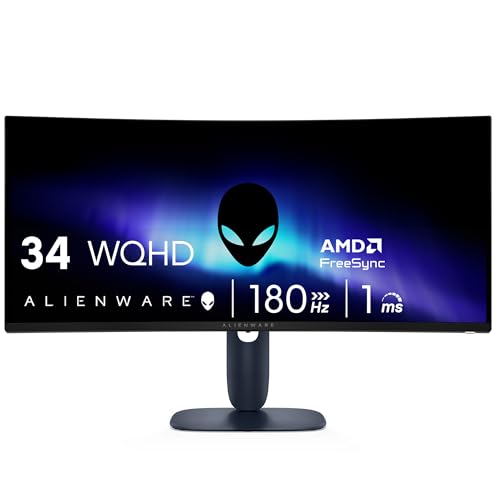
8. Alienware AW3425DWM: Best Ultrawide Balance
Pros
- 34-inch WQHD ultrawide panel
- 180Hz refresh rate and 1ms gray-to-gray response time
- 1500R curve for broad game environments
- FreeSync Premium, AdaptiveSync, and HDR400
- Dedicated console mode and hardware-based low blue light
Cons
- Not as fast or contrast-rich as the AW3425DW
- Large footprint requires a sturdy desk
- Ultrawide support varies from game to game
Best for: players who want a spacious single display for games, media, and multitasking.
The Alienware AW3425DWM takes the ultrawide idea and makes it easier to justify for more types of gaming. Its 34-inch WQHD panel provides enough horizontal space for expansive landscapes, racing tracks, and multiple windows, while the 1500R curve keeps the edges within a comfortable viewing arc. It feels much more like a complete gaming environment than a conventional 27-inch screen.
At 180Hz, it is faster than the Samsung Odyssey G55C and comfortably suited to action games. The listed 1ms gray-to-gray response time is a conventional measure rather than the AW3425DW's 0.03ms specification, but the refresh rate remains high enough for smooth motion. AMD FreeSync Premium and VESA AdaptiveSync help control tearing when the frame rate does not stay perfectly fixed.
The panel covers 95% of the DCI-P3 color space and supports VESA DisplayHDR 400. That should give games more colorful scenery and stronger highlights than a plain SDR office panel, though the AW3425DW's QD-OLED design has a major advantage in black levels, HDR brightness, and color coverage. The DWM model is also a more practical choice for mixed use because it does not put the same emphasis on OLED-level contrast.
Alienware adds a dedicated console mode and a hardware-based low-blue-light solution. The latter aims to reduce eye strain while preserving color, which is more useful than a heavily tinted software filter. The monitor's wide aspect ratio is excellent for titles that support it, but some games may show side bars or require configuration. Competitive players should check how their favorite titles handle ultrawide output.
The limitation is that it sits between categories. The AOC Q27G41ZE is faster at its maximum setting and has a more compact 27-inch shape, while the AW3425DW is the obvious premium step up for OLED contrast and 240Hz motion. The AW3425DWM is the one to choose when a broad WQHD workspace, 180Hz gaming, and a comfortable curve matter more than having the most extreme panel technology.
9. AOC Q27G41ZE: Best QHD Competitive IPS

Pros
- QHD resolution on a 27-inch IPS panel
- 240Hz refresh rate with up to 260Hz overclock
- 0.3ms MPRT response time
- Adaptive sync for AMD and NVIDIA graphics
- DisplayPort 1.4, two HDMI 2.0 ports, and VESA support
Cons
- 1000:1 contrast ratio is less dramatic than the SANSUI screens
- HDR Ready is not the same as full premium HDR
- No built-in speakers are listed
Best for: competitive players who want high refresh, QHD detail, and a flat IPS display.
The AOC Q27G41ZE is the most convincing alternative to the Samsung Odyssey G55C for players who prefer a flat screen and faster motion. Its 27-inch QHD IPS panel puts 2560 by 1440 pixels into a compact enough area for crisp text and detailed game scenes. It is a better fit than the 1080p SANSUI models for anyone who wants both competitive speed and a sharper image.
The monitor reaches 240Hz through DisplayPort and can be overclocked to 260Hz. That upper setting is aimed squarely at competitive players with a system capable of producing extremely high frame rates. The listed 0.3ms MPRT response time is designed to reduce blur, while Adaptive-Sync support works across AMD and NVIDIA graphics cards. These features make it one of the most focused esports choices here without forcing a move to a smaller Full HD panel.
The IPS panel brings wide viewing angles and precise image quality, and AOC lists 300 nits brightness with a 1000:1 contrast ratio. That contrast figure is ordinary for an IPS display and does not compete with the 4000:1 claims of the SANSUI models in dark scenes. HDR Ready support can help compatible content, but buyers should not expect the black-level performance or highlight impact of the Alienware QD-OLED.
Connectivity is strong for a compact gaming setup. There is one DisplayPort 1.4, two HDMI 2.0 ports, and audio out. The stand tilts from minus 3 to plus 21 degrees, and VESA 100 by 100mm mounting allows a monitor arm or wall mount. A three-sided frameless design also makes it a natural candidate for a multi-monitor arrangement. Anyone weighing several screens should first consider how much desk width a multi-monitor layout really needs.
The weakness is not performance but character. The AOC lacks the Samsung's deep curve and the Alienware AW3425DW's OLED contrast, and its HDR support is less ambitious. It is also not as physically immersive as an ultrawide. Choose it when your priority is a clean, flat 27-inch QHD image with very high refresh, adaptive sync, and straightforward PC connectivity.
How to choose best monitors for gaming
The right screen depends on the games you play, the graphics hardware driving it, and how much space you have for the panel and stand.
Resolution and screen size
Resolution determines how much detail the monitor can show, while screen size affects how large those pixels appear. Full HD is a sensible match for compact 22-inch and 24-inch displays, but it looks less dense when stretched across 27 or 32 inches. QHD is the stronger fit for a 27-inch screen and gives 32-inch panels like the Samsung Odyssey G55C a clearer image.
A 34-inch ultrawide such as the Alienware models uses 3440 by 1440 resolution to add horizontal space without making the image excessively tall. That is excellent for scenery and multitasking, but the graphics card has more pixels to render.
Refresh rate and response time
Refresh rate measures how often the monitor can update the image each second. A 75Hz screen is suitable for casual play, while 144Hz to 165Hz makes a noticeable difference in movement and camera control. 240Hz and 260Hz are most useful when the computer can sustain very high frame rates, particularly in competitive shooters.
Response-time figures need context. MPRT measurements are commonly tied to blur-reduction modes, while gray-to-gray figures describe pixel transitions differently. Treat them as part of the motion specification, not as a promise that every transition will look identical.
A fast monitor only helps when the PC can produce enough frames to keep it busy.
Panel type and contrast
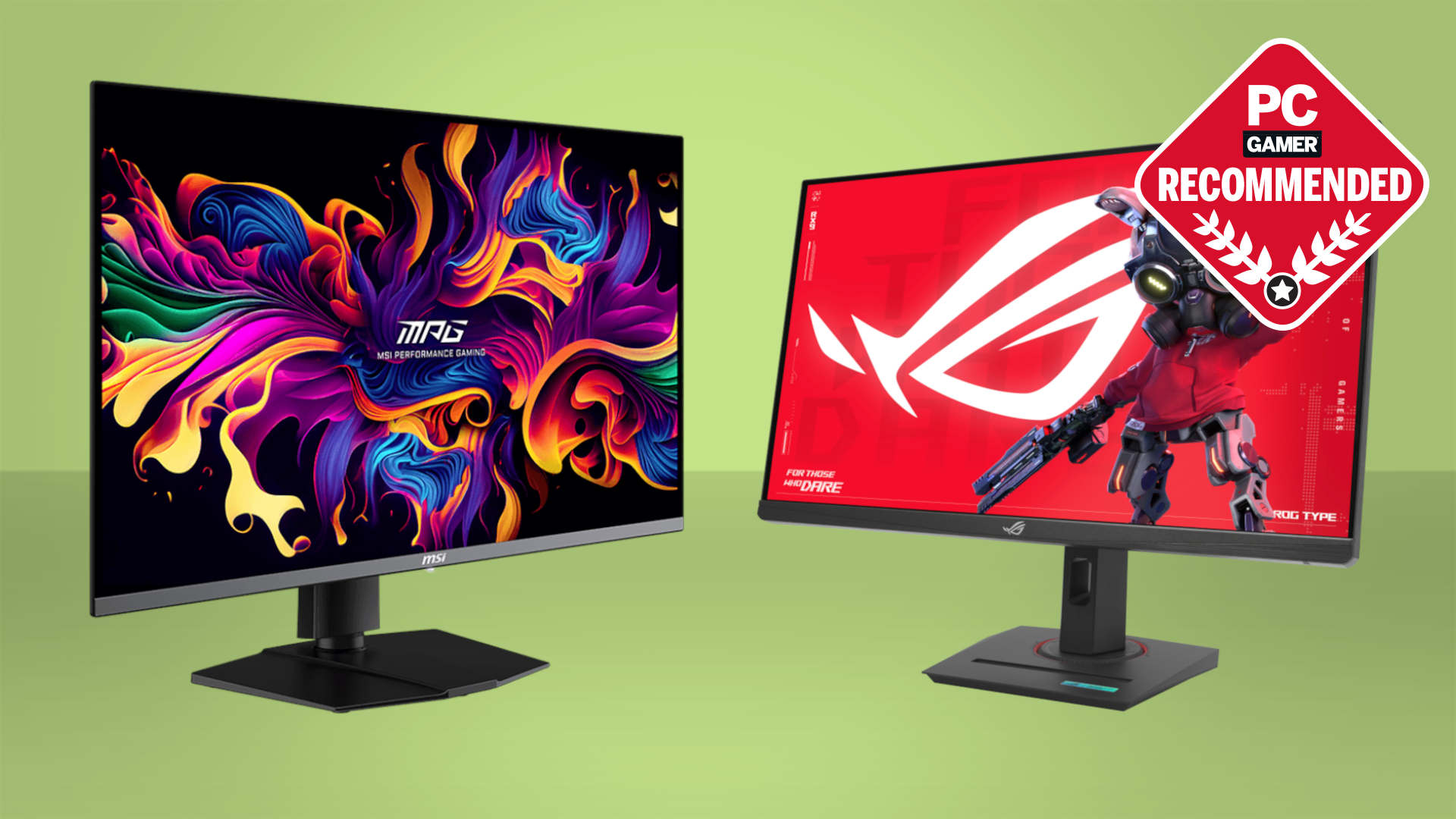
IPS panels, such as the AOC's, generally offer wide viewing angles and clear color. Curved LCD models can use different panel technologies, so their contrast and color claims need to be considered separately rather than assumed from the curve alone. OLED, used by the Alienware AW3425DW, can produce far deeper blacks and more dramatic HDR than conventional LCD screens.
For dark games, contrast matters as much as color coverage. A monitor with a wide gamut may look vivid, but that does not automatically mean it will show shadow detail or bright effects with convincing depth.
Adaptive sync
FreeSync, AdaptiveSync, and G-SYNC Compatible support help the monitor coordinate with a variable frame rate from the graphics card. That can reduce tearing and make uneven performance feel smoother. Check which input supports the advertised top refresh rate, since the AOC Q27G41ZE, for example, reaches 240Hz through DisplayPort.
Adaptive sync is particularly useful when a game alternates between demanding scenes and easier areas. It cannot raise the frame rate, but it makes the changes less distracting.
Ergonomics and connections
A tilt-only stand may be enough for a fixed desk, but height and swivel adjustments are more useful when the monitor must line up with another screen. VESA support allows a monitor arm to solve that problem. Pay attention to the curve as well. A 1000R display needs a different seating position from a flat 27-inch panel.
DisplayPort is important for high-refresh PC gaming, while multiple HDMI ports are useful for consoles and secondary devices. Built-in speakers are convenient on the Sceptre models, but a headphone jack or external audio system is usually more useful for serious gaming.
Frequently asked questions
Is 144Hz enough for gaming?
Yes. A 144Hz or 165Hz monitor is a substantial improvement over 60Hz for many games, especially when the computer can maintain a high frame rate. Displays at 240Hz or more make more sense for competitive players who can consistently produce very high frame rates.
Is QHD better than 1080p for a gaming monitor?
QHD shows more detail than 1080p and is particularly well suited to 27-inch screens. It also requires more graphics power, so 1080p remains a practical choice for compact displays or systems that prioritize high frame rates over image density.
Does a curved monitor help in games?
A curve can make a large or ultrawide screen feel more evenly positioned around the viewer. Its benefit is subjective, and a strong curve such as 1000R needs careful desk placement. A flat IPS monitor may be preferable for users who want a conventional image or frequently work with straight lines.
Do I need DisplayPort for 240Hz?
Not always, because the SANSUI 32-inch 240Hz lists both HDMI and DisplayPort 1.4 for its full refresh rate. However, the AOC Q27G41ZE specifies 240Hz through DisplayPort, so the required connection varies by model. Check the input limits before choosing a cable.
Can a gaming monitor work with a PS5?
A monitor with HDMI can work with a PS5, but the console's supported resolution and refresh modes determine what you will actually see. Ultrawide screens may not use their full width with console games, so a conventional 16:9 display is often simpler for console-focused setups.
Are built-in monitor speakers good enough for gaming?
They are convenient for basic audio, videos, and games where sound positioning is not important. The Sceptre E225W-FW144 and Sceptre C248W include built-in speakers, while several SANSUI models do not. A headset or separate speakers remain the better choice for directional audio.
The bottom line
The Best monitors for gaming in this group start with the Samsung Odyssey G55C 32-inch because its QHD resolution, 165Hz refresh rate, FreeSync, HDR10, and immersive curve cover more gaming styles than any other model here. The AOC Q27G41ZE is the better pick for a flat 27-inch setup focused on QHD competitive play and refresh rates up to 260Hz.
For a premium ultrawide, the Alienware AW3425DW stands apart with QD-OLED contrast, 240Hz motion, and 3440 by 1440 resolution. The Alienware AW3425DWM is a more measured alternative with 180Hz performance and the same broad 34-inch format.
If you are undecided, choose the Samsung for mixed PC gaming, the AOC for competitive QHD play, or the Alienware AW3425DW when image quality and ultrawide immersion matter most.
As an Amazon Associate we earn from qualifying purchases.