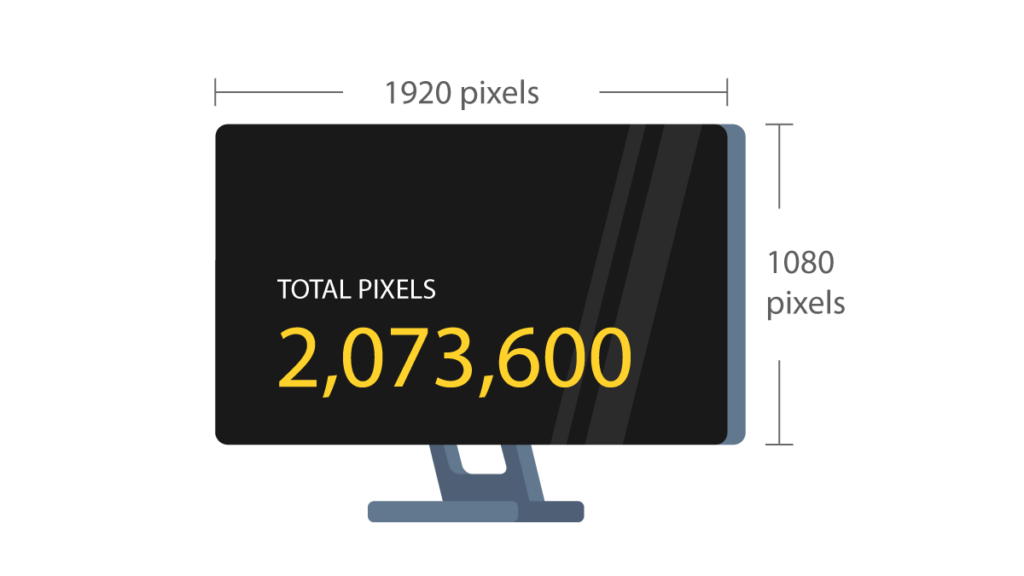

A 27-inch screen can look spacious and productive, or slightly blurry and under-detailed, depending on the resolution. A compact 21.5-inch monitor has a different sweet spot, while a portable display has to balance sharpness against the limits of USB-C power and laptop graphics.
Our guide to the Best resolution for monitor size compares nine real monitors across Full HD, HD+, and QHD resolutions. We looked at pixel density, refresh rate, panel type, adjustment options, connectivity, and portability rather than treating resolution as an isolated number.
The Dell 24 Monitor SE2426H is our top pick for most people, while the range includes a sharper QHD gaming screen, large Full HD office monitors, and practical portable second displays.
| # | Product | Award | Resolution | Refresh rate | Panel or feature | Best for |
|---|---|---|---|---|---|---|
| 1 | Dell SE2426H | Best overall | 1920 x 1080 | 144Hz | IPS, FreeSync | Everyday work and smooth motion |
| 2 | Samsung Odyssey G5 G51F | Best QHD gaming monitor | 2560 x 1440 | 180Hz | HDR10, FreeSync | Gaming and detailed desktop work |
| 3 | Dell 27 Plus S2725DSM | Best adjustable QHD monitor | 2560 x 1440 | 144Hz | Speakers, ergonomic stand | Flexible home offices |
| 4 | Acer KB272 G0bi | Best large Full HD screen | 1920 x 1080 | 120Hz | IPS, FreeSync | Large-screen office setups |
| 5 | Acer KB220Q H2bi | Best compact office monitor | 1920 x 1080 | 100Hz | Adaptive-Sync | Small desks and dual screens |
| 6 | Philips 22E2N1100 | Best eye-comfort features | 1920 x 1080 | Up to 120Hz | IPS, VESA, LowBlue | Long work sessions |
| 7 | Lenovo L15 | Best portable work monitor | 1920 x 1080 | 60Hz | IPS, 250 nits | Mobile productivity |
| 8 | Anyuse 15.6-inch Portable | Best portable connectivity | 1920 x 1080 | 60Hz | IPS, USB-C, Mini HDMI | Laptops and consoles |
| 9 | FISKINER 17.3-inch Portable | Best large portable screen | 1600 x 900 | Not specified | IPS, built-in speakers | Travel entertainment |
1. Dell SE2426H: Best Overall

Pros
- 144Hz refresh rate makes scrolling and motion noticeably smoother
- IPS panel with 178° viewing angles
- 1ms MPRT response time
- Two HDMI ports and AMD FreeSync
- TÜV Rheinland three-star eye-comfort certification
Cons
- Full HD leaves less desktop detail than the QHD picks
- Stand only tilts
- No built-in speakers listed
Best for: someone who wants a versatile 23.8-inch monitor for work, streaming, and responsive everyday gaming.
The Dell SE2426H gets the size and resolution relationship right for a normal desk. Its 23.8-inch screen uses 1920 x 1080, so text and interface elements remain reasonably clear without forcing a laptop or desktop to render a much larger desktop. It is a sensible fit for documents, browser tabs, video, and games where smooth motion matters more than having a huge canvas.
The IPS panel is a meaningful advantage over a basic narrow-viewing-angle display. Dell lists a 178° by 178° viewing angle, which helps the image stay consistent when you shift in your chair or show something to a colleague. The screen also has thin bezels, making it a clean candidate for a side-by-side arrangement. If you are planning two screens, the practical question is how the bezels and desk width work together, which is why the right spacing for a two-screen workspace deserves attention before buying.
A 144Hz refresh rate is the standout feature here. It does not increase the number of pixels, but it makes cursor movement, scrolling, and supported games feel more immediate than a conventional 60Hz panel. AMD FreeSync helps synchronize the display with a compatible graphics card, while the listed 1ms MPRT response time targets motion clarity. Those features make the Dell more lively than the similarly sized Philips 22E2N1100, though the Philips offers more explicit reading and flicker-reduction modes.
The limitation is straightforward: 1920 x 1080 is less spacious and less finely detailed than the 2560 x 1440 Samsung Odyssey G5 G51F and Dell 27 Plus S2725DSM. The stand only tilts, so users who need height, swivel, or pivot adjustments will have to look higher in the list. Skip the Dell if you regularly edit large spreadsheets, keep several dense windows open, or want a 27-inch QHD workspace. For a compact general-purpose desk, it is the most balanced choice.
2. Samsung Odyssey G5 G51F: Best QHD Gaming Monitor

Pros
- QHD resolution gives a sharper 27-inch image
- 180Hz refresh rate for fast, fluid gaming
- HDR10 support
- AMD FreeSync reduces tearing and stutter
- Height, tilt, and pivot adjustments
Cons
- Gaming-focused features are less important for basic office work
- QHD requires more graphics performance than Full HD
- No speakers listed
Best for: PC gamers who want a sharp 27-inch image and high refresh rate without moving to an ultrawide display.
The Samsung Odyssey G5 G51F is the clearest answer for anyone who wants a 27-inch monitor that does not make fine text look unnecessarily coarse. Its 2560 x 1440 QHD resolution puts substantially more pixels on the same screen area than the 27-inch Acer KB272 G0bi. Games look more defined, desktop windows have more usable room, and small interface details need less scaling.
That extra resolution pairs well with the screen size. On the Acer KB272 G0bi, Full HD spreads the same basic 16:9 image across a larger panel, which can look softer at close desk distances. The Samsung is more demanding on the graphics card, but that is the trade-off for better detail. Anyone choosing between the two should think about the games and applications they run, not just the diagonal measurement.
The gaming hardware is unusually complete for this group. Samsung lists a 180Hz refresh rate and 1ms response time, so fast camera movement and competitive play have the tools needed for clean motion. AMD FreeSync is designed to reduce choppiness, lag, and tearing when frame rates fluctuate. HDR10 adds support for brighter highlights and more nuanced shadows, while Black Equalizer can lift dark areas in games where enemies disappear into dim scenes.
The ergonomic stand can tilt, pivot, and adjust in height, which gives the Samsung a more flexible setup than the Acer monitors. It is not the right pick for someone who only needs email and word processing, and the QHD output can place a heavier load on an older graphics card. For gaming, photo viewing, or a dense desktop at 27 inches, though, the Samsung is more convincing than any Full HD option here. Readers choosing a display for a particular game may also want to consider how fast motion and visibility affect competitive play.
3. Dell 27 Plus S2725DSM: Best Adjustable QHD Monitor

Pros
- QHD resolution suits a 27-inch workspace
- Height, tilt, pivot, and swivel adjustment
- 144Hz refresh rate and 1ms MPRT
- Integrated dual 3W speakers
- HDMI and DisplayPort 1.4 connectivity
Cons
- Heavier than the smaller office displays
- Less gaming-specific than the Samsung
- Speakers are convenient rather than a replacement for a dedicated audio setup
Best for: home-office users who want QHD detail, a genuinely flexible stand, and built-in audio.
The Dell 27 Plus S2725DSM takes the practical strengths of a QHD screen and adds the kind of stand that makes a monitor easier to live with. The 27-inch panel runs at 2560 x 1440, giving documents, timelines, browser windows, and creative applications more room than the Full HD Acer KB272 G0bi. It is a strong fit for a desk where the monitor has to serve work during the day and entertainment afterward.
Its stand is the main reason to choose it over the Samsung Odyssey G5 G51F. Height, tilt, pivot, and swivel adjustments let you position the screen around your chair and desk rather than adapting your posture to a fixed support. That matters for long sessions, portrait-oriented documents, or a setup shared by people of different heights. Dell also lists HDMI and DisplayPort 1.4, providing more connection flexibility than a display that only advertises a single input.
The 144Hz refresh rate keeps motion smooth, and the 1ms MPRT specification targets reduced blur in fast-moving scenes. AMD FreeSync is included for compatible systems. Dell also lists a 1500:1 contrast ratio, which should help separation between bright and dark areas, plus integrated dual 3W speakers. Those speakers are useful for calls, clips, and ordinary desktop audio without adding another device to the desk.
The Dell is not as gaming-specific as the Samsung, whose 180Hz mode and Black Equalizer are aimed more directly at competitive play. It is also a relatively substantial monitor, with listed dimensions of 24.07 inches wide, 15.36 inches high, and 7.95 inches deep, and a listed weight of 14.09 pounds. Choose it over the Samsung if posture, speakers, and workspace flexibility matter as much as gaming. Skip it if you want the fastest refresh rate in this group or a lighter, simpler office display.
4. Acer KB272 G0bi: Best Large Full HD Screen

Pros
- Large 27-inch IPS screen
- 120Hz refresh rate
- Adaptive-Sync support
- 1ms VRB response time
- 250 nits brightness
Cons
- Full HD is less sharp than QHD at 27 inches
- Stand adjustment details are limited
- No speakers listed
Best for: users who want a large, smooth office display and do not need QHD detail.
The Acer KB272 G0bi is the straightforward large-screen option. Its 27-inch IPS display provides plenty of physical space for a browser, document, or video, and 1920 x 1080 keeps the system requirements modest. The result is a monitor that feels roomy from across a desk, though it does not have the crispness of the QHD Samsung or Dell.
The IPS panel helps maintain color consistency as you move around the desk. Acer lists a 178° viewing angle in the feature description, and the 250-nit brightness figure gives a useful sense of where the screen belongs: a normal indoor office rather than a sunlit room. Its 0.311mm pixel pitch also explains why text and fine lines will not look as tightly packed as they do on a 27-inch QHD monitor.
Acer adds a refresh rate of up to 120Hz, Adaptive-Sync support, and a 1ms VRB response time. That combination makes pointer movement, scrolling, and casual games feel smoother than a 60Hz office display. Adaptive-Sync is especially useful when a compatible graphics source cannot hold a perfectly steady frame rate. The KB272 G0bi is therefore more versatile than its office branding suggests.
The compromise is the resolution-to-size ratio. At 27 inches, Full HD can look soft if you sit close or spend the day reading small text. The Samsung Odyssey G5 G51F is a better choice for detailed work and serious gaming, while the Dell SE2426H is sharper at its smaller size. Pick the Acer when the priority is a broad, uncomplicated screen for documents, streaming, and everyday use.
5. Acer KB220Q H2bi: Best Compact Office Monitor

Pros
- Full HD resolution on a compact 21.5-inch panel
- 100Hz refresh rate
- Adaptive-Sync support
- 1ms response time
- Near bezel-less ZeroFrame design
Cons
- Smaller workspace than the 24-inch and 27-inch picks
- No IPS panel listed
- No height adjustment or speakers listed
Best for: small desks, basic workstations, and multi-monitor arrangements where compact dimensions matter.
The Acer KB220Q H2bi makes a strong case for keeping a Full HD monitor compact. At 21.5 inches, its 1920 x 1080 resolution produces a tighter image than Full HD stretched across 27 inches. Text, icons, and window edges should look more natural at a close working distance, while the smaller footprint leaves room for a second screen or other desk equipment.
Acer describes the display as having a 16:9 aspect ratio and a near bezel-less ZeroFrame design. That trim is more than a cosmetic detail if the monitor will sit beside another screen, since narrow borders make the combined view feel less interrupted. The listed dimensions are 19.4 inches wide and 15 inches high, although the feature set does not specify the full stand adjustment range.
The KB220Q also supports up to 100Hz and Adaptive-Sync, with a listed 1ms response time. Those features give it a more responsive feel than a basic 60Hz office panel. The refresh rate is not aimed at the same audience as the Samsung Odyssey G5 G51F, but it is useful for smoother scrolling, video playback, and casual games. Its compact size also means the graphics workload remains modest at Full HD.
The key omission is panel information. Acer identifies the KB272 G0bi as IPS, but does not identify the KB220Q H2bi that way, so buyers who need dependable wide-angle color should consider the Dell SE2426H or Philips 22E2N1100 instead. The Acer is the better fit when the desk is tight or when two matching-sized displays are the goal. It is not the right choice for a large single-screen workspace.
6. Philips 22E2N1100: Best Eye-Comfort Features

Pros
- Full HD IPS panel with 178° viewing angles
- Up to 120Hz refresh rate
- LowBlue Mode and Flicker-Free technology
- EasyRead mode for text-heavy work
- 100 x 100mm VESA compatibility
Cons
- 120Hz is described as overclockable
- Smaller panel than the QHD 27-inch models
- HDMI connectivity is the only connection listed
Best for: office users who spend long periods reading and want flexible mounting options.
The Philips 22E2N1100 is built around the unglamorous but important parts of a work monitor. Its 21.5-inch viewable IPS panel uses 1920 x 1080, a sensible combination that keeps text reasonably dense without making the interface difficult to read. The 178° by 178° viewing angles also make it suitable for a shared desk or a multi-monitor setup.
The eye-comfort modes are more substantial than a single blue-light toggle. Philips lists LowBlue Mode, Flicker-Free technology, and EasyRead mode, with the latter intended to make long reading sessions feel more like working from a paper page. These features cannot fix poor room lighting or an incorrectly positioned monitor, but they give users more ways to tune the display for documents and evening work.
Motion is handled by an overclockable refresh rate of up to 120Hz and a listed 1ms MPRT response time. Adaptive-Sync is included for smoother gaming when frame rates vary. The Philips is not as fast as the Samsung Odyssey G5 G51F, but it is more focused on the ordinary tasks many people perform for hours at a time. Its slim bezel can also help create a cleaner multi-screen line.
VESA support at 100 x 100mm adds useful flexibility. A monitor arm or wall mount can make more difference to comfort than another small increase in refresh rate, especially on a shallow desk. The Dell SE2426H offers a faster 144Hz refresh rate and two HDMI ports, while the Philips counters with better-defined reading modes and VESA compatibility. Consider how screen brightness affects comfort in a changing room before settling on any display for all-day use.
7. Lenovo L15: Best Portable Work Monitor

Pros
- Full HD IPS panel
- Two USB-C ports
- 250 nits brightness
- Height-adjustable stand
- Flicker-Free technology
Cons
- 60Hz refresh rate
- Heavier than the most compact portable option
- USB-C connectivity may require a compatible host device
Best for: laptop users who need a stable second screen for work away from a permanent desk.
The Lenovo L15 treats portability as a work feature rather than a novelty. Its 15.6-inch Full HD IPS panel gives a laptop user a second workspace for documents, messaging, spreadsheets, or reference material. The size is large enough to be useful without becoming a full desktop monitor, and the built-in height-adjustable stand makes it easier to align with the main laptop screen.
Lenovo lists 250 nits brightness, which is a useful level for ordinary indoor locations and many office environments. It is not a guarantee of easy viewing in direct sunlight, but it gives the L15 a clearer specification than portable screens that only describe themselves as bright. The IPS panel should also keep the image more consistent when the display is positioned beside a laptop rather than directly in front of you.
The L15 uses two USB-C ports, which simplifies a modern laptop setup when the computer supports display output over USB-C. Flicker-Free technology is included for longer work sessions. Its 60Hz refresh rate is ordinary rather than performance-focused, so the L15 is designed for productivity and video rather than high-refresh gaming.
Lenovo describes the monitor as weighing just under two pounds, though the supplied product information lists 4.7 pounds, so buyers should verify the shipping and setup details before planning a very lightweight travel kit. The Anyuse 15.6-inch Portable offers USB-C and Mini HDMI, making it more flexible for consoles and devices with HDMI output. The Lenovo is the more office-oriented choice because of its height-adjustable stand. It belongs on the shortlist for anyone whose work setup changes locations often, and the practical limits of adding a travel display are worth considering before packing one.
8. Anyuse 15.6-inch Portable: Best Portable Connectivity

Pros
- Full HD resolution
- Two full-featured USB-C ports
- Mini HDMI input
- Compatible with laptops and game consoles
- 16:9 IPS display
Cons
- 60Hz refresh rate
- USB-C host device must support display output
- Response-time data is listed as 0.0 milliseconds, which is not useful for comparison
Best for: users who need one portable screen for laptops, phones, and consoles with varied connections.
The Anyuse 15.6-inch Portable is the connectivity specialist in this group. It uses a 15.6-inch 16:9 IPS display with 1920 x 1080 resolution, giving laptops a familiar second-screen shape and enough workspace for a chat window, notes, or a document beside the main display. The listed weight is 1.42 pounds, so it is easier to move between rooms than a conventional monitor.
The port selection is the main attraction. Anyuse lists two full-featured Type-C ports and one Mini HDMI port. That combination supports laptops with compatible USB-C display output while preserving a path for devices that use HDMI, including the listed PlayStation, Xbox, and Switch use cases. The manufacturer notes that a USB-C device needs Thunderbolt 3, Thunderbolt 4, or USB 3.1 Type-C DP Alt Mode, so a USB-C-shaped connector alone is not enough.
The screen runs at 60Hz, which is fine for documents, video, and ordinary console use but does not match the smoothness of the Dell SE2426H or Samsung Odyssey G5 G51F. IPS technology helps with viewing angles, and the 16:9 layout avoids compatibility problems with most laptops and consoles. The listed response time is 0.0 milliseconds, a data point that should not be treated as a meaningful performance claim.
The Lenovo L15 is a better fit if stand height and office ergonomics are more important, while the Anyuse is more adaptable when the source device changes frequently. Its main weakness is that portable screens can depend on both video signal and power from the host, so cable requirements deserve attention. Choose this model for a flexible travel display that needs USB-C and Mini HDMI, not for a high-refresh desktop gaming setup.
9. FISKINER 17.3-inch Portable: Best Large Portable Screen

Pros
- Largest portable screen in this group
- 1600 x 900 HD+ resolution
- IPS panel with 178° viewing angles
- USB-C and HDMI connectivity
- Built-in dual speakers
Cons
- Lower resolution than the 15.6-inch portable monitors
- Refresh rate is not specified
- Larger and heavier for travel
Best for: travelers who value a broad second screen for video, games, and simple multitasking.
The FISKINER 17.3-inch Portable takes the opposite approach from the compact Lenovo L15. Its large panel gives a laptop or console a much broader viewing area, which can be more comfortable for split windows, movies, and games. It is still described as slim, but the listed dimensions of 16.2 inches wide and 10 inches high make it a substantial accessory rather than a screen that disappears into any small bag.
The resolution is 1600 x 900, described as HD+. That is more detailed than standard 720p, but it is less sharp than the 1920 x 1080 Anyuse and Lenovo at smaller 15.6-inch sizes. On a 17.3-inch panel, the pixels are spread across more physical space, so text and fine interface elements will not look as crisp. The larger image can still be the better choice when viewing distance and physical screen area matter more than fine detail.
FISKINER lists an IPS panel with 178° viewing angles, along with USB-C and HDMI connectivity. That makes the screen useful with laptops, phones, PCs, and the major game consoles named in the product description. Built-in dual speakers are another practical advantage for entertainment, since they can keep a temporary setup from needing separate audio hardware.
The biggest uncertainty is motion performance. The supplied information does not specify a refresh rate, so it cannot be compared directly with the 60Hz portable monitors or the 120Hz and higher desktop models. It is also listed at 2.20462262 pounds, heavier than the Anyuse. Pick the FISKINER when a large portable picture matters most. Choose the Lenovo or Anyuse instead when sharper Full HD detail and easier carrying take priority.
How to choose best resolution for monitor size
The right monitor is a balance between pixel density, viewing distance, motion performance, and the way the screen will be positioned.
Resolution and screen size
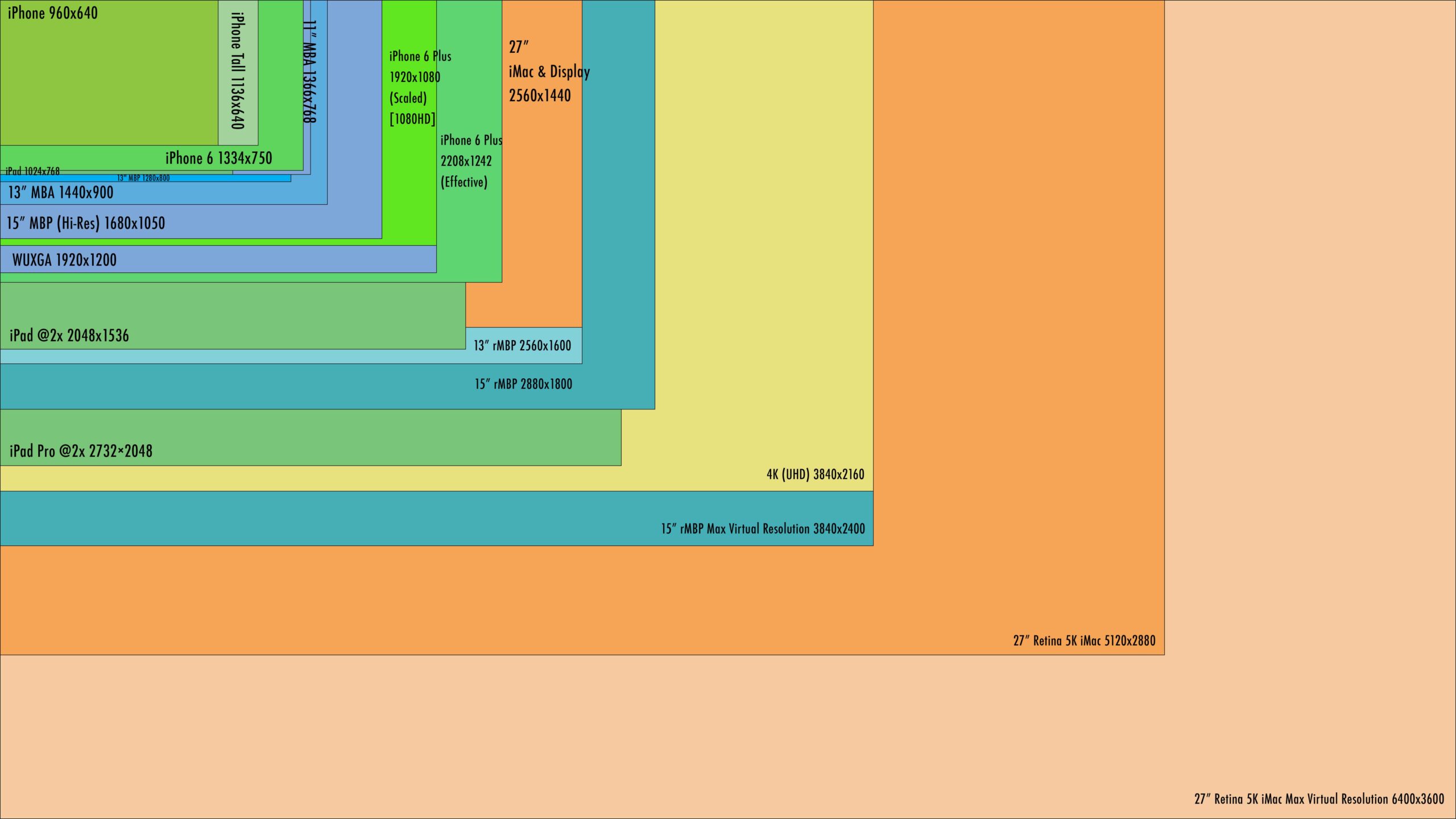
Resolution describes the number of pixels used to create the image. Full HD, or 1920 x 1080, is well matched to compact screens around 22 to 24 inches and remains easy for most computers to drive. At 27 inches, QHD at 2560 x 1440 generally creates finer text and more workspace than Full HD.
A 27-inch Full HD display is not automatically poor. The Acer KB272 G0bi can be comfortable when viewed from farther away, and it may suit users who prefer larger interface elements. The issue appears when you sit close and expect small text, detailed images, or several windows to look crisp.
A larger screen does not create more desktop detail unless its pixel count rises with it.
Pixel density and viewing distance
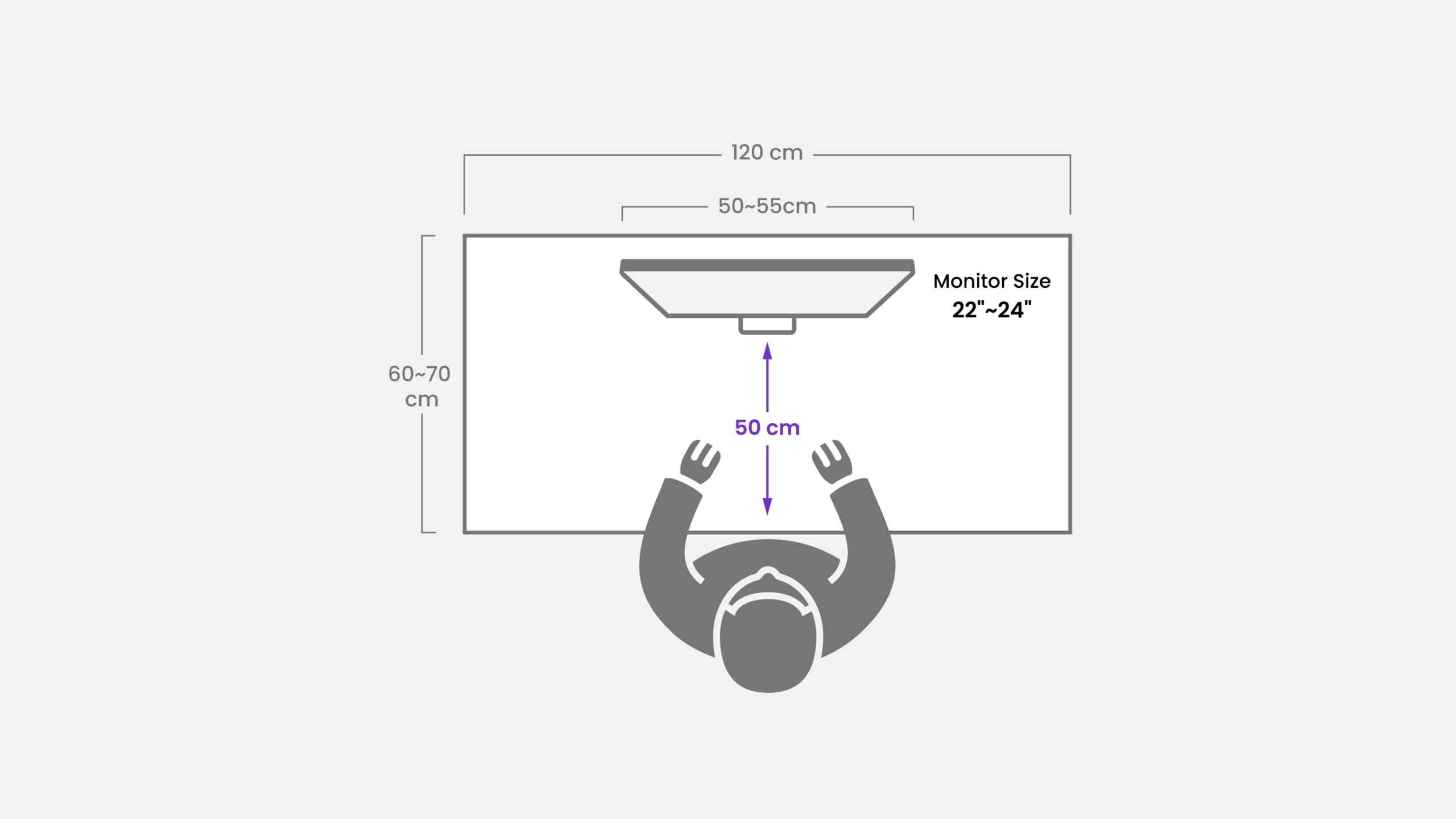
Pixel density determines how tightly packed the pixels are. A compact Full HD screen can look sharper than a larger Full HD screen because the same resolution is spread over less physical area. Viewing distance changes the practical result too. A monitor used across a deep desk can make a lower-density image feel more natural than one viewed close up.
For reading-heavy work, compare the physical size and resolution together. The Philips 22E2N1100 and Acer KB220Q H2bi use Full HD on compact panels, while the Samsung Odyssey G5 G51F and Dell 27 Plus S2725DSM use QHD to keep 27-inch images detailed.
Refresh rate and response time
Refresh rate is the number of times the screen can update each second. Higher figures make cursor movement, scrolling, and games appear smoother when the computer can supply the necessary frames. The Dell SE2426H reaches 144Hz, the Samsung Odyssey G5 G51F reaches 180Hz, and the portable Lenovo L15 is specified at 60Hz.
Response-time figures are not directly interchangeable between manufacturers, especially when one product lists MPRT or VRB. Adaptive-Sync and AMD FreeSync can help reduce tearing when the display and graphics source support them. For office work, refresh rate is a comfort and fluidity feature. For gaming, it becomes more important alongside the graphics card's ability to maintain high frame rates.
Panel type and viewing angles
IPS panels are useful when color consistency and wide viewing angles matter. The Dell SE2426H, Acer KB272 G0bi, Philips 22E2N1100, Lenovo L15, Anyuse portable, and FISKINER portable all identify IPS technology or an IPS panel. A wide viewing angle helps when the monitor is off-center, used beside another display, or shown to someone sitting nearby.
Panel type does not determine every aspect of image quality. Resolution, brightness, contrast, color tuning, and viewing conditions still matter. For a shared office or portable second screen, IPS is a sensible starting point.
Stand and connectivity
A good panel can become uncomfortable if the stand leaves it too low or too far to one side. The Samsung Odyssey G5 G51F offers tilt, pivot, and height adjustment, while the Dell 27 Plus S2725DSM adds swivel. The Philips 22E2N1100 supports a 100 x 100mm VESA mount, and the Lenovo L15 has a height-adjustable stand.
Connectivity deserves equal attention. The Anyuse provides two USB-C ports and Mini HDMI, while the Lenovo L15 uses two USB-C ports. Desktop options such as the Dell 27 Plus S2725DSM list HDMI and DisplayPort 1.4. Check whether a laptop's USB-C port supports display output before assuming a single cable will work.
Frequently asked questions
Is 1920 x 1080 good for a 24-inch monitor?
Yes. Full HD is a practical match for a 23.8-inch or 24-inch display because it provides readable text without demanding a powerful graphics system. The Dell SE2426H uses this combination and adds a 144Hz refresh rate for smoother motion.
Is QHD worth it on a 27-inch monitor?
QHD is especially useful at 27 inches when you want sharper text, more desktop space, or finer detail in games and images. The Samsung Odyssey G5 G51F and Dell 27 Plus S2725DSM both use 2560 x 1440. Make sure the computer can drive the resolution at the refresh rate you want.
Is Full HD enough for a 27-inch monitor?
Full HD can be enough if you prefer larger interface elements, sit farther from the display, or mainly use it for basic office work and video. It will generally look less dense than QHD at the same size. The Acer KB272 G0bi is the Full HD option for users who prioritize physical screen area.
What resolution should a portable monitor have?
A 15.6-inch portable monitor is well suited to Full HD because 1920 x 1080 keeps text and images reasonably sharp in a compact format. The Anyuse and Lenovo L15 both use Full HD. The 17.3-inch FISKINER uses 1600 x 900, which gives a larger image but less fine detail.
Does a higher refresh rate improve resolution?
No. Resolution controls the number of pixels and image detail, while refresh rate controls how often the image updates. A 144Hz Full HD display can look smoother than a 60Hz QHD display, but it will not show as much fine detail.
Do I need an IPS monitor?
IPS is useful when you want consistent colors and wide viewing angles, especially for office work, shared screens, and portable monitors. It is not the only factor that determines image quality. Brightness, resolution, contrast, and ergonomics should be considered alongside the panel type.
Can USB-C power a portable monitor?
It can, but the USB-C port and cable must support the required display mode and power arrangement. Anyuse specifically requires a compatible display-output mode such as USB 3.1 Type-C DP Alt Mode or Thunderbolt. Check the laptop or phone specifications before relying on one-cable operation.
The bottom line
The Best resolution for monitor size depends on the panel's physical size and the distance between you and the screen. For most desks, the Dell SE2426H is the easiest recommendation because its 23.8-inch Full HD panel, 144Hz refresh rate, IPS viewing angles, FreeSync support, and eye-comfort certification cover work, entertainment, and casual gaming without overcomplicating the setup.
Choose the Samsung Odyssey G5 G51F if a 27-inch display should look sharper and gaming performance matters. Its QHD resolution, 180Hz refresh rate, HDR10 support, and adjustable stand give it the strongest image and motion combination here. The Dell 27 Plus S2725DSM is the better alternative when speakers and a fully adjustable stand matter more than the Samsung's gaming extras.
If you are undecided, match Full HD to a compact screen and choose QHD for a 27-inch display when sharper detail is the priority.
As an Amazon Associate we earn from qualifying purchases.